




ProXpress C2670
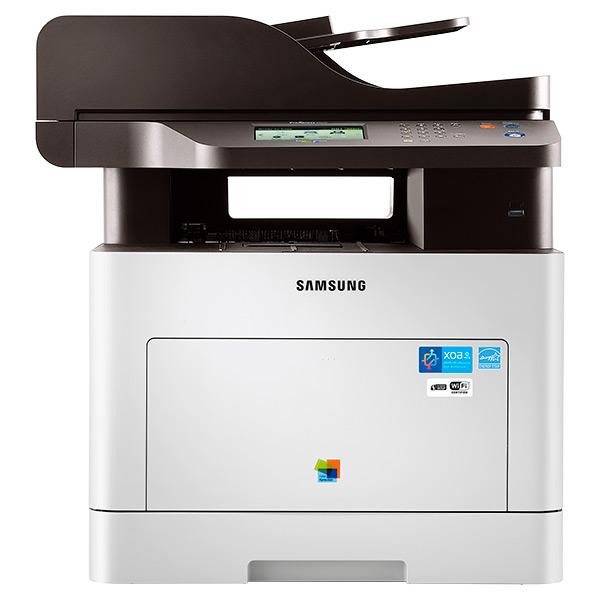
The ProXpress C2670 steps the color ProXpress line up in speed: the same compact color multifunction idea as the smaller model it succeeds, with a quicker engine for busier small offices. The upgrade deliberately leaves the toner alone. This machine runs the same CLT-505L high-yield family — CLT-K505L black, CLT-C505L cyan, CLT-M505L magenta and CLT-Y505L yellow — so a faster printer does not strand the cartridges an office already stocks.
Speed changes how a toner shelf should be managed. The cartridges hold the same generous high-yield fills, but a quicker engine in a busier office works through them in fewer weeks, and color jobs rarely deplete the four colors evenly — black and one favorite color usually lead. Offices running the C2670 as their main color machine do best when the shelf is treated as part of the printer: a full spare set on hand, singles of the fast-moving colors behind it. Standardizing on one cartridge family across machines is what keeps that system cheap to run.
Toner Cartridges for ProXpress C2670
| Cartridge | Color | Page Yield |
|---|---|---|
| Compatible Samsung CLT-505L Laser Toner Cartridges 4 Color Set (CLT-K505L/ CLT-C505L/ CLT-M505L/ CLT-Y505L) | 4 Color Set | High-yield family — see product page |
| Compatible Samsung CLT-K505L Laser Toner Cartridge Black | Black | High-yield — see product page |
| Compatible Samsung CLT-C505L Laser Toner Cartridge Cyan | Cyan | High-yield — see product page |
| Compatible Samsung CLT-M505L Laser Toner Cartridge Magenta | Magenta | High-yield — see product page |
| Compatible Samsung CLT-Y505L Laser Toner Cartridge Yellow | Yellow | High-yield — see product page |
| Compatible Samsung ProXpress C2670 Laser Toner Cartridge 4 Color Set | 4 Color Set | High-yield family — see product page |
| Compatible Samsung ProXpress C2670 Premium Quality Laser Toner Cartridges 4 Color Set | 4 Color Set | High-yield family — see product page |
Which cartridge should you buy?
Replace colors individually as they empty; that is how this family is designed to be bought, and it keeps a half-full cartridge from being wasted. Keep the four-color set for the moments when several colors run down together, and choose between the CLT-505L family set, the set named for the C2670, and its Premium Quality version — the codes inside are identical, and the premium listing is the OEM-quality build. For a busier office, the practical pattern is a standing spare set plus single cartridges of whichever color your workload burns fastest, so a depleted color never waits on a delivery.
Chip, toner and everyday use
New color cartridges sometimes need a calibration cycle before output settles, so run the color calibration from the printer menu after any change and judge the results afterward rather than before. Check during fitting that each cartridge's protective seal came away completely; a partly removed seal is a quiet cause of pale, washed-out color. Cartridges live one per color slot and cannot be swapped between slots. Empties are worth collecting rather than binning — toner take-back and recycling programs accept them, and a collection box near the printer makes the habit effortless.
Frequently Asked Questions
Our office is replacing C2620s with C2670s. Can the toner shelf stay as it is?
Yes. Both models use the CLT-505L high-yield family in all four colors, so your existing CLT-K505L, C505L, M505L and Y505L stock transfers directly to the new machines. The fleet swap needs no toner changes, no duplicate shelf and no write-off of cartridges already bought.
Colors look washed out right after installing new cartridges. What happened?
Most likely the set has not settled yet. Run the printer's color calibration from the menu and print again; if output is still washed out, check that each cartridge's protective seal was fully removed during installation, since a clinging seal starves the cartridge it belongs to.
How should we dispose of empty CLT-505L cartridges from the C2670?
Return them through a toner recycling or take-back program rather than the trash. Many office suppliers accept empties, and on a four-cartridge machine they accumulate steadily — keeping a collection box near the printer turns disposal into a routine instead of a periodic clear-out.