




LASERJET PRO 4101FDN
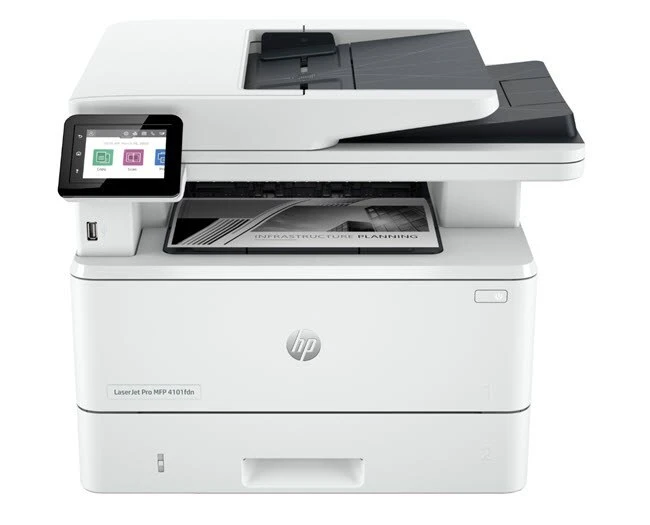
Print, scan, copy and fax — the LaserJet Pro 4101FDN does all four over a wired network, and all four jobs draw on the same toner family: the standard W1480A or the high-yield W1480X, looked up just as often by the short codes 148A and 148X. One cartridge slot feeds every function this multifunction machine performs.
The 4101FDN is the configuration built for offices that still fax: forms arrive on paper, get scanned, copied and sent back out, and every one of those steps adds pages to the cartridge's workload. On a wired network it sits as a shared department resource, so its toner consumption reflects the whole team's habits rather than one person's printing.
Toner Cartridges for LASERJET PRO 4101FDN
The core range first, high-capacity packs ahead of singles:
- Black — W1480A — 2-pack — Black
- Black — W1480A — 4-pack — Black
- Black — W1480A — Black
- Black — W1480X — 2-pack — Black
- Black — W1480X — 4-pack — Black
- Black — W1480X — Black
Listings that carry a family model's name — the same cartridges, titled for the machine:
Pro 4001dw: Black — W1480X — 2-pack, Black — W1480X — 4-pack, Black — W1480X.
MFP 4101fdw: Black — W1480X — 2-pack, Black — W1480X — 4-pack, Black — W1480X.
4101fdn: Black — W1480X — 2-pack, Black — W1480X — 4-pack, Black — W1480X.
4101: Black — W1480A — 2-pack, Black — W1480A — 4-pack, Black — W1480A.
4001n: Black — W1480X — 2-pack, Black — W1480X — 4-pack, Black — W1480X.
4001dn: Black — W1480X — 2-pack, Black — W1480X — 4-pack, Black — W1480X.
4001: Black — W1480A — 2-pack, Black — W1480A — 4-pack, Black — W1480A.
Further listings of the identical cartridges, one set per family model:
| Cartridge | Color | Page Yield |
|---|---|---|
| W1480A Black — 4-pack | Black | See product page |
| W1480A Black — 4-pack | Black | See product page |
| W1480A Black — 4-pack | Black | See product page |
| W1480A Black — 4-pack | Black | See product page |
| W1480A Black — 4-pack | Black | See product page |
| W1480A Black — 2-pack | Black | See product page |
| W1480A Black — 2-pack | Black | See product page |
| W1480A Black — 2-pack | Black | See product page |
| W1480A Black — 2-pack | Black | See product page |
| W1480A Black — 2-pack | Black | See product page |
| W1480A Black | Black | See product page |
| W1480A Black | Black | See product page |
| W1480A Black | Black | See product page |
| W1480A Black | Black | See product page |
| W1480A Black | Black | See product page |
| W1480X Black — 4-pack | Black | See product page |
| W1480X Black — 4-pack | Black | See product page |
| W1480X Black — 4-pack | Black | See product page |
| W1480X Black — 4-pack | Black | See product page |
| W1480X Black — 4-pack | Black | See product page |
| W1480X Black — 2-pack | Black | See product page |
| W1480X Black — 2-pack | Black | See product page |
| W1480X Black — 2-pack | Black | See product page |
| W1480X Black — 2-pack | Black | See product page |
| W1480X Black — 2-pack | Black | See product page |
| W1480X Black | Black | See product page |
| W1480X Black | Black | See product page |
| W1480X Black | Black | See product page |
| W1480X Black | Black | See product page |
| W1480X Black | Black | See product page |
Which cartridge should you buy?
Fax and copy traffic is the hidden volume on a machine like this, and it is why many offices default to the high-yield W1480X: fewer swaps, fewer interruptions, and a lower chance that an incoming fax run meets an empty cartridge. The standard W1480A suits a quiet desk where the fax line mostly sleeps. Singles, two-packs and four-packs of both capacities are stocked, and the two capacities are interchangeable between swaps with no settings to change. Compatible cartridges here carry a 1-year warranty and 1-year returns.
Chip, toner and everyday use
A multifunction machine leans on its cartridge chip for more than print levels — copy and fax output stop at the same empty cartridge, so the level the panel reports deserves attention. When the low warning appears there is still usable toner inside: output typically stays acceptable for a while, and rocking the cartridge gently evens out what remains. Fit replacements with the power on, seal fully removed, and let the machine recognize the new cartridge before sending the next job. Yield figures assume 5% page coverage.
Frequently Asked Questions
Does faxing use the same cartridge as printing?
Yes. The 4101FDN has one toner slot, and the W1480A or W1480X in it supplies print, copy and fax output alike — there is no separate fax cartridge to buy.
How much printing is left when the low-toner warning shows?
There is no exact page count, because it depends on how much toner each page uses. Pages generally stay acceptable for a while after the warning, and gently rocking the cartridge can even out the remaining toner for a few more.
Why do compatible cartridges for the 4101FDN cost less?
Compatible cartridges skip the brand premium and build on proven cartridge designs, so a compatible W1480A can cost less while still being made for this printer family. The saving comes from the label, not from the fit.
Standard or high-yield for a fax-heavy office?
High-yield, in most cases. The W1480X holds more toner per cartridge, and on a machine whose fax and copy work adds unseen pages, that headroom is what keeps the machine running between orders.
More printers that use the same cartridges
The same two cartridges also run in the print-only and wireless members of this family: LASERJET PRO 4101FDW, LASERJET PRO 4002DN, LASERJET PRO 4001DW, LASERJET PRO 4001DN