




LASERJET PRO 4002DN
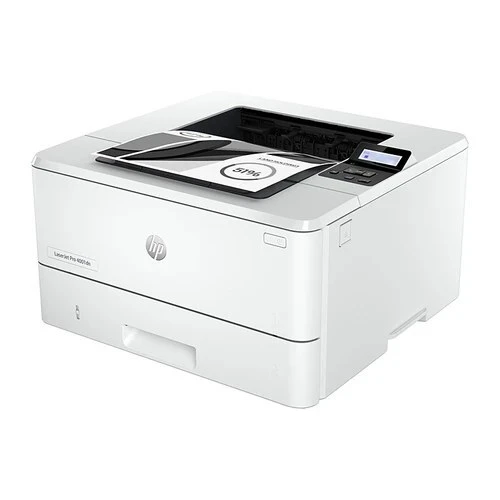
One black cartridge pair covers the LaserJet Pro 4002DN: the standard W1480A and the high-yield W1480X, the two capacities most buyers look up by their short names, 148A and 148X. The 4002DN is this generation's networked monochrome workhorse — automatic duplex and built-in Ethernet on a printer built to be shared — and everything it prints runs through that single cartridge slot.
Shared printers live a different life from personal ones: the queue collects jobs from several desks, duplex output keeps paper use in check, and a toner warning is a team problem rather than a private one. The same two cartridges also feed the multifunction LASERJET PRO 4101FDN and LASERJET PRO 4101FDW, so a supply shelf stocked for the 4002DN quietly covers its siblings as well.
Toner Cartridges for LASERJET PRO 4002DN
| Cartridge | Color | Page Yield |
|---|---|---|
| W1480A Black | Black | See product page |
| W1480A Black — 2-pack | Black | See product page |
| W1480A Black — 4-pack | Black | See product page |
| W1480X Black | Black | See product page |
| W1480X Black — 2-pack | Black | See product page |
| W1480X Black — 4-pack | Black | See product page |
Every cartridge above is also listed under the names of the family models it fits:
4001: W1480A Black — 2-pack, W1480A Black — 4-pack, W1480A Black.
4001dn: W1480X Black — 2-pack, W1480X Black — 4-pack, W1480X Black.
4001n: W1480X Black — 2-pack, W1480X Black — 4-pack, W1480X Black.
4101: W1480A Black — 2-pack, W1480A Black — 4-pack, W1480A Black.
4101fdn: W1480X Black — 2-pack, W1480X Black — 4-pack, W1480X Black.
MFP 4101fdw: W1480X Black — 2-pack, W1480X Black — 4-pack, W1480X Black.
Pro 4001dw: W1480X Black — 2-pack, W1480X Black — 4-pack, W1480X Black.
Additional listings of the same two cartridges, filed under the individual family models:
- 148A Black — Black
- 148A Black — Black
- 148A Black — Black
- 148A Black — Black
- 148A Black — Black
- 148A Black — 2-pack — Black
- 148A Black — 2-pack — Black
- 148A Black — 2-pack — Black
- 148A Black — 2-pack — Black
- 148A Black — 2-pack — Black
- 148A Black — 4-pack — Black
- 148A Black — 4-pack — Black
- 148A Black — 4-pack — Black
- 148A Black — 4-pack — Black
- 148A Black — 4-pack — Black
- 148X Black — Black
- 148X Black — Black
- 148X Black — Black
- 148X Black — Black
- 148X Black — Black
- 148X Black — 2-pack — Black
- 148X Black — 2-pack — Black
- 148X Black — 2-pack — Black
- 148X Black — 2-pack — Black
- 148X Black — 2-pack — Black
- 148X Black — 4-pack — Black
- 148X Black — 4-pack — Black
- 148X Black — 4-pack — Black
- 148X Black — 4-pack — Black
- 148X Black — 4-pack — Black
Which cartridge should you buy?
For a printer the whole office leans on, the high-yield W1480X is the sensible default: it stretches the interval between swaps and lowers how often someone has to stop work to change a cartridge. The standard W1480A still earns its place on a lightly used machine, or as the sealed spare kept beside a printer that cannot sit idle waiting for a delivery. Both capacities come as singles and in two- and four-cartridge packs; a shared machine argues for the packs, since the next cartridge is already in the cupboard when the first warning appears. Every compatible cartridge on this page is covered by a 1-year warranty and 1-year returns.
Chip, toner and everyday use
The 4002DN reads the chip on each cartridge to report its level, so seat a replacement firmly until it clicks and pull the sealing tape fully clear before it goes in. Page yields are estimates at 5% coverage — dense memos and graphics use toner faster than the estimate assumes. When output starts to fade near the end of a cartridge, lifting it out and rocking it gently from side to side redistributes the remaining toner and usually buys a few more clean pages. Store spares sealed, flat and away from heat, and use the oldest first.
Frequently Asked Questions
Which toner cartridge does the LaserJet Pro 4002DN use?
It takes the W1480A at standard capacity or the W1480X at high yield — the pair sold short as 148A and 148X. Match the code on the cartridge you remove and the replacement cannot be wrong.
Does the 4002DN need a separate drum unit?
No separate drum is listed for this printer on this page: the 148A and 148X cartridges are the only consumables stocked for the 4002DN here, and changing the cartridge is the whole job when output fades.
Why is my 4002DN printing gray instead of solid black?
Gray-looking output usually points to a cartridge near the end of its life, or to an economy or draft setting left on in the driver. Check the quality setting first; if pages stay pale on a proper quality setting, the cartridge is the likely cause.
How long can I keep a spare cartridge on the shelf?
Sealed toner keeps for years without trouble. Keep spares in their bags, out of heat and sunlight, and rotate them so the oldest cartridge goes into the printer first — print quality is best from fresher stock.
More printers that use the same cartridges
The 4002DN shares its two cartridges with the rest of its family: LASERJET PRO 4001DN, LASERJET PRO 4001DW, LASERJET PRO 4101FDN, LASERJET PRO 4101FDW