




LaserJet P2054DN
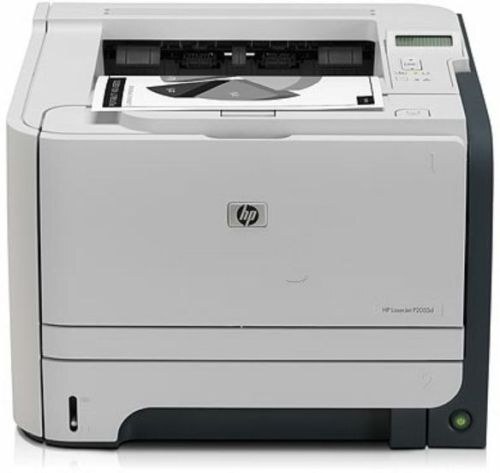
The LaserJet P2054DN is the fully connected P2054: Ethernet for the whole office plus automatic duplex for two-sided output. Late-2000s workgroup printing in a single shared box — the configuration IT departments ordered by default.
It runs on HP 05A/05X toner — CE505A standard, CE505X high-yield. For a networked, duplexing workgroup printer, the CE505X high-yield is the sensible stocking choice.
Toner Cartridges for LaserJet P2054DN
This printer works with the following toner cartridges:
- HP CE505A
- HP CE505X
More HP Printers
- LaserJet P2033
- LaserJet P2034
- LaserJet P2035
- LaserJet P2035DN
- LaserJet P2035N
- LaserJet P2036
- LaserJet P2037
- LaserJet P2053
- LaserJet P2053D
- LaserJet P2053DN
- LaserJet P2054
- LaserJet P2054D
- LaserJet P2055
- LaserJet P2055D
- LaserJet P2055DN
- LaserJet P2055X
- LaserJet P2056
- LaserJet P2056DN
- LaserJet P2057
- LaserJet P2057D
Frequently Asked Questions
Which cartridge codes are compatible with the LaserJet P2054DN?
HP built the LaserJet P2054DN around CE505A (standard) and CE505X (high-yield), so stick to those codes for a proper fit.
Should I shake the cartridge when the LaserJet P2054DN reports low toner?
Yes — removing the CE505A from the LaserJet P2054DN and rocking it gently side to side (never shaking violently) redistributes settled toner and often buys more good pages before the LaserJet P2054DN needs a fresh cartridge.
My computer cannot find the LaserJet P2054DN — what should I check?
Check the cable or network connection to the LaserJet P2054DN first, then restart both the printer and the computer; if the LaserJet P2054DN still does not appear, reinstall its driver from HP's support site.