




LaserJet P2035
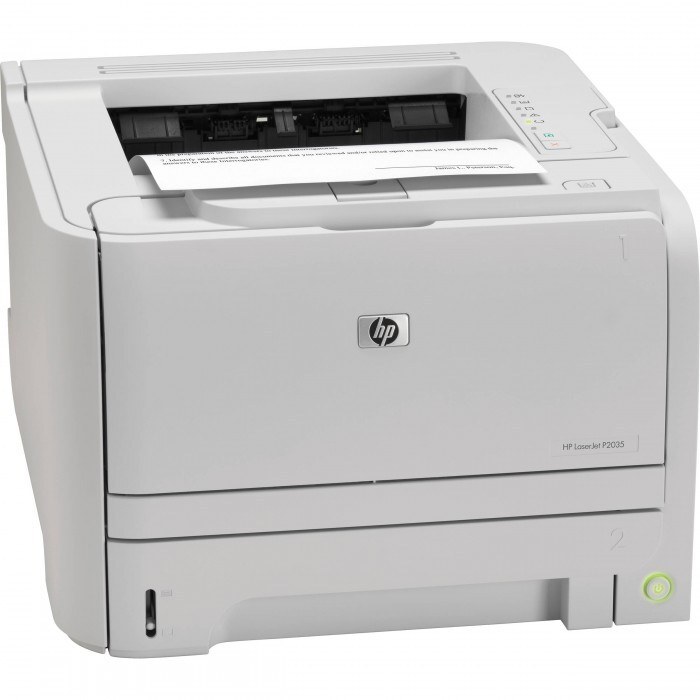
The LaserJet P2035 is the base mono printer of its generation — a late-2000s USB workhorse for small offices that print black-and-white all day and ask for nothing fancier. It takes a single standard cartridge, the CE505A — the HP 05A — and, for the longest all-day runs, a jumbo-yield compatible build of that same cartridge, the CE505AJ, which stretches the time between swaps further than any standard fill.
Base models survive because they match the work most offices actually do. The P2035 has one job — documents — and one supply decision, repeated a few times a year. There are no color cartridges to balance and no second tray of specialty stock to manage; when the pages fade, you change the one cartridge and continue. Owners who value that plainness tend to keep these machines running well past the age when flashier printers get replaced.
Toner Cartridges for LaserJet P2035
| Cartridge | Color | Page Yield |
|---|---|---|
| CE505A | Black | See product page |
| CE505A MICR | Black (MICR) | See product page |
| CE505AJ | Black, jumbo yield | See product page |
| CE505A | Black, 3 pack | See product page |
| CE505A Premium | Black, 3 pack | See product page |
| CE505AJ | Black, 4 pack | See product page |
| CE505A | Black, 6 pack | See product page |
Which cartridge should you buy?
Two honest choices cover nearly everyone. The standard 05A is the straightforward pick for a P2035 that prints daily but not relentlessly: it is the cartridge the machine was designed around, in single, 3-pack and 6-pack form depending on how you like to stock. The jumbo CE505AJ is the same bay filled further — the option for offices whose printer genuinely runs all day and where every cartridge change interrupts somebody. MICR serves the narrow case of check printing. Between the standard and the jumbo there is no wrong answer, only a question of how often you want to think about toner; both are compatible cartridges covered by a 1-year warranty and 1-year returns.
Chip, toner and everyday use
Make the cartridge swap a closed loop. When the new cartridge goes in, bag the old one straight away — loose toner travels — and send it back through a cartridge recycling program or a local recycler rather than the regular trash. Inside the office, rotate your spares: mark the purchase order of boxes if you must, but make sure the oldest sealed cartridge goes into the printer first, because sealed toner keeps for years yet prints best when it has not sat through several summers. Store the shelf stock flat, dry and away from direct sunlight, and the P2035 will reward the routine with boring, consistent pages.
Frequently Asked Questions
What toner does the LaserJet P2035 need?
The cartridges stocked for it are the CE505A family — the HP 05A — including the jumbo-yield CE505AJ build. Buying by the printed code is the surest way to avoid a mismatch, since neighboring HP models use look-alike cartridges of their own.
Is the CE505X the high-yield cartridge for the P2035?
Not on this shelf: the long-running option sold for the P2035 is the jumbo CE505AJ, which stretches the standard cartridge's fill. The CE505X is stocked under the LaserJet P2055 models instead, so if the cartridge you removed reads CE505X, check which printer it actually came out of before reordering.
What should I do with the old cartridge after replacing it?
Bag it to contain any loose toner, then return it through a cartridge recycling program or hand it to a local recycler. Toner cartridges do not belong in regular trash, and the bag keeps the inside of the bin — and the office — clean in the meantime.
Does toner expire if I store spare CE505A cartridges?
Sealed cartridges stay usable for years, though print quality is at its best with fresher stock. Rotate your spares so the oldest goes into the printer first, and store them flat in a cool, dry place; a spare that has baked on a sunny shelf can disappoint when its turn finally comes.
More printers that use the same cartridges
The same 05A supply feeds all of these models: HP CE505A, LaserJet P2033, LaserJet P2034, LaserJet P2035, LaserJet P2035DN, LaserJet P2035N, LaserJet P2036, LaserJet P2037, LaserJet P2053, LaserJet P2053D, LaserJet P2053DN, LaserJet P2054, LaserJet P2054D, LaserJet P2054DN, LaserJet P2055, LaserJet P2055, LaserJet P2055D, LaserJet P2055DN, LaserJet P2055X, LaserJet P2056, LaserJet P2056DN, LaserJet P2057, LaserJet P2057D.