




LaserJet P1009
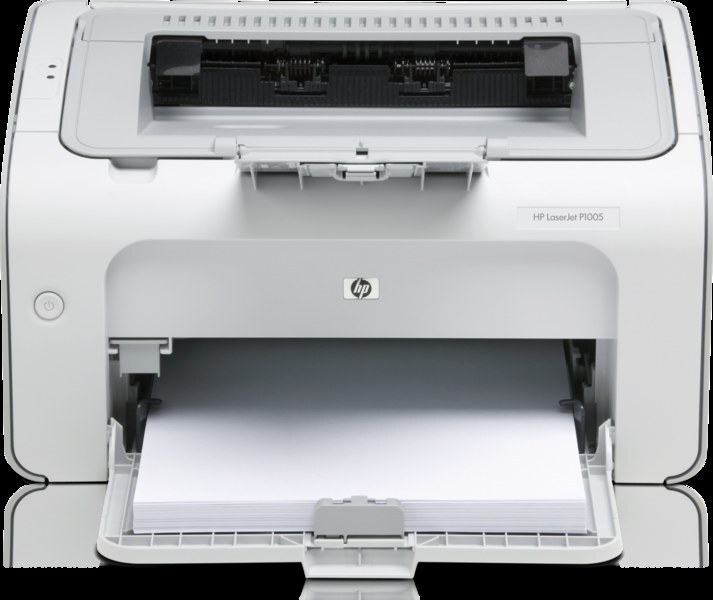
The LaserJet P1009 closed out the P1000 generation — the final word in HP's late-2000s compact mono printers for single-desk printing. It kept the family consumable: the CB435A, bought as the HP 35A, plus the high-yield option, the CB435X (HP 35X), stocked for printers that drain a standard cartridge quickly. End of the generation, same one-cartridge story.
Being last in the line has a practical upside: everything about the P1009 is known, and its supply is the most settled of the series. Better still, its cartridge is the one the entire P1000 family shares, so an office running several generations of these small printers stocks a single code for all of them. The P1009 on the last desk and the P1002 on the first draw from the same drawer.
Toner Cartridges for LaserJet P1009
| Cartridge | Color / Build | Page Yield |
|---|---|---|
| CB435A | Black | See product page |
| CB435X | Black, high yield | See product page |
| CB435A 2 Pack | Black | See product page |
| CB435A 3 Pack | Black | See product page |
| CB435A 5 Pack | Black | See product page |
| CB435A Premium 5 Pack | Black | See product page |
| CB435A 10 Pack | Black | See product page |
| CB435A MICR | Black | See product page |
Which cartridge should you buy?
Think in terms of the drawer, not the desk. Because the P1009 shares the 35A family with every other P1000 model, the smartest buy is the pack size that covers all the series printers you run: a 5 or 10 Pack turns cartridge stock into a single shared pool, and any cartridge in it fits whichever machine runs dry first. For a lone P1009, the standard CB435A single or 2 Pack is plenty, and the CB435X serves the one busy seat that empties cartridges faster than the rest. The premium five-pack is the top-grade version of the shared-pool idea. MICR remains the check-printing exception. Every compatible cartridge here is covered by a 1-year warranty and 1-year returns.
Chip, toner and everyday use
Most P1009 jams are loading problems rather than printer problems. Fan the paper before it goes in, never overfill the tray, keep the stack dry and flat, and set the guides snugly against the paper — those four habits prevent the great majority of feed trouble. When a swap is due, fit the new cartridge with its seal fully removed and give it a gentle rock first; then run the old cartridge to recycling rather than the trash, bagged so loose toner stays contained.
Frequently Asked Questions
Can I use CB435A toner in the LaserJet P1009?
Yes. The CB435A is the correct cartridge for the P1009, and the high-yield CB435X is its longer-lasting alternative. Check the code on your current cartridge to confirm before you order.
Does the P1009 share cartridges with the earlier P1000 models?
It does — the whole series runs on the 35A family. A cartridge stocked for the P1009 also fits the P1002 through P1008 models in the family list below, which is what makes a shared supply drawer practical.
How do I prevent jams in this printer?
Fan paper before loading, avoid overfilling the tray, keep paper dry and flat, and align the guides snugly. Most jams trace back to how the paper was loaded rather than to the printer itself.
The printer says toner is low. Should I replace the cartridge now?
Not necessarily right away: the low-toner estimate is conservative and prints often stay good for some time. Order the replacement now, though, so the P1009 is never caught without one when quality does fade.
More printers that use the same cartridges
The family shelf this printer shares with the rest of the P1000 generation: LaserJet P1008, LaserJet P1007, LaserJet P1006, LaserJet P1005, LaserJet P1004, LaserJet P1003, LaserJet P1002W, LaserJet P1002, HP CB435A.