




LaserJet P1008
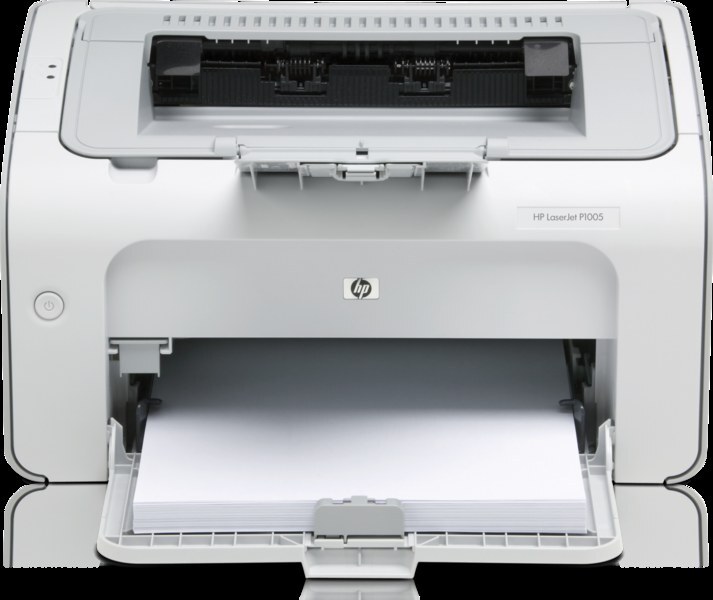
A half-step along from the P1007, the LaserJet P1008 served the same personal-printing mission with a fresher late-2000s trim: compact monochrome printing for home offices and students who had outgrown inkjet costs. It runs on one black cartridge, the HP 35A, whose full order code is CB435A — with the higher-fill HP 35X (CB435X) sitting above it for busier desks.
It has been called the classic first laser printer, and the toner story explains why: one cartridge, widely stocked, shared across the whole P1000 series listed below. For owners stepping up from inkjet running costs, that simplicity — buy by code, swap in a minute — was half the appeal, and it still is for the machines in service today.
Toner Cartridges for LaserJet P1008
- CB435A — Black — Black — Page yield: see product page
- CB435A — Black, 10 Pack — Black — Page yield: see product page
- CB435A — Black, 2 Pack — Black — Page yield: see product page
- CB435A — Black, 3 Pack — Black — Page yield: see product page
- CB435A — Black, 5 Pack — Black — Page yield: see product page
- CB435A — MICR Black — Black — Page yield: see product page
- CB435X — High Yield Black — Black — Page yield: see product page
- CB435A — Premium Black, 5 Pack — Black — Page yield: see product page
Which cartridge should you buy?
For a first laser printer, the standard CB435A already delivers the low running cost that brought most owners here — start there if your printing is letters, forms and the odd boarding pass. The high-yield CB435X is aimed at busier first-laser households: same fit, more toner, fewer changes across a school year. Multipacks are a storage decision before they are a savings decision; the 2-pack keeps a spare ready, the larger packs and the Premium 5-pack suit a home office that prints every week and has a cool, dry shelf. The MICR listing exists for check printing only. Every compatible cartridge listed here is backed by a 1-year warranty and 1-year returns.
Chip, toner and everyday use
Two habits keep a P1008 trouble-free. First, software: the printer needs its driver installed at minimum, and HP's support site is the place to fetch it when a computer is replaced. Second, paper: an occasional jam harms nothing if you clear it patiently — power the printer down and pull the sheet gently along the paper path rather than forcing it, which is what bends rollers and sensors. On the toner side, the machine reads the cartridge chip at installation and may note that the cartridge is not HP-made; acknowledge the message and print on. Keep spares sealed and upright, and a fading cartridge can be rocked gently to even out its last toner.
Frequently Asked Questions
Which cartridge codes fit the LaserJet P1008?
HP built the P1008 around the CB435A, with the high-yield CB435X as the same-fit alternative. Stick to those two codes and the cartridge will seat and be recognized.
Do I need special software to use the P1008?
Only its print driver at minimum. Install the driver for your operating system from HP's support pages and the printer is ready; there is no separate software the cartridge depends on.
Can a paper jam damage the P1008?
An occasional cleared jam will not harm it. Damage comes from force: switch the printer off, open it up and ease the sheet out along the paper path. Torn fragments left inside cause repeat jams, so check the path is clear before closing up.
Is the high-yield cartridge worth it on a small printer like this?
It depends entirely on volume. A drawer of occasional printing will not feel the difference for a year or more; a household printing daily will appreciate changing cartridges half as often. The fit is identical either way, so the choice can be made order by order.
More printers that use the same cartridges
Every P1000-series model below shares this printer's cartridge:
LaserJet P1009, LaserJet P1007, LaserJet P1006, LaserJet P1005, LaserJet P1004, LaserJet P1003, LaserJet P1002W, LaserJet P1002, HP CB435A