




LaserJet P1003
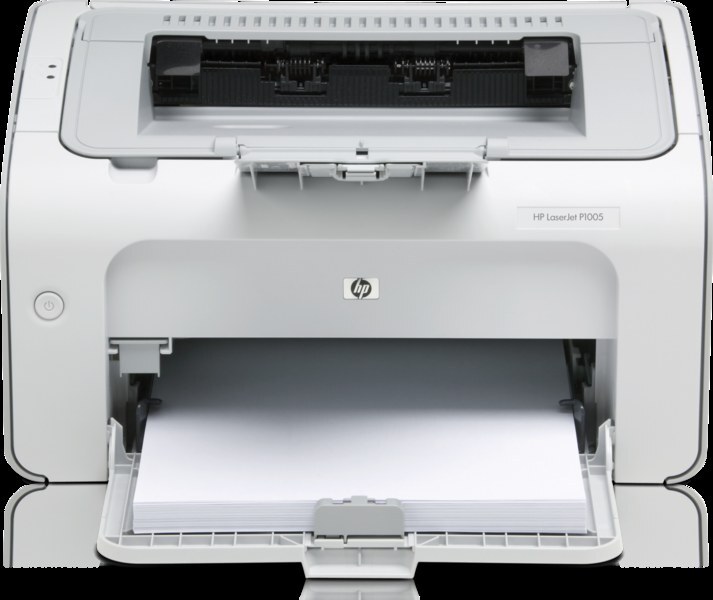
The LaserJet P1003 is the straightforward mono printer of the P1000 series — USB-connected, compact, and built for a single desk's everyday documents. One cartridge, one decision: the CB435A, ordered as the HP 35A. The P1003 also accepts the CB435X (HP 35X), the high-yield member of the family, made for desks that empty a standard cartridge too quickly.
Everything about this printer is deliberately plain: no network to configure, no control-panel maze, and a supply routine that never changes. For a single user at a single desk, that plainness is the feature. The only real question the P1003 ever asks its owner is how much printing stands between today and the next cartridge swap, and the two builds of its one cartridge exist to answer exactly that.
Toner Cartridges for LaserJet P1003
| Cartridge | Color | Yield |
|---|---|---|
| HP 35A standard (CB435A) | Black | See product page |
| HP 35X high yield (CB435X) | Black | See product page |
| CB435A, box of 2 | Black | See product page |
| CB435A, box of 3 | Black | See product page |
| CB435A, box of 5 | Black | See product page |
| CB435A Premium, box of 5 | Black | See product page |
| CB435A, box of 10 | Black | See product page |
| CB435A MICR for checks | Black | See product page |
Which cartridge should you buy?
On a single desk, swap frequency is the whole decision. If a standard CB435A lasts you a comfortable stretch of months, stay with singles and reorder when the spare goes in. If you find yourself changing cartridges often enough to resent it, the CB435X is the same cartridge with a deeper fill, and it is the natural upgrade for this printer. Multi-packs suit the organized desk: a 2 or 3 Pack removes reordering from your routine without tying up much shelf space, while the 5 and 10 Packs fit a desk that doubles as a small office's print station. The premium line is the top-grade build of the standard cartridge. MICR, as ever, is only for checks. Compatible cartridges here carry a 1-year warranty and 1-year returns.
Chip, toner and everyday use
A compatible cartridge can prompt a notice on the P1003 saying a non-HP cartridge is installed. That message is informational: acknowledge it and printing continues normally in the ordinary run of things. When fitting any cartridge, remove the sealing tape completely and seat it squarely; a cartridge resting at a slight angle is the most common cause of a recognition complaint. Keep your spare sealed until the day it is needed, and store it flat in a drawer away from heat — toner keeps best in a cool, dry, dark place.
Frequently Asked Questions
What toner does the LaserJet P1003 need?
Only the CB435A fits it — the HP 35A — along with the high-yield CB435X build of the same cartridge. Buying by code number is the surest way to avoid a mismatch.
Is the high-yield cartridge worth it for one desk?
If your standard cartridge lasts many months, probably not; the saving appears when swaps are frequent. Desks that print daily usually find the CB435X pays for its convenience in fewer interruptions alone.
The printer says a non-HP cartridge is installed. Is that a problem?
No. The P1003 reports what it detects, and a compatible cartridge normally prints without further fuss once the notice is acknowledged. If it ever refuses, reseating the cartridge and restarting the printer resolves most cases.
How do I keep a spare cartridge fresh until I need it?
Leave it in its sealed bag inside the box, stored flat in a cool, dry spot away from sunlight. Do not open the packaging early; a sealed cartridge keeps its toner in good condition far longer than an opened one.
More printers that use the same cartridges
The P1003 shares its cartridge with the rest of the P1000 series: