




LaserJet P1005
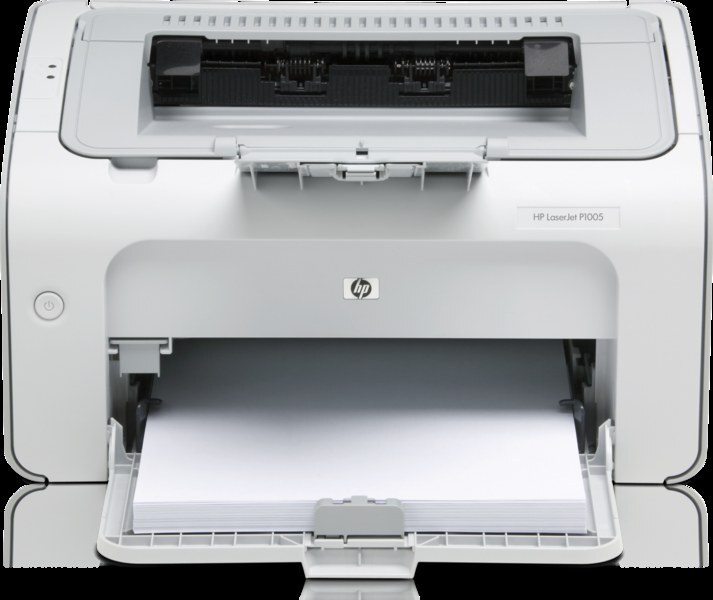
The LaserJet P1005 is the P1000-series mono printer that found its way onto countless desks — the dependable USB workhorse of the late-2000s lineup. Its consumable is the CB435A, the cartridge sold as the HP 35A, and owners who print in volume can move up to the CB435X (HP 35X), a compatible build with a higher yield that outlasts the standard cartridge. When a printer is this simple, restocking is too.
Ubiquity is the P1005's defining trait: so many desks run one that its cartridge has become the default small-LaserJet supply. That cuts both ways in your favor. The code is easy to remember, the listings are plentiful, and anyone in the office can handle a swap without instructions. A P1005 rarely asks its owner for anything beyond paper and the occasional cartridge, which is precisely why it earned its workhorse reputation.
Toner Cartridges for LaserJet P1005
| Cartridge | Type | Page Yield |
|---|---|---|
| CB435A — standard black | Black | See product page |
| CB435X — high-yield black | Black | See product page |
| CB435A — 2 Pack | Black | See product page |
| CB435A — 3 Pack | Black | See product page |
| CB435A — 5 Pack | Black | See product page |
| CB435A Premium — 5 Pack | Black | See product page |
| CB435A — 10 Pack | Black | See product page |
| CB435A MICR — check printing | Black | See product page |
Which cartridge should you buy?
If your P1005 prints checks — many of these printers live in small accounting corners — start with the CB435A MICR, whose magnetic toner is what bank readers expect, and keep it for that job alone. For ordinary documents the decision is the familiar one: the standard CB435A for light, occasional printing; the CB435X when the cartridge turns over fast enough that a deeper fill saves repeated swaps; and the multi-packs when you would rather stock the drawer once than reorder often. The 2 Pack is the natural minimum for a workhorse printer, and the premium five-pack is the top-grade build bought in bulk. All compatible cartridges here carry a 1-year warranty and 1-year returns.
Chip, toner and everyday use
Faded or streaky pages on a P1005 most often mean the cartridge is running low or its toner has settled unevenly. Lift the CB435A out, rock it gently side to side, and print a test page; a cartridge with life left in it usually recovers even coverage. If streaks persist with a fresh cartridge fitted, clean the paper path and check for a scrap or dust along the feed route. Store spares sealed and flat, and keep the printer's own area free of the paper dust that accumulates around a hard-working machine.
Frequently Asked Questions
Is CB435A the correct cartridge for the LaserJet P1005?
Yes. The P1005 accepts the CB435A — and the high-yield CB435X — and matching one of those codes guarantees the cartridge seats correctly. The family name for the standard cartridge is HP 35A.
Why are my pages faded or streaky?
Low or unevenly settled toner is the usual cause. Rocking the cartridge side to side redistributes what remains; if the marks persist with a fresh cartridge, clean the paper path before suspecting the printer itself.
Packs or singles for a busy desk?
The cartridge is identical either way, so choose by habit: singles if you reorder without thinking about it, a 2 or 5 Pack if an empty printer has ever caught your desk out. Depth on the shelf is cheap insurance for a workhorse.
Who needs the MICR version of this cartridge?
Anyone printing checks on the P1005. MICR toner produces the magnetic characters banks scan along the check's bottom edge. For letters and documents it offers no advantage over the standard cartridge.
More printers that use the same cartridges
One cartridge serves the entire P1000 series, including: HP CB435A, LaserJet P1002, LaserJet P1002W, LaserJet P1003, LaserJet P1004.
LaserJet P1006, LaserJet P1007, LaserJet P1008, LaserJet P1009.