




LaserJet P1002
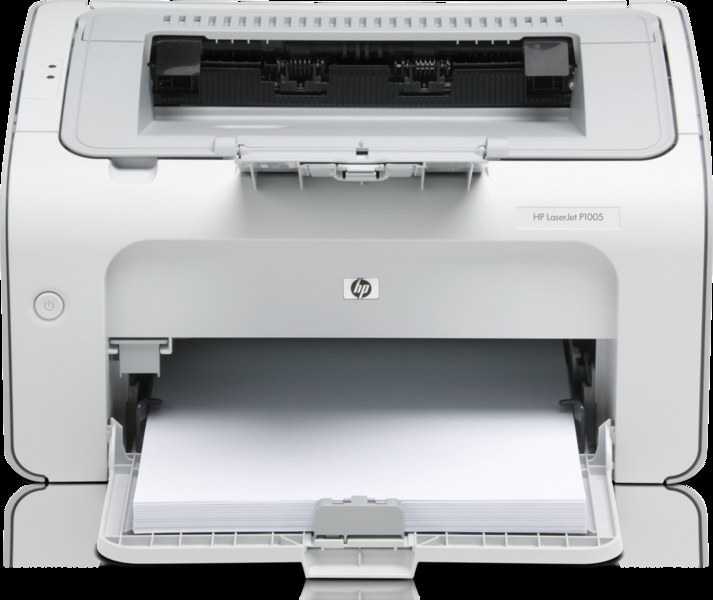
Offices that still run the LaserJet P1002 usually keep it for one reason: the compact mono LaserJet simply does its job with little fuss. It prints from a single black cartridge, the CB435A, bought under its family name as the HP 35A, and desks that empty that cartridge quickly can step up to the high-yield CB435X (HP 35X). The shelf below holds the standard cartridge, multi-packs up to ten, a MICR version and a premium five-pack.
There is a particular calm to owning a printer whose entire supply routine is one code. The P1002 asks for no color set, no drum schedule and no menu of options; when the pages fade, you fit the same cartridge you fitted last time. That simplicity is why so many of these small machines are still on desks long after flashier printers were retired, and why keeping one spare in the drawer is the whole maintenance plan.
Toner Cartridges for LaserJet P1002
| Cartridge | Color | Page Yield |
|---|---|---|
| CB435A (HP 35A) | Black | See product page |
| CB435X (HP 35X) | Black, high yield | See product page |
| CB435A MICR | Black | See product page |
| CB435A 2 Pack | Black | See product page |
| CB435A 3 Pack | Black | See product page |
| CB435A 5 Pack | Black | See product page |
| CB435A Premium 5 Pack | Black | See product page |
| CB435A 10 Pack | Black | See product page |
Which cartridge should you buy?
Start with how often the P1002 actually prints. A desk that produces a few pages a day is well served by the standard CB435A single, replaced as needed. If the cartridge seems to run out at the worst moments, the CB435X is the same fit with a deeper fill, so swaps come less often and the cost per page drops. The multi-packs change nothing about the cartridge itself; a 2 Pack simply means the spare is already in the drawer, and the 5 and 10 Packs suit small offices that would rather order once a season than once a month. The premium five-pack is the top-grade build in bulk form. Choose MICR only for printing checks. Every compatible cartridge here carries a 1-year warranty and 1-year returns.
Chip, toner and everyday use
Fit a new cartridge with the printer's cover open and the old one lifted straight out; peel the sealing tape in one pull and give the new CB435A a gentle side-to-side rock before it goes in, which spreads the toner evenly for the first pages. If output ever looks light on one side, that same rocking redistributes what is left. Keep spares sealed in their box, upright and out of direct sunlight, and never puncture the bag early — a cartridge stored sealed keeps its toner in far better condition than one opened and shelved.
Frequently Asked Questions
Is CB435A the correct cartridge for the LaserJet P1002?
Yes. The P1002 is a CB435A printer, also described as the HP 35A, and the high-yield CB435X fits the same slot. Match the code printed on the cartridge you remove and you cannot go wrong.
What is the difference between the 35A and the 35X?
Both are the same fit for the P1002; the CB435X simply carries a deeper fill than the standard CB435A, so it prints longer between changes. Desks with steady volume feel the difference most.
How should I store a spare cartridge for this printer?
Leave it sealed in its original bag and box, stored upright in a cool, dry place. Toner cartridges tolerate shelf life well when the packaging stays intact, and opening one early only invites dust and humidity.
Can a paper jam damage the P1002?
An occasional jam that is cleared gently will not harm it. Power the printer down, take the cartridge out if you need access, and pull stuck paper slowly along the paper path rather than forcing it, since torn scraps left behind cause repeat jams.
More printers that use the same cartridges
The 35A cartridge family is shared across the whole P1000 series: HP CB435A, LaserJet P1002W, LaserJet P1003, LaserJet P1004, LaserJet P1005, LaserJet P1006, LaserJet P1007, LaserJet P1008, LaserJet P1009.