




LaserJet M3027XMFP
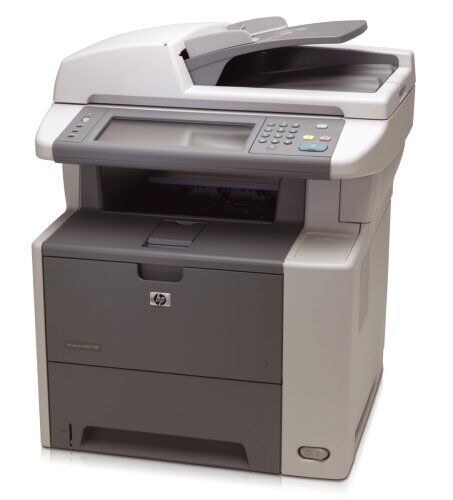
With the expanded-feature X configuration, the LaserJet M3027XMFP was the fullest version of the M3027 monochrome multifunction line — the departmental machine with everything on board. Its cartridges are the family's three fills: the standard Q7551A, the high-yield Q7551X and the maximum-yield Q7551XJ. HP's short family names are the 51A, the 51X and the 51XJ; whichever fill you run, the code on the outgoing cartridge tells you exactly what to reorder.
A flagship configuration earns its place by never being the bottleneck: printing, scanning and copying for a whole department from one cabinet. Owners of the XMFP tend to standardize on it — which makes one shared cartridge shelf for the family doubly convenient, because the same fills also feed the plainer M3027 and M3035 machines that often surround it in larger offices.
Toner Cartridges for M3027XMFP
| Cartridge | Color | Page Yield |
|---|---|---|
| Q7551X Toner Cartridge High Yield Black | Black | See product page |
| Q7551A Toner Cartridge Black 5 Pack | Black | See product page |
| Q7551A Toner Cartridge Black 2 Pack | Black | See product page |
| Q7551A Toner Cartridge Black 10 Pack | Black | See product page |
| Q7551A Toner Cartridge Black | Black | See product page |
| Q7551A Premium Quality Toner Cartridge Black 5 Pack | Black | See product page |
| Q7551XJ Toner Cartridge Maximum Yield Black | Black | See product page |
| Q7551XJ Toner Cartridge Maximum Yield Black 2 Pack | Black | See product page |
| Q7551X Toner Cartridge High Yield MICR Black | Black (MICR) | See product page |
| Q7551X Toner Cartridge High Yield Black 4 Pack | Black | See product page |
| Q7551A Toner Cartridge MICR Black | Black (MICR) | See product page |
| Q7551A Toner Cartridge Black 3 Pack | Black | See product page |
Which cartridge should you buy?
Volume decides, and this machine usually has plenty. The standard Q7551A is the economy fill for an XMFP that has retired to light duty. In active departmental service the high-yield Q7551X is the sensible default — fewer interruptions, lower cost per page. The maximum-yield Q7551XJ exists for the machines that burn through even an X too quickly. If your office runs several printers from this family, the multi-packs of the standard cartridge (three, five, ten) simplify stocking, while the MICR listings are check-printing specials. All are compatible cartridges with a 1-year warranty and 1-year returns behind them.
Chip, toner and everyday use
A fresh cartridge announces itself through its chip; if the XMFP questions it, lift the unit out and reseat it squarely — chip recognition is the most common cause of install complaints on this family. Let the machine finish its calibration cycle before printing a test page. Spares keep best sealed in the box, in a cool and dry spot away from sunlight, fitted only when needed. Before installing a long-stored spare, rock it gently so the toner inside redistributes evenly and the first pages come out at full density.
Frequently Asked Questions
What toner does the LaserJet M3027XMFP use?
Any of the family's three fills: the standard Q7551A, the high-yield Q7551X or the maximum-yield Q7551XJ. Choose by volume; the fit is identical.
The printer rejects a new cartridge — what now?
Reseat it first: pull the cartridge out and slide it back until it clicks. If the printer still rejects it, restart the machine so it re-reads the chip, and check the chip contacts are clean and undamaged.
Is the maximum-yield cartridge a genuine HP product?
The Q7551XJ is a compatible-only tier — HP never sold an XJ fill — built to the same fit as the standard and high-yield cartridges, with a larger toner load.
How do I keep a spare ready for a shared departmental machine?
Hold one boxed spare per fill size you run. The 51A family keeps well sealed, so a spare bought today is still ready when the installed cartridge fades months from now.
More printers that use the same cartridges
The full family sharing these cartridges: