




HP Q7551A
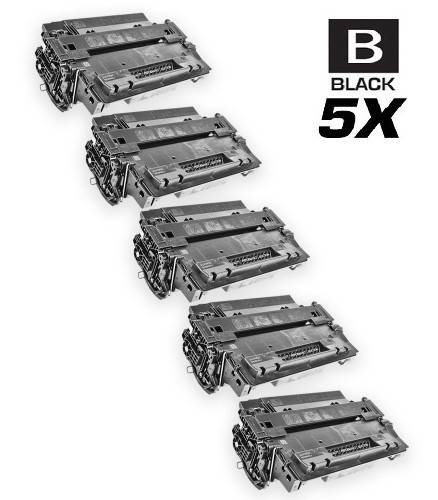
HP Q7551A Toner Cartridges
HP Q7551A Toner Cartridges, HP 51A
- Backed by a One Year 100% Satisfaction Guarantee
- FREE delivery on orders over $49, shipping within the contiguous U.S.
- Ships same day if order is placed before 4 PM PST
- Award-winning customer service you can count on
The HP Q7551A, marketed as the HP 51A, earned its reputation in the LaserJet P3005, M3027, and M3035 generations — dependable mono printers still found in offices everywhere. It is a standard-yield black cartridge; no high-yield X counterpart was ever made for this series, so keeping one spare covers busy weeks. Models on the compatibility list include the LaserJet P3005dn, the P3005x, the M3027 MFP, and the M3035xs MFP, among others. Because each cartridge integrates toner and the imaging drum, replacing it renews the whole print system in one step. We sell both genuine OEM HP 51A cartridges and compatible versions. Choose original HP for brand-matched supplies, or choose compatible and lower your printing costs with no change to how the printer behaves.
Works with these HP printers
- LaserJet M3027
- LaserJet M3027MFP
- LaserJet M3027X
- LaserJet M3027XMFP
- LaserJet M3035
- LaserJet M3035XS
- LaserJet M3035XSMFP
- LaserJet M3035mfp
- LaserJet P3005
- LaserJet P3005D
- LaserJet P3005DN
- LaserJet P3005N
- LaserJet P3005X
Frequently Asked Questions
How do I confirm my printer uses the 51A?
Look at the front of your printer for a supplies door label, or print a supplies status page from the control panel — either will name the cartridge series. If you see 51A or Q7551A, this is your cartridge. Cross-checking your model against the list above is the second line of defense against ordering the wrong one.
Are compatible 51A cartridges reliable?
Quality compatibles are built to the same physical and electrical specifications as the original, so the printer accepts them normally. The main difference you will notice is price — and occasionally, packaging. Stick with established sellers, and a compatible 51A prints everyday text documents indistinguishably from the OEM cartridge.
My prints look faded — is the cartridge empty?
Faded or light prints usually mean low toner, especially if the printer's low-toner warning is on. As a stopgap, remove the cartridge and rock it gently side to side to redistribute remaining toner — this can buy you a few dozen more pages. But plan the replacement now; faded output that does not improve after redistributing means the cartridge is spent.