




LaserJet 6PXI
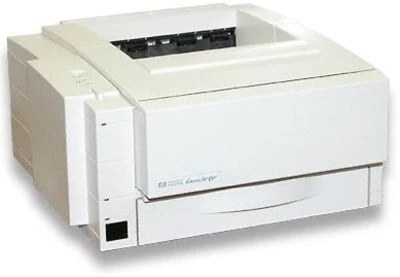
Like its special-edition siblings, the LaserJet 6Pxi was a channel-specific version of HP's well-liked 6P personal laser. The appeal never changed: a no-fuss monochrome printer for personal use, with the 6P series' reputation for running quietly in the background for years.
It takes a single cartridge — HP 03A (C3903A). Pick our compatible 03A for budget-friendly refills or genuine OEM C3903A when only HP-original will do.
Toner Cartridges for LaserJet 6PXI
This printer works with the following toner cartridges:
- HP C3903A
More HP Printers
Frequently Asked Questions
Does the HP LaserJet 6PXI print in color?
No, the HP LaserJet 6PXI is black-and-white. The HP 03A cartridge it takes is a black toner cartridge, and the HP LaserJet 6PXI has no color printing capability.
How do I replace the toner in the HP LaserJet 6PXI?
Power on the HP LaserJet 6PXI, open the cartridge door, and remove the spent C3903A. Unwrap the replacement HP 03A cartridge, rock it gently side to side to distribute the toner, insert it into the HP LaserJet 6PXI, and close the door.
How can I lower toner costs on the HP LaserJet 6PXI?
For the HP LaserJet 6PXI, match the cartridge to the job — compatible HP 03A for drafts, OEM C3903A for finals — and turn on toner-save mode in the print driver. Small settings changes on the HP LaserJet 6PXI add up to real savings over a year.