




LaserJet 6MP
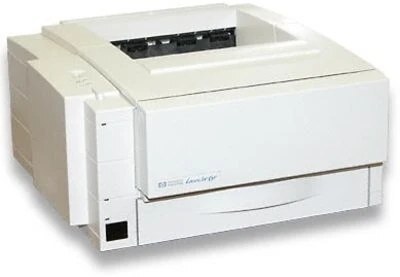
HP's LaserJet 6MP refreshed the mid-90s personal laser with a faster engine and the same PostScript capability that distinguished the MP badge. Like its 5MP predecessor, it targeted creative professionals and Macintosh users who needed accurate PostScript output from a desktop-sized monochrome printer.
The 6MP takes HP 03A toner — cartridge C3903A — and we carry it two ways: a cost-saving compatible 03A and genuine OEM C3903A, both built to keep this veteran printer producing clean text and graphics.
Toner Cartridges for LaserJet 6MP
This printer works with the following toner cartridges:
- HP C3903A
More HP Printers
Frequently Asked Questions
How do I clear a paper jam in the HP LaserJet 6MP?
Turn the HP LaserJet 6MP off first, then open the access doors and ease the stuck paper out along its normal travel direction. Check for small torn pieces inside the HP LaserJet 6MP, close the covers, and print a test page.
How do I print a test page on the HP LaserJet 6MP after changing the toner?
Seat the replacement C3903A, close the HP LaserJet 6MP, and print a page — the printer's built-in demo or status page works well. Even black coverage tells you the HP 03A cartridge is installed right in the HP LaserJet 6MP.
Why is my HP LaserJet 6MP printing faded or streaky pages?
Streaks from the HP LaserJet 6MP most often point to low toner in the C3903A or an unevenly distributed cartridge. Try redistributing the HP 03A cartridge with a gentle rock; if pages stay pale, the HP LaserJet 6MP is due for a fresh C3903A.