




LaserJet 6PSE
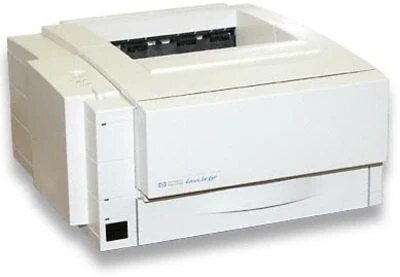
The LaserJet 6PSE was a special-edition take on HP's popular 6P, bundled for value-minded buyers in the late 1990s. Under the badge it shares the 6P's proven personal-laser engine — a compact monochrome printer that suited home offices and single-user desks. Like the rest of the family it feeds on the HP 03A (C3903A) cartridge, available below as a standard compatible cartridge and in MICR form.
Special editions live or die on value, and the 6PSE's value story never changed: proven hardware, minimal running gear, one inexpensive cartridge. Owners who bought it as a bundle deal in the late nineties often kept it long after the bundle was forgotten, because a single-user desk printer asks for almost nothing — paper, power and the occasional cartridge. That simplicity is the whole ownership experience, and it is why the model still shows up in home offices today.
Toner Cartridges for LaserJet 6PSE
| Cartridge | Color | Page Yield |
|---|---|---|
| C3903A (HP 03A) | Black | See product page |
| C3903A MICR (HP 03A) | Black (MICR) | See product page |
Which cartridge should you buy?
Start with the standard C3903A: it is the cartridge this printer will use for virtually every page of its life, from tax forms to term papers. Add the MICR listing only if your desk doubles as a bookkeeping station and you print checks at home — its magnetically readable toner is a specialty tool, not an upgrade. A single-user printer has no backup machine behind it, so the sensible pattern is to reorder when output first lightens rather than when it disappears. Compatible cartridges here include a 1-year warranty with 1-year returns, keeping the value logic of the SE badge intact.
Chip, toner and everyday use
Nothing about the 6PSE's cartridge handling differs from the standard 6P: the cartridge slides in from the top, registers through plain contacts, and needs no chip programming or reset routine. Rock a new cartridge gently before fitting it so the first pages print evenly, and pull the sealing tape in one clean motion. If pages emerge faint straight after a change, the cartridge is usually a fraction short of fully seated — open, lift, and refit. Spares store best flat, sealed and away from radiators or sunny shelves.
Frequently Asked Questions
Can I use a compatible HP 03A cartridge in the 6PSE?
Yes. The cartridge bay, contacts and toner formulation mirror the original specification, so a compatible 03A installs exactly like the cartridge the printer came with and prints the same clean monochrome output.
What should I do when the 6PSE shows a toner-low warning?
Order the replacement when the warning first appears so it is on hand, and meanwhile rock the installed cartridge gently to redistribute the toner that remains. That routinely restores darker print for the days until the new cartridge lands.
Is the 6PSE different inside from a regular 6P?
Not in any way that affects supplies. The SE was a packaging and bundle edition of the same engine, so it takes the same single cartridge as every other 6P-family model listed below.
How should I store a spare cartridge for a home-office printer?
Keep it in its sealed bag, lying flat in a cool, dry drawer. Stored that way, a spare stays ready for far longer than the interval between cartridge changes on a single-user machine.
More printers that use the same cartridges
The same 03A cartridge powers the rest of the clan: HP C3903A, LaserJet 5MP, LaserJet 5P, LaserJet 6MP. The remaining siblings — LaserJet 6P, LaserJet 6PSI, LaserJet 6PXE, LaserJet 6PXI — take it as well.