




LaserJet 6PSI
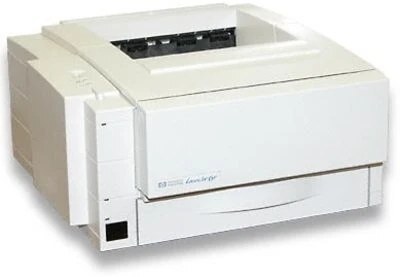
HP sold the LaserJet 6PSI as an international configuration of its 6P personal laser line in the late 1990s. The hardware story is the one that made the 6P a hit: a small, straightforward monochrome laser built for personal desks and light office duty. It uses the HP 03A toner cartridge (C3903A), stocked below as a standard compatible cartridge and as a MICR version for check printing.
Regional badge, universal appetite: whatever market a 6PSI was configured for, the machine inside is the standard 6P engine, and its supplies never varied by territory. That makes ownership abroad — or of an imported unit — uncomplicated: the cartridge on this page is the cartridge the printer was built around, with no regional variants to sort through. For a personal laser still in service, that one-part simplicity is its greatest remaining asset.
Toner Cartridges for LaserJet 6PSI
| Cartridge | Color | Page Yield |
|---|---|---|
| C3903A (HP 03A) | Black | See product page |
| C3903A MICR (HP 03A) | Black (MICR) | See product page |
Which cartridge should you buy?
The standard 03A cartridge is the default answer for this printer: it handles the letters, drafts and forms that make up personal-laser work, and keeping one spare removes the only real downtime risk a single-cartridge machine has. Choose the MICR cartridge when the job is checks — its toner is made to be read by bank scanners, a property ordinary toner does not have. Owners who print checks only occasionally often keep the MICR cartridge sealed between runs and the standard cartridge installed for daily work. Both listings are compatible cartridges covered by a 1-year warranty and 1-year returns.
Chip, toner and everyday use
Fitting a cartridge to the 6PSI follows the family routine: power the printer down if you prefer, open the top, lift the old cartridge out by its handle, and lower the new one in after removing its seal and giving it a slow side-to-side rock. Print a page; if density is uneven, the toner has not settled and a second gentle rocking usually evens it out. There is no chip to program and no counter to reset on a printer of this generation. Between changes, a quick wipe of the paper path keeps dust from marking pages.
Frequently Asked Questions
How do I fix light vertical bands on 6PSI output?
Start with the cartridge. Pull it out, tilt it side to side to even the toner across the drum, and slide it back in. Banding that remains after that points to a spent cartridge — the toner or the drum surface is finished, and replacement is the fix.
Will the 6PSI work with a newer computer?
Usually, yes. It speaks the standard printer languages of its generation, so modern systems can often drive it through a built-in or universal HP driver. Confirm driver availability for your operating system, and expect straightforward document printing.
Does the international model take a different cartridge?
No. The SI designation describes the sales configuration, not different hardware. The 6PSI uses the same 03A cartridge as the domestic 6P models on this page.
When should I choose the MICR cartridge instead?
When you print checks. MICR toner contains magnetic particles that clearing equipment reads; the standard cartridge prints checks that look right but may not process. For every other document, the standard cartridge is the correct, cheaper tool.
More printers that use the same cartridges
Every model in the 5P and 6P family shares this cartridge: