




LaserJet 6PXE
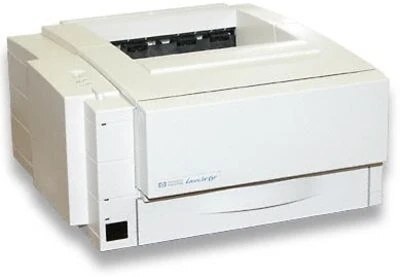
The LaserJet 6Pxe rounded out HP's late-90s 6P special editions — the same compact personal monochrome laser, packaged for specific retail and bundle channels. For the user, that meant the familiar 6P formula: simple setup, sharp text, and a footprint that fits a crowded desk.
Toner is the HP 03A, part C3903A. We offer compatible 03A toner alongside genuine OEM C3903A cartridges, so the 6Pxe stays productive on your terms.
Toner Cartridges for LaserJet 6PXE
This printer works with the following toner cartridges:
- HP C3903A
More HP Printers
Frequently Asked Questions
How do I clear a paper jam in the HP LaserJet 6PXE?
For a jam in the HP LaserJet 6PXE, switch it off, open the cartridge area and rear door, and pull the paper free following the direction it feeds. Clear out fragments, close the HP LaserJet 6PXE up, and it will usually pick up where it stopped.
How do I print a test page on the HP LaserJet 6PXE after changing the toner?
After seating the new C3903A in the HP LaserJet 6PXE, print any document — or use the printer's demo or configuration page from its control-panel menu. A clean, even page confirms the HP 03A cartridge is installed correctly in the HP LaserJet 6PXE.
Why is my HP LaserJet 6PXE printing faded or streaky pages?
When the HP LaserJet 6PXE starts printing light, the C3903A is the first suspect — either low or settling. Pull the HP 03A cartridge out, give it a few horizontal tilts, and reinstall it; persistent fading on the HP LaserJet 6PXE means replacement time.