




LaserJet 6P
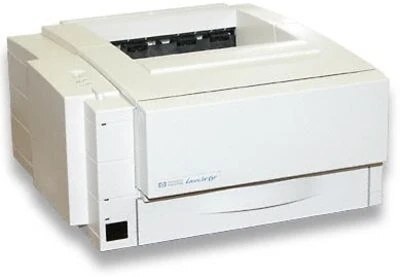
The LaserJet 6P was HP's 1997 answer for anyone who wanted dependable laser printing without a big machine or a big budget. This PCL-based personal printer became a familiar sight on desktops in small offices, where its straightforward design and steady output earned it a long service life.
One cartridge does it all: the HP 03A (C3903A). Whether you pick our compatible 03A toner or the genuine OEM HP cartridge, the 6P keeps turning out crisp black-and-white pages.
Toner Cartridges for LaserJet 6P
This printer works with the following toner cartridges:
- HP C3903A
More HP Printers
Frequently Asked Questions
Does the HP LaserJet 6P print in color?
The HP LaserJet 6P prints black and white only. It uses one black toner cartridge (C3903A), which is also why toner costs on the HP LaserJet 6P stay low compared with color lasers.
How do I replace the toner in the HP LaserJet 6P?
Open the front cover of the HP LaserJet 6P, pull the old C3903A cartridge straight out, then unbox the new one and remove any protective seals. Slide the new HP 03A cartridge into the HP LaserJet 6P until it clicks, close the cover, and print a test page.
How can I lower toner costs on the HP LaserJet 6P?
The biggest lever on the HP LaserJet 6P is cartridge choice: compatible HP 03A toner costs less to run than OEM C3903A for routine work. Pair it with draft-mode printing and the HP LaserJet 6P sips toner instead of gulping it.