




LaserJet 5100N
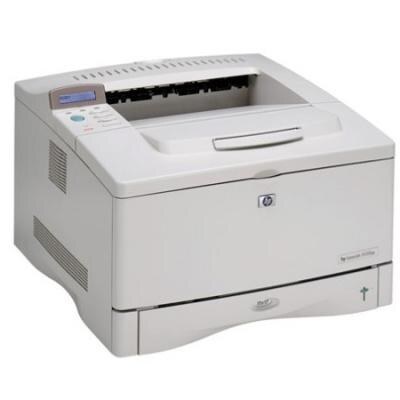
HP's LaserJet 5100N brought Ethernet sharing to the 2000 wide-format series: one A3 printer covering a whole workgroup's tabloid needs, queued directly by the network with no print server in between. Its toner is the family black — the standard 29A (C4129A) and the high-yield 29X (C4129X), stocked here in coded packs and in listings sold under the 5100N name. Network administrators liked this machine for its straightforward setup; their successors can like it for how ordinary its supplies remain.
A shared printer's cartridge is a shared resource, and the N was bought to be shared. Its queue serves the workgroup's oversized work — the spreadsheets that will not fit on letter paper, the proofs, the plans — so its toner consumption arrives in bursts whenever a big job lands. Bursty demand argues for the high-yield cartridge and a sealed spare behind it: nobody should discover an empty 5100N at the moment the board deck is due.
Toner Cartridges for LaserJet 5100N
| Cartridge | Color | Page Yield |
|---|---|---|
| C4129X MICR | Black (MICR) | See product page |
| C4129X 2 Pack | Black | See product page |
| C4129X 3 Pack | Black | See product page |
| C4129X 5 Pack | Black | See product page |
| C4129X Premium 5 Pack | Black | See product page |
| LaserJet 5100N High Yield | Black | See product page |
| LaserJet 5100N MICR | Black (MICR) | See product page |
Which cartridge should you buy?
For a networked machine the high-yield design is the baseline recommendation — shared printers empty standard cartridges at shared speed. Order packs according to how the office buys: two-packs for a single machine, the larger packs where one cabinet feeds several family members. Two listings serve the check-printing niche, one coded and one sold under the model name; treat MICR as a dedicated cartridge for that work. Every compatible cartridge here is backed by a one-year warranty and one-year returns, which matters more on a shared machine than anywhere — a dud cartridge is swapped, not absorbed.
Chip, toner and everyday use
Swapping toner on a network printer affects everyone's queue, so make it a clean minute: announce it if the office is mid-run, seat the new cartridge until it sits firmly, and send the printer's own configuration page as proof before the next job arrives. A cartridge that has been stored should be rocked gently first. When a spent cartridge comes out, set it aside for recycling — these empties are accepted by manufacturer take-back programs and by most office-supply stores' drop-off bins.
Frequently Asked Questions
How is the 5100N shared across computers?
Connect it to the router by Ethernet and add it on each computer as a network printer using its IP address. The machine manages its own queue; no separate print server is required.
Where do I find drivers for the 5100N today?
HP's support site still hosts drivers for it — search the model name and pick your operating system. Where a model-specific driver is missing, a built-in or universal HP driver usually does the job.
What should I do with the empty cartridge?
Recycle it. Manufacturer take-back schemes accept these empties at no charge, and most office-supply retailers keep a drop-off bin — either route keeps a bulky cartridge out of landfill.
Standard or high-yield for a workgroup machine?
High-yield, in almost every case. The standard cartridge is the same design with less toner in it; a printer serving a group will simply ask for the next one sooner.
More printers that use the same cartridges
On the 5000 side of the family: HP C4129A, LaserJet 5000, LaserJet 5000AN, LaserJet 5000DN, LaserJet 5000GN, LaserJet 5000LE, LaserJet 5000N, LaserJet 5000T. On the 5100 side: LaserJet 5100, LaserJet 5100DTN, LaserJet 5100Le, LaserJet 5100TN.