




LaserJet 5000LE
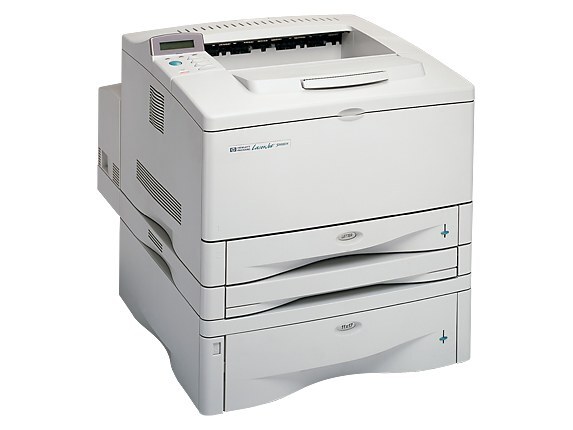
HP sold the LaserJet 5000LE as a limited-edition take on the LaserJet 5000 — the 1998 wide-format A3 printer in special packaging, with the familiar tabloid engine underneath the badge. Toner for the LE is refreshingly uncomplicated: every coded listing on this page is the high-yield HP 29X (C4129X), stocked as a single MICR cartridge and in two-, three- and five-packs. HP's standard cartridge for the engine, the 29A (C4129A), fits the LE just as well; this page simply concentrates on the high-yield line that most surviving machines run on.
The LE badge turns out to be the best kind of special edition: unusual on the outside, entirely standard where it counts. Owners of limited-run hardware often discover the hard way that their supplies vanished with the model — not here. Because the LE is mechanically the common 5000, its cartridges stayed in production long after the packaging was forgotten, and a machine from 1998 remains cheap to feed today.
Toner Cartridges for LaserJet 5000LE
- C4129X MICR — Black, magnetic toner for check printing; page yield: see product page
- C4129X 2 Pack — Black; page yield: see product page
- C4129X 3 Pack — Black; page yield: see product page
- C4129X 5 Pack — Black; page yield: see product page
- C4129X Premium 5 Pack — Black; page yield: see product page
Which cartridge should you buy?
There is really only one decision on this page: how many. A single cartridge suits the LE that prints occasionally — a studio proofing board, say, a few times a month. The two- and three-packs fit steadier use, and the five-packs, including the premium listing, are for the LE that still anchors a workgroup's large-format work. The one exception to think about is the MICR single: it is a specialty cartridge for check printing, not a general-purpose spare, so order it for that job specifically and keep a regular cartridge in the machine for everything else.
Chip, toner and everyday use
After seating a fresh cartridge, print the printer's demo or configuration page from the control-panel menu — a clean, even sheet confirms the cartridge is sitting correctly before you send real work. Cartridges stored for a long while should be rocked gently end to end a few times so the toner settles evenly. Keep spares flat, sealed and away from heat; a cartridge that has baked in a warm storeroom gives pale, uneven pages no matter how new it is.
Frequently Asked Questions
Does the limited edition need special toner?
No. The LE uses the same 29A and 29X cartridges as every other LaserJet 5000 — the limited part was the packaging, never the engine or its supplies.
Why does this page stock only high-yield cartridges?
Surviving 5000-series machines are mostly shared or volume printers, and their owners standardized on the high-yield design years ago. The coded stock follows that demand; all of it fits the LE.
How do I confirm a new cartridge is installed properly?
Print any document, or pull the demo or configuration page from the control panel. Even black coverage across the page means the cartridge is seated and distributing toner correctly.
Are these cartridges covered by a warranty?
Every compatible cartridge on this page carries a one-year warranty with one-year returns, so a cartridge that misbehaves is a replacement, not a write-off.
More printers that use the same cartridges
The LE's cartridge family spans the full 5000 and 5100 ranges: LaserJet 5100TN, LaserJet 5100N, LaserJet 5100Le, LaserJet 5100DTN, LaserJet 5100, LaserJet 5000T, LaserJet 5000N, LaserJet 5000GN, LaserJet 5000DN, LaserJet 5000AN, LaserJet 5000, HP C4129A.