




LaserJet 5000DN
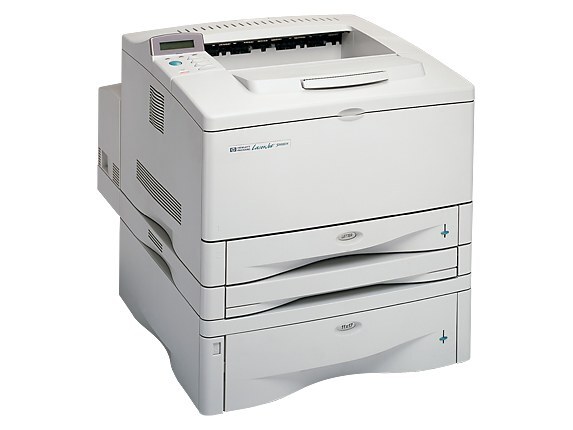
HP's 5000DN paired the LaserJet 5000's wide-format A3 engine with automatic duplexing and networking — the configuration print rooms chose for double-sided tabloid output. Late-90s departments ran these hard.
It takes HP 29A (C4129A) cartridges, with the HP 29X (C4129X) high-yield for longer runs. Compatible and genuine OEM toner available.
Toner Cartridges for LaserJet 5000DN
This printer works with the following toner cartridges:
- HP C4129A
- HP C4129X
More HP Printers
- LaserJet 5000
- LaserJet 5000AN
- LaserJet 5000GN
- LaserJet 5000LE
- LaserJet 5000N
- LaserJet 5000T
- LaserJet 5100
- LaserJet 5100DTN
- LaserJet 5100Le
- LaserJet 5100N
- LaserJet 5100TN
Frequently Asked Questions
Does the HP LaserJet 5000DN print on both sides of the paper automatically?
Yes — the HP LaserJet 5000DN includes automatic duplexing, so it can print both sides without you flipping pages manually. Select two-sided printing in the driver when you send a job to the HP LaserJet 5000DN.
Do I need to shake the C4129A cartridge before installing it in the HP LaserJet 5000DN?
Yes, give the C4129A a few gentle horizontal rocks before sliding it into the HP LaserJet 5000DN. This is especially useful if the cartridge has been stored upright — it evens out the toner for the first pages.
How do I clear a paper jam in the HP LaserJet 5000DN?
Power off the HP LaserJet 5000DN, open the front and rear covers, and gently pull the jammed sheet in the direction of the paper path — never against it. Remove any torn scraps, close everything, and the HP LaserJet 5000DN should resume on its own.