




LaserJet 5000
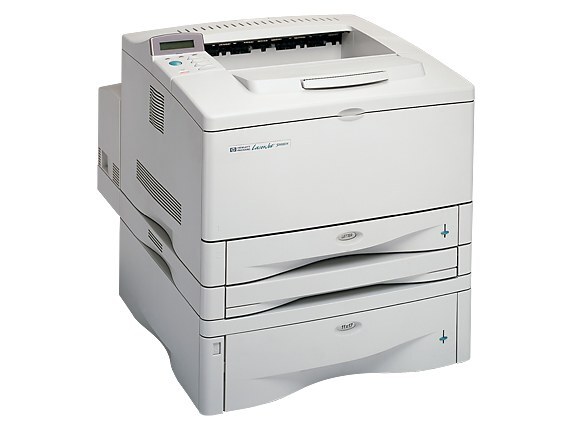
Launched in 1998, the LaserJet 5000 brought A3 monochrome printing within reach of ordinary offices — tabloid-size spreadsheets, posters and plans that no A4 machine of the day could handle. It runs on the HP 29 family: the standard C4129A and its high-yield sibling. Everything stocked on this page is the high-yield build, starting with the C4129X (HP 29X) in a MICR version for check printing, and continuing through two-, three- and five-cartridge packs. There is no standard-fill listing here, so the choice on this page is about pack size, not capacity.
The 5000 earned its place in print rooms and facilities offices where paper bigger than legal size is routine: ledger sheets, architectural sketches, event signage, wide accounting reports. Owners kept them because the wide format was hard to replace at the price, and because the machine simply continued to work. A 5000 still in service today is usually a departmental fixture rather than a personal printer — several people depend on it, which shapes how its toner should be bought.
Toner Cartridges for LaserJet 5000
| Cartridge | Color | Page Yield |
|---|---|---|
| C4129X MICR | Black (MICR) | See product page |
| C4129X 2 Pack | Black | See product page |
| C4129X 3 Pack | Black | See product page |
| C4129X 5 Pack | Black | See product page |
| C4129X Premium 5 Pack | Black | See product page |
Which cartridge should you buy?
Because only the high-yield C4129X is stocked, the buying question becomes how much interruption you can tolerate. A two-pack keeps one cartridge in the machine and one in reserve — the sensible minimum for a shared printer. The three- and five-packs suit print rooms that burn through toner on long tabloid runs and would rather place one order a year than six. Choose the MICR single if this 5000 prints checks: its magnetic toner is what bank scanners read. The premium five-pack and the standard five-pack carry the same cartridge count, so compare them on build preference rather than yield.
Chip, toner and everyday use
A cartridge this size carries a lot of toner, and it settles. If a long-stored C4129X prints light on its first pages, remove it and rock it end to end several times before assuming it is faulty. Keep unopened packs flat and indoors — a five-pack stored upright in a hot room will not thank you. When the printer reports low toner, that message is an estimate based on coverage so far; dense tabloid pages empty a cartridge far sooner than the same count of memos, so treat the warning as a prompt to check the shelf, not as a countdown.
Frequently Asked Questions
What is the MICR version of the C4129X for?
MICR toner contains magnetic particles that let bank equipment read the routing and account numbers on printed checks. If your LaserJet 5000 prints checks, order the C4129X MICR listing; for everything else, the regular high-yield packs are the right buy.
Does the LaserJet 5000 use the C4129A or the C4129X?
The printer accepts both — the C4129A is the standard fill of the HP 29 family and the C4129X is the high-yield version. This page stocks the high-yield cartridge only, in packs of two, three and five plus the MICR single.
Can one cartridge serve both my 5000 and a 5100 down the hall?
Yes. The 5000 and 5100 families share the same cartridge design, so a spare C4129X covers both machines. The full list of models that take it is at the bottom of this page.
How should I store a five-pack so the last cartridge is still good?
Flat, sealed, and in a cool dry room. Toner does not expire quickly, but heat and humidity are its enemies; a supply closet beats a loading dock every time.
More printers that use the same cartridges
The HP 29 cartridge family is shared across the 5000 and 5100 lines, so one spare covers a mixed fleet. Every model below takes the same cartridges: HP C4129A, LaserJet 5000AN, LaserJet 5000DN, LaserJet 5000GN, LaserJet 5000LE, LaserJet 5000N, LaserJet 5000T, LaserJet 5100, LaserJet 5100DTN, LaserJet 5100Le, LaserJet 5100N, LaserJet 5100TN.