




Color LaserJet CM6040 MFP
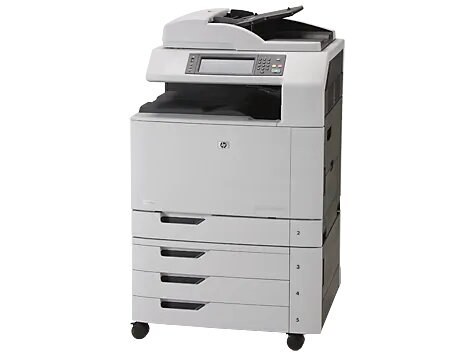
HP aimed the Color LaserJet CM6040 MFP squarely at high-volume offices when it launched this 2008-era color multifunction printer. Its multifunction configuration rolls print, scan, and copy into a single unit. Under the hood, it runs HP 825A Black + 824A Color cartridges (CB390A, CB381A).
Both genuine OEM CB390A, CB381A and compatible cartridges are stocked for this printer, so you can match HP's original formulation or save on running costs. Your Color LaserJet CM6040 MFP does not care which box the toner came from — only that it fits.
Toner Cartridges for Color LaserJet CM6040 MFP
This printer works with the following toner cartridges:
- HP CB390A
- HP CB381A
- HP CB382A
- HP CB383A
More HP Printers
- Color LaserJet CM6030
- Color LaserJet CM6030 MFP
- Color LaserJet CM6030F
- Color LaserJet CM6030F MFP
- Color LaserJet CM6030FM
- Color LaserJet CM6040
- Color LaserJet CM6040F
- Color LaserJet CM6040F MFP
Frequently Asked Questions
What toner cartridges does the Color LaserJet CM6040 MFP use?
The Color LaserJet CM6040 MFP is a color laser printer that takes four separate toner cartridges: CB390A, CB381A, CB382A, CB383A. Match these exact codes when buying replacements for the Color LaserJet CM6040 MFP.
How do I clear a paper jam in the Color LaserJet CM6040 MFP?
Turn the Color LaserJet CM6040 MFP off, open the covers, and pull the jammed sheet gently in the direction of the paper path — never sideways. Check behind the toner cartridges too, since a sheet can lodge there, then reload with fresh, fanned paper.
Should I replace all four toner cartridges in the Color LaserJet CM6040 MFP at once?
No — on the Color LaserJet CM6040 MFP each of the four cartridges (CB390A, CB381A, CB382A, CB383A) runs down independently, so only swap the one the printer flags. Replacing working cartridges early in the Color LaserJet CM6040 MFP just wastes toner.