




Color LaserJet CM6030
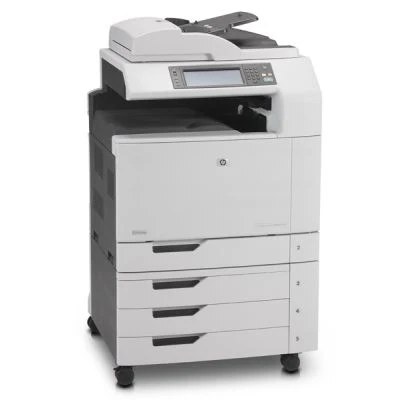
HP positioned the Color LaserJet CM6030 as a 2008-era color office printer where high-volume offices take priority, and its toner shelf has stayed deep and mature ever since. The engine was built around HP's 825A black and 824A color cartridges: the genuine black is the CB390A, while the compatible black stocked on this page is the 823A (CB380A) cartridge, and the three colors are covered by compatibles in cyan, yellow and magenta.
A machine of this size earns its floor space on steady, everyday output rather than occasional heroics, and its owners tend to keep it for years. That longevity is exactly why the supply chain matters: cartridges for the CM6030 are easy to source in both genuine and compatible form, and a backup cartridge on the shelf is simple insurance against a stalled workday.
Toner Cartridges for Color LaserJet CM6030
| Cartridge | Color | Page Yield |
|---|---|---|
| CB380A / 823A | Black | See product page |
| CB381A / 824A | Cyan | See product page |
| CB382A / 824A | Yellow | See product page |
| CB383A / 824A | Magenta | See product page |
| CM6030 4 Color Set | Full set | See product page |
| 823A / 824A / CB380A / CB381A / CB382A / CB383A | Full set | See product page |
| 823A / 824A / CB380A / CB381A / CB382A / CB383A | Full set | See product page |
Which cartridge should you buy?
The black decision comes first. Genuine CB390A is the cartridge HP built the engine around; the compatible CB380A covers the same slot for less, and on a high-volume office machine that saving repeats every few weeks. Colors are simpler: buy the CB381A, CB382A and CB383A singles as each one runs down, because a color laser almost never empties its three colors together. The four-color sets on this page — including the premium listing — suit a full bay refresh or a new-to-you machine whose whole set is due at once. Compatible cartridges carry a 1-year warranty and 1-year returns.
Chip, toner and everyday use
Setup on the CM6030 is simple, and cartridge swaps follow the same pattern: open the front, slide the old unit out, and push the new one home until it seats. If the panel does not recognize a fresh cartridge, remove it and reinstall it firmly before suspecting the chip — an incompletely seated cartridge is the usual cause. Page yields are quoted at about 5% coverage, so a month of dense color brochures will drain a cartridge far faster than a month of memos; judge the warning messages against what you have actually been printing.
Frequently Asked Questions
What toner cartridges does the Color LaserJet CM6030 use?
Four separate cartridges: CB390A black in genuine form — covered on this page by the compatible CB380A — plus CB381A cyan, CB382A yellow and CB383A magenta. Match the exact code for the slot you are replacing.
Can the Color LaserJet CM6030 scan and copy documents?
Yes. It is a multifunction unit that prints, copies and scans in one machine, working from the scanner glass or the automatic document feeder at the control panel.
What paper can I use in the Color LaserJet CM6030?
Plain office paper is the everyday stock, and envelopes and heavier paper can go through the manual feed. Set the paper type in the print dialog to match what you loaded — laser-rated paper gives the cleanest color results.
My CM6030 says a cartridge is low. Should I replace it straight away?
Not necessarily. Low warnings arrive with life still left in the cartridge. Order the replacement so it is on hand, then swap when print quality actually starts to drop.
More printers that use the same cartridges
The CM6030 shares its cartridge bay with the rest of the CM6030 and CM6040 workgroup line: HP 823A-824A, Color LaserJet CP6015dn, Color LaserJet CP6015XH, Color LaserJet CP6015X, Color LaserJet CP6015N, Color LaserJet CP6015DE, Color LaserJet CP6015, Color LaserJet CM6049F, Color LaserJet CM6040F MFP, Color LaserJet CM6040F, Color LaserJet CM6040 MFP, Color LaserJet CM6040, Color LaserJet CM6030FM, Color LaserJet CM6030F MFP, Color LaserJet CM6030F, Color LaserJet CM6030 MFP.