




Color LaserJet CM6030F
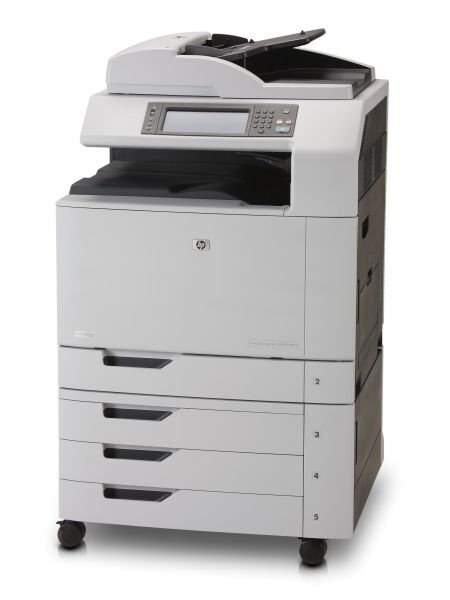
Built for high-volume offices, the Color LaserJet CM6030F is a 2008-era color workgroup machine that keeps a department moving on steady, everyday output. It is fed by HP's 825A black plus 824A color family, and the compatible black stocked for it here is the 823A (CB380A) cartridge, with cyan, yellow and magenta companions beside it.
Second-hand CM6030F units still circulate in good numbers, and the reason is standing on this page: the consumable market for the model never dried up. Owners can choose per job — genuine HP cartridges when a presentation leaves the building, compatibles for the internal prints that make up most of the week — and the machine handles either without complaint.
Toner Cartridges for Color LaserJet CM6030F
- CB380A / 823A — Black; yield: see product page
- CB381A / 824A — Cyan; yield: see product page
- CB382A / 824A — Yellow; yield: see product page
- CB383A / 824A — Magenta; yield: see product page
- CM6030F 4 Color Set — Full set; yield: see product page
- 823A / 824A / CB380A / CB381A / CB382A / CB383A — Full set; yield: see product page
- 823A / 824A / CB380A / CB381A / CB382A / CB383A — Full set; yield: see product page
- CB390A / CB381A / CB382A / CB383A — Full set; yield: see product page
Which cartridge should you buy?
Think of the choice as two shelves. For client-facing color work, genuine OEM cartridges give you the exact formulation HP built this printer around. For the everyday internal run, the compatibles on this page give the same fit at a friendlier price, with a 1-year warranty and 1-year returns behind them. The black slot takes the CB380A in compatible form; the colors are singles — CB381A, CB382A, CB383A — bought individually as each runs down. The four-color set listed under the OEM codes (CB390A, CB381A, CB382A, CB383A) is the one-order answer when the whole bay needs refreshing together.
Chip, toner and everyday use
These cartridges deplete at different rates depending on how much color you print, so the CM6030F flags them one by one rather than on any schedule — replace on the warning, not on the calendar. Keep each spare sealed until its slot calls for it, and when you install it, rock the cartridge gently end to end first so the toner bed settles evenly. If output from a fresh cartridge looks light on one side, that same gentle rocking, followed by reseating the cartridge, usually evens it out.
Frequently Asked Questions
What toner does the Color LaserJet CM6030F take?
All four cartridges of the family: CB390A black in genuine form — the compatible black here is the CB380A — with CB381A cyan, CB382A yellow and CB383A magenta. Any cartridge set marketed as a replacement for those exact codes will fit.
Can the Color LaserJet CM6030F scan and copy?
Yes — it is a multifunction unit, so printing, copying and scanning all happen on the one machine, from the glass or the automatic document feeder at the control panel.
How often should I replace the toner in the Color LaserJet CM6030F?
When the printer flags a cartridge as low or very low, not on a fixed schedule. The four cartridges drain at different speeds depending on how much of each color your documents use.
Are compatible cartridges a sensible choice for a workgroup machine like this?
For everyday office output, yes — they are the standard way owners keep an older workgroup model economical. Reserve genuine cartridges for work where the exact OEM formulation matters most, and use compatibles for the internal volume.
More printers that use the same cartridges
The same cartridges serve the whole CM6030 and CM6040 family, in alphabetical order: Color LaserJet CM6030, Color LaserJet CM6030 MFP, Color LaserJet CM6030F MFP, Color LaserJet CM6030FM, Color LaserJet CM6040, Color LaserJet CM6040 MFP, Color LaserJet CM6040F, Color LaserJet CM6040F MFP, Color LaserJet CM6049F, Color LaserJet CP6015, Color LaserJet CP6015DE, Color LaserJet CP6015N, Color LaserJet CP6015X, Color LaserJet CP6015XH, Color LaserJet CP6015dn, HP 823A-824A.