




Color LaserJet CM6030F MFP
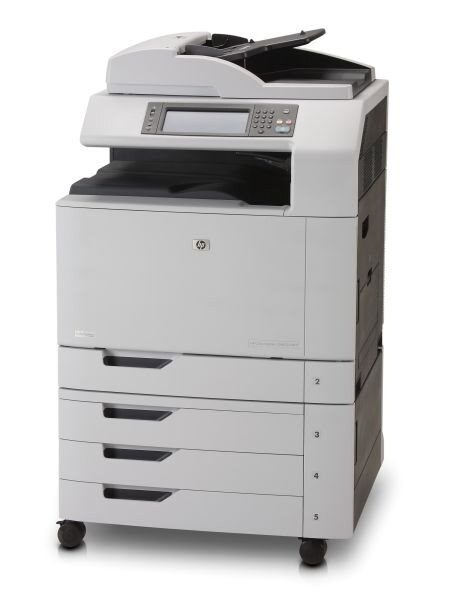
The Color LaserJet CM6030F MFP represents HP's 2008-era answer to high-volume offices looking for a dependable color MFP. Reliability, not flash, is what keeps this machine on desks years later. Its engine was built around the HP 825A Black + 824A Color cartridges (CB390A, CB381A).
The Color LaserJet CM6030F MFP accepts CB390A, CB381A toner, available here as genuine OEM or compatible. Many offices mix the two: OEM for client-facing work, compatible for everyday drafts.
Toner Cartridges for Color LaserJet CM6030F MFP
This printer works with the following toner cartridges:
- HP CB390A
- HP CB381A
- HP CB382A
- HP CB383A
More HP Printers
- Color LaserJet CM6030
- Color LaserJet CM6030 MFP
- Color LaserJet CM6030F
- Color LaserJet CM6030FM
- Color LaserJet CM6040
- Color LaserJet CM6040 MFP
- Color LaserJet CM6040F
- Color LaserJet CM6040F MFP
Frequently Asked Questions
What toner cartridges does the Color LaserJet CM6030F MFP use?
The Color LaserJet CM6030F MFP is a color laser printer that takes four separate toner cartridges: CB390A, CB381A, CB382A, CB383A. Match these exact codes when buying replacements for the Color LaserJet CM6030F MFP.
Why is the Color LaserJet CM6030F MFP printing faded pages with new cartridges?
Check that each CB390A, CB381A, CB382A and CB383A cartridge is fully seated in the Color LaserJet CM6030F MFP and that all packing seals were removed. If one color still looks washed out, print a cleaning page from the device menu — settled toner is the usual cause.
How do I install a toner cartridge in the Color LaserJet CM6030F MFP?
Open the front access door of the Color LaserJet CM6030F MFP, pull the empty cartridge straight out by its handle, and slide the new cartridge in until it clicks. Close the door and let the Color LaserJet CM6030F MFP finish its calibration before printing.