




Color LaserJet CM6030 MFP
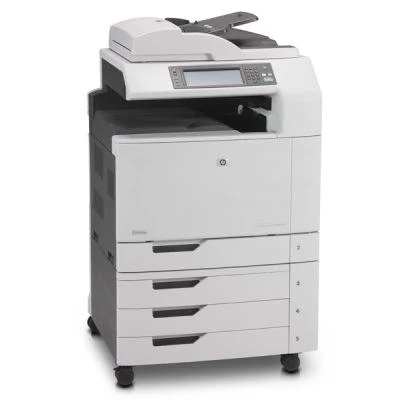
The CM6030 MFP is a 2008-era color all-in-one for high-volume offices — print, scan and copy in a machine built for daily heavy use. Departments kept these because they simply printed what they were asked to.
HP 825A black + 824A color toner powers it: CB390A black with CB381A, CB382A, CB383A color. Genuine OEM and compatible cartridges are both stocked for the CM6030 MFP.
Toner Cartridges for Color LaserJet CM6030 MFP
This printer works with the following toner cartridges:
- HP CB390A
- HP CB381A
- HP CB382A
- HP CB383A
More HP Printers
- Color LaserJet CM6030
- Color LaserJet CM6030F
- Color LaserJet CM6030F MFP
- Color LaserJet CM6030FM
- Color LaserJet CM6040
- Color LaserJet CM6040 MFP
- Color LaserJet CM6040F
- Color LaserJet CM6040F MFP
Frequently Asked Questions
Which toner cartridges are compatible with the Color LaserJet CM6030 MFP?
Look for the exact codes CB390A, CB381A, CB382A, CB383A — one black and three color cartridges — for the Color LaserJet CM6030 MFP. Sticking to these codes guarantees a proper fit and correct recognition in the Color LaserJet CM6030 MFP.
How do I install a toner cartridge in the Color LaserJet CM6030 MFP?
Open the front access door of the Color LaserJet CM6030 MFP, pull the spent cartridge straight out by its handle, and slide the new CB390A, CB381A, CB382A or CB383A cartridge in until it clicks. Close the door and let the Color LaserJet CM6030 MFP finish calibrating before printing.
How can I lower the cost per page on the Color LaserJet CM6030 MFP?
Draft mode and the grayscale setting cut toner use on the Color LaserJet CM6030 MFP for everyday documents. Printing in black-only mode for routine pages also keeps the three color cartridges of the Color LaserJet CM6030 MFP lasting longer.