




Color LaserJet 3000tn
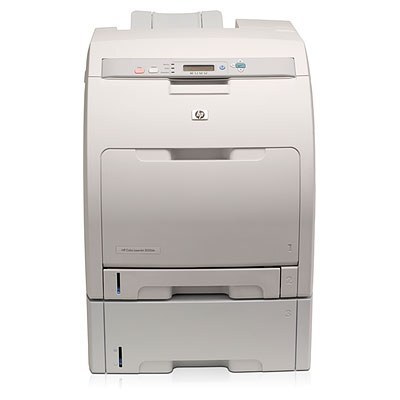
Extra paper capacity is what sets the Color LaserJet 3000tn apart inside its series: HP added a second tray to the networked 3000 platform, so a department printing long reports is not refilling the tray halfway through the job. The printer runs on four cartridges — the Q7560A (314A) black, the Q7561A cyan, the Q7562A yellow and the Q7563A magenta — and each one is replaced on its own schedule as it runs down.
This configuration suits a shared departmental machine that sees a steady mix of text-heavy reports and color handouts. The second tray means two paper stocks can stay loaded, and because the 3000tn sits on the network, the whole team draws on the same four cartridges rather than feeding separate desktop printers. When output volume is that concentrated, keeping one spare black on the shelf is cheap insurance against a stalled print queue.
Toner Cartridges for Color LaserJet 3000tn
| Q7560A | Black | See product page |
| Q7561A | Cyan | See product page |
| Q7562A | Yellow | See product page |
| Q7563A | Magenta | See product page |
| 314A 4 Color Set | Black, Cyan, Magenta, Yellow | See product page |
| 314A Premium Quality 4 Color Set | Black, Cyan, Magenta, Yellow | See product page |
| 3000tn 4 Color Set | Black, Cyan, Magenta, Yellow | See product page |
Which cartridge should you buy?
Start with what actually ran out. On a shared machine the black cartridge does most of the work, so a single Q7560A is the routine purchase; the three colors drain far more slowly and are best replaced one at a time, only when the printer reports that specific color low. A full set makes sense in two situations: when several colors are near empty together, or when a new team inherits the printer and wants a known starting point. The premium set is the alternative listing of the same four codes for buyers who prefer that grade. Either way, match the code on the cartridge you pull out before ordering — the 314A family looks similar to other HP color cartridges but is not interchangeable with them.
Chip, toner and everyday use
Each 314A cartridge carries a chip the printer reads for toner levels, so seat the replacement firmly until it clicks and let the machine recognize it before sending a job. If a cartridge is reported low but pages still look strong, remove it and rock it gently side to side to redistribute the toner, then reinstall it — yields are estimates at 5% coverage, and real life varies with how dense your pages are. Store spares flat, sealed and away from direct light, and keep the second tray loaded with dry, flat paper: most feed complaints on a high-capacity machine trace back to damp or overfilled stock rather than the printer itself.
Frequently Asked Questions
Which cartridges does the Color LaserJet 3000tn use?
Four: Q7560A in black, Q7561A in cyan, Q7562A in yellow and Q7563A in magenta — the complete HP 314A set. Nothing from another HP family will seat in this printer, so the code on the old cartridge is the number to match.
Do I have to replace all four cartridges at once?
No. Each color is an independent cartridge, and the printer tracks them separately. Swap only the one that is empty; replacing colors that still have toner left simply throws away usable pages.
What is the difference between the standard and premium 314A sets?
Both sets contain the same four codes — Q7560A, Q7561A, Q7562A and Q7563A. The premium listing is a separate, higher-grade offering of that same set for buyers who want it; the standard 314A 4 Color Set covers everyday departmental printing.
Why does the printer warn about low toner so early?
The warning is an estimate based on page counts, not a measurement of what is left. Keep printing while quality holds, and change the cartridge when output actually fades or the machine stops on an empty-cartridge message.
More printers that use the same cartridges
The 314A cartridges are shared across the 2700 and 3000 lines: Color LaserJet 2700, Color LaserJet 2700N, Color LaserJet 3000, Color LaserJet 3000DN, Color LaserJet 3000N, Color LaserJet 3000dtn, HP 314A