




Color LaserJet 3000
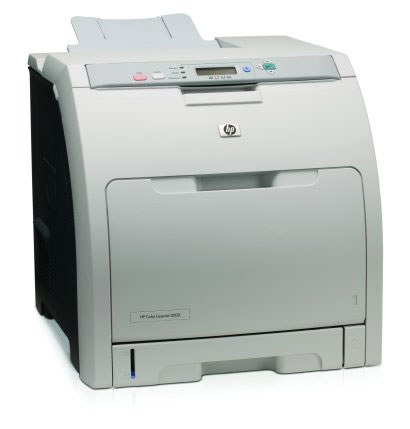
A step up in duty cycle, the HP Color LaserJet 3000 served workgroups with heavier color printing needs. It paired business-grade speed with the solid build HP's office printers were known for.
The 3000 runs on HP 314A cartridges — black Q7560A alongside cyan Q7561A, magenta Q7562A and yellow Q7563A. Compatible and genuine OEM toner are both available.
Toner Cartridges for Color LaserJet 3000
This printer works with the following toner cartridges:
- HP Q7560A
- HP Q7561A
- HP Q7562A
- HP Q7563A
More HP Printers
- Color LaserJet 2700
- Color LaserJet 2700N
- Color LaserJet 3000DN
- Color LaserJet 3000dtn
- Color LaserJet 3000N
- Color LaserJet 3000tn
Frequently Asked Questions
How do I know which toner to order for my Color LaserJet 3000?
The correct cartridges for the Color LaserJet 3000 are Q7560A, Q7561A, Q7562A, Q7563A (HP 314A). Whether you buy OEM or compatible, that number is what matters — anything outside HP 314A will not seat properly in the Color LaserJet 3000.
My computer doesn't recognize the Color LaserJet 3000 — where do I start?
Download the latest driver for the Color LaserJet 3000 from HP's official support site, choosing your exact operating system. Install it with the printer connected or on the same network, then print a test page.
How do I install a new Q7560A cartridge in the Color LaserJet 3000?
Changing toner on the Color LaserJet 3000 is quick: with the printer on, open the toner access door, remove the spent cartridge, unwrap the new one, and seat it firmly. Print a test page to confirm everything is crisp.