




Color LaserJet 2700
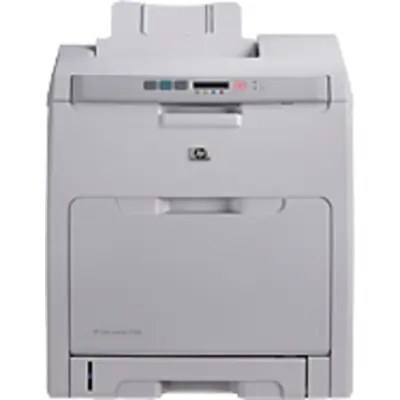
The Color LaserJet 2700 arrived in the mid-2000s, right as color laser printing became affordable for small businesses. Compact and straightforward, it covered everyday color documents without asking for IT attention. It prints with the HP 314A family: Q7560A black, Q7561A cyan, Q7562A yellow and Q7563A magenta. Singles and four-color sets of those codes, all compatible replacements, are listed below.
Small businesses bought the 2700 for a specific promise: business color — charts in a proposal, a logo on an invoice, a highlighted contract clause — without a service contract or a second mortgage. Its supplies match that promise. Four cartridges, one per color, each changeable by whoever is standing nearest, and a family it shares with the bigger 3000 series down the hall. Nothing about feeding this printer requires a purchase order committee.
Toner Cartridges for Color LaserJet 2700
| Cartridge | Color | Page Yield |
|---|---|---|
| Q7560A | Black | See product page |
| Q7561A | Cyan | See product page |
| Q7562A | Yellow | See product page |
| Q7563A | Magenta | See product page |
| Q7560A / Q7561A / Q7562A / Q7563A — 4 Color Set | All four colors | See product page |
| Q7560A / Q7561A / Q7562A / Q7563A — Premium 4 Color Set | All four colors | See product page |
| Color LaserJet 2700 — 4 Color Set | All four colors | See product page |
Which cartridge should you buy?
Singles are the default for this printer: most 2700s live in small offices where one color fades months before the others, and replacing only that color is the cheapest correct answer. Move to a four-color set when several levels are low at once — two set builds are listed, standard and premium quality, carrying the same four codes. If your output is mostly documents with a color logo, expect black to cycle two or three times per color change and stock it accordingly.
Chip, toner and everyday use
A chip on each cartridge lets the 2700 estimate its levels, so the first warning is a shopping reminder rather than an emergency. When a color starts to print light, take it out and rock it slowly side to side — evening out the toner inside commonly restores solid output for the rest of the run. Keep the next cartridge sealed in its packaging, upright, in a cool dry spot, and peel every piece of its shipping tape away before installation. Handled that way, a spare can wait on the shelf a long time without complaint.
Frequently Asked Questions
Which cartridges does the Color LaserJet 2700 take?
The HP 314A family: Q7560A black, Q7561A cyan, Q7562A yellow and Q7563A magenta. If the code on the cartridge you are removing matches one of those four, you are looking at the right listings.
Is Q7562A the yellow or the magenta?
On the listings sold here, Q7562A is the yellow and Q7563A is the magenta — the set order in the four-color box names them in that sequence. Order by the code and color together and there is no ambiguity.
Can I change one color without replacing the others?
Yes — the four cartridges are separate units in separate slots. A fresh cyan works happily alongside a half-used black, yellow and magenta.
Does the 2700 share cartridges with the Color LaserJet 3000?
It does — the Color LaserJet 3000 sits in the same 314A family in the list below, which is part of why these cartridges stayed easy to find.
More printers that use the same cartridges
The 314A family also serves: Color LaserJet 2700N, Color LaserJet 3000, Color LaserJet 3000DN, Color LaserJet 3000N, Color LaserJet 3000dtn, Color LaserJet 3000tn, HP 314A.