




Color LaserJet 3000DN
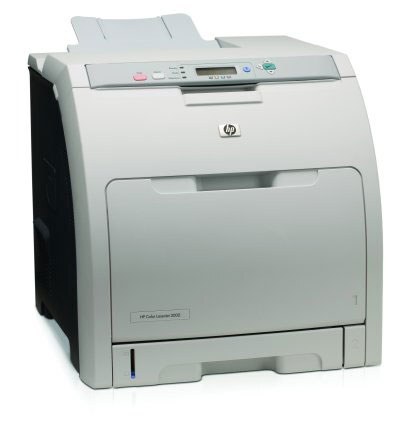
Two-sided output and network sharing made the HP Color LaserJet 3000DN a favorite in cost-conscious offices. Duplexing trimmed paper bills while Ethernet put the printer to work for the whole team.
It takes the HP 314A family: Q7560A black with Q7561A, Q7562A and Q7563A for color. Stock compatible or genuine OEM cartridges — your choice, both ship fast.
Toner Cartridges for Color LaserJet 3000DN
This printer works with the following toner cartridges:
- HP Q7560A
- HP Q7561A
- HP Q7562A
- HP Q7563A
More HP Printers
- Color LaserJet 2700
- Color LaserJet 2700N
- Color LaserJet 3000
- Color LaserJet 3000dtn
- Color LaserJet 3000N
- Color LaserJet 3000tn
Frequently Asked Questions
Are third-party toner cartridges safe to use in the Color LaserJet 3000DN?
The correct cartridges for the Color LaserJet 3000DN are Q7560A, Q7561A, Q7562A, Q7563A (HP 314A). Whether you buy OEM or compatible, that number is what matters — anything outside HP 314A will not seat properly in the Color LaserJet 3000DN.
How do I get the Color LaserJet 3000DN onto my office network?
If the Color LaserJet 3000DN won't connect over Ethernet, check that the link light is on at the cable port and try a different cable or port. Reinstalling the driver on the computer often resolves discovery issues with the Color LaserJet 3000DN.
What should I check if paper keeps jamming in the Color LaserJet 3000DN?
Frequent jams in the Color LaserJet 3000DN are often about paper, not the printer: use dry, flat sheets and don't overfill the tray. If a jam occurs, remove every scrap and restart the Color LaserJet 3000DN before printing again.