




Color LaserJet 3000dtn
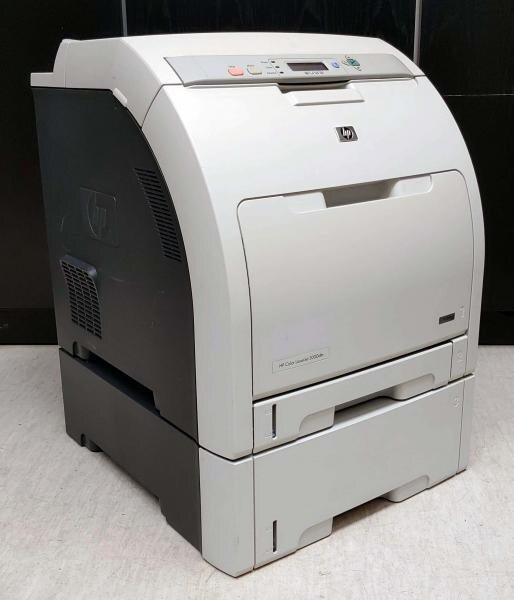
Configured for high-volume departments, the Color LaserJet 3000dtn combined duplexing with extra paper capacity and networking, so long print runs finish with fewer tray refills and fewer interruptions. It is powered by the 314A toner family: black Q7560A, cyan Q7561A, yellow Q7562A and magenta Q7563A. This page stocks the four as singles for one-at-a-time replacement and as four-color sets for a full refresh.
The dtn formula is about momentum. Duplexing keeps long documents cheap on paper, the extra tray keeps them moving, and the network connection means the whole department shares the benefit instead of queueing at one desk. A machine specified to avoid interruptions deserves a supplies shelf built the same way: every color available on its own, and complete sets for the day several cartridges bow out together.
Toner Cartridges for Color LaserJet 3000dtn
| Cartridge | Color | Page Yield |
|---|---|---|
| Q7560A — Standard Black, 4 Color Set | Black | See product page |
| 3000dtn Toner Cartridge Color Laserjet 4 Color Set | Black | See product page |
| Q7560A — Standard Black, 4 Color Set | Black | See product page |
| Q7560A — Standard Black, Single | Black | See product page |
| Q7561A — Standard Cyan, Single | Cyan | See product page |
| Q7562A — Standard Yellow, Single | Yellow | See product page |
| Q7563A — Standard Magenta, Single | Magenta | See product page |
Which cartridge should you buy?
Buy singles by default. The four colors drain at different rates — black fastest in most departments, one color barely touched — and replacing only the empty one is the simplest cost control there is. The four-color sets on this shelf, standard and premium builds alike, make sense at a full refresh, when a machine is new to you, or as a standing spare so no deadline ever waits on a delivery. Setting everyday printing to black-and-white in the driver stretches the three color cartridges further still. Compatible options here come with a 1-year warranty and 1-year returns, which makes the set-as-spare strategy an easy one to adopt.
Chip, toner and everyday use
When one color looks off, suspect that cartridge first, not the printer: streaks and banding in a single hue almost always trace to the low or dirty cartridge for that color. Remove it, shake it gently side to side, and reinstall; if the banding stays, replace that single cartridge rather than the whole set. Seat each new cartridge firmly until it clicks so the printer registers it, and store spares sealed and flat, away from heat. Yield figures are estimates at roughly five percent coverage, and presentation-heavy printing will always outrun them.
Frequently Asked Questions
Does the Color LaserJet 3000dtn accept compatible cartridges?
Yes — what matters is the code family linked at the top of this page. Whether you buy compatible or genuine, a cartridge from that family seats properly; anything outside it will not.
One color looks off — what should I check first?
The cartridge for that color. Shake it gently to redistribute the toner and reinstall; if the streaks persist, replace that one cartridge instead of the set.
What is the most economical way to buy toner for the 3000dtn?
Compatible cartridges, replaced one at a time as they empty, with everyday jobs defaulted to black-and-white so the color cartridges last longer.
What do the extra letters in dtn buy the department?
Duplexing, extra paper capacity and networking in one configuration — fewer refills, two-sided output, and one shared machine for the whole team.
More printers that use the same cartridges
The same four cartridges serve the rest of the family: Color LaserJet 2700, Color LaserJet 2700N, Color LaserJet 3000, Color LaserJet 3000DN, Color LaserJet 3000N, Color LaserJet 3000tn, HP 314A.