




Multifunction E515DW
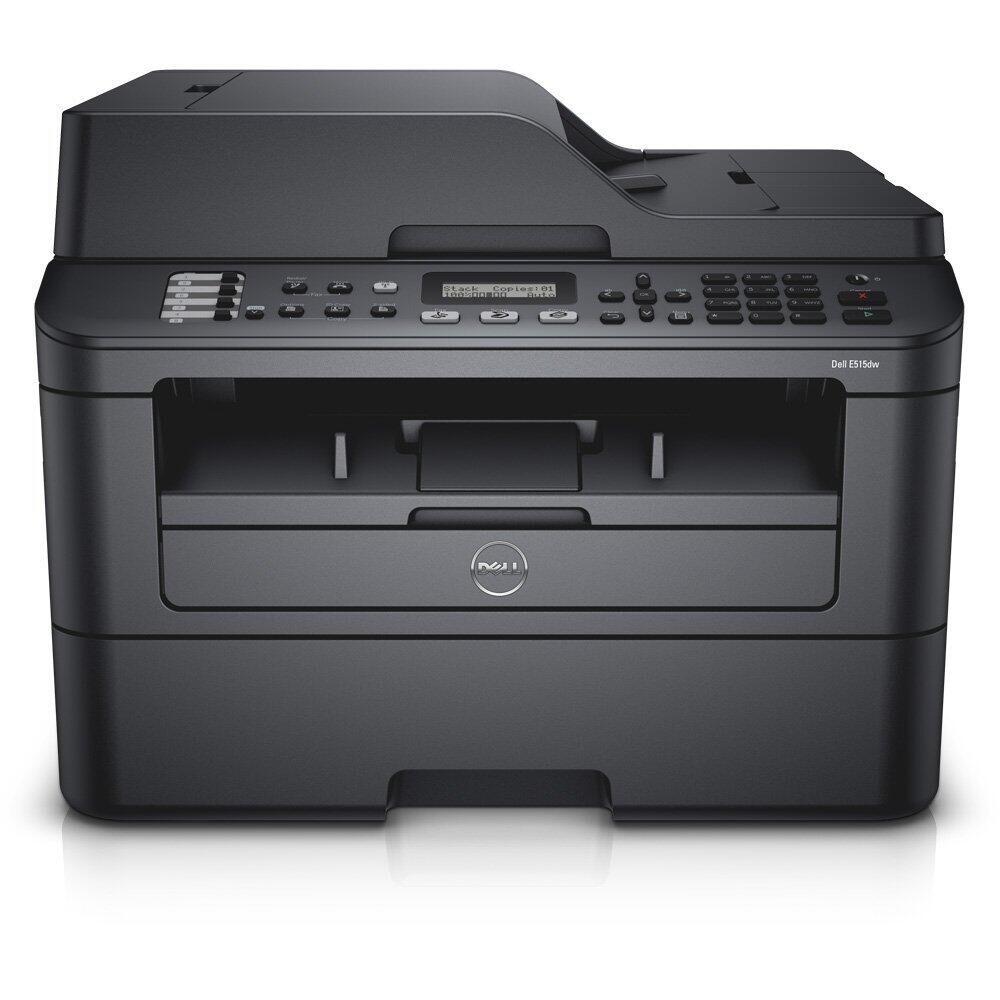
The Dell E515DW takes Dell's 42-page-per-minute monochrome multifunction and cuts the network cable: print, copy, scan and fax, all reachable over Wi-Fi. Its supply story is a matched pair — the 593-BBKD high-yield black toner, rated at 2,600 pages, working through the separate 593-BBKE drum unit, which is changed far less often. Below you will find the toner as a single cartridge and in packs of two, three, five and ten, plus the drum as a single unit and in multi-packs.
Wireless is not a gimmick on this model; it decides where the printer lives. The E515DW can sit in the middle of the office where people actually pass, instead of wherever the Ethernet jack happened to be installed, and laptops and phones join it without a hub of cables. For a small office that rearranges desks, works hybrid schedules or prints from wherever a client meeting ends, that freedom is the reason to pick this variant — the engine and the supplies stay identical to its wired sibling.
Toner Cartridges for E515DW
| Cartridge | Color | Page Yield |
|---|---|---|
| 593-BBKD Black Toner Cartridge | Black | 2,600 pages |
| 593-BBKD Black Toner Cartridges, 2 Pack | Black | 2,600 pages |
| 593-BBKD Black Toner Cartridges, 3 Pack | Black | 2,600 pages |
| 593-BBKD Black Toner Cartridges, 5 Pack | Black | 2,600 pages |
| 593-BBKD Black Toner Cartridges, 10 Pack | Black | 2,600 pages |
Drum unit (separate from the toner cartridge):
- 593-BBKE Drum Unit — Black
- 593-BBKE Drum Units, 2 Pack — Black
- 593-BBKE Drum Units, 4 Pack — Black
Which cartridge should you buy?
Start with the high-yield 593-BBKD rather than thinking in standard fills: at 2,600 pages it matches the pace of a shared multifunction, and buying it in a multi-pack lowers the cost per cartridge while guaranteeing a spare is nearby. A two pack suits a compact team; the five and ten packs fit offices where the printer serves a whole floor. Keep the drum decision separate in your mind — the 593-BBKE only comes due after many toner cycles, so order it when print quality tells you to, not on the toner schedule. Compatible cartridges on this page carry a 1-year warranty and 1-year returns.
Chip, toner and everyday use
A wireless shared printer collects habits from everyone who uses it, so keep the routine simple: one sealed spare stored next to the machine, packaging opened only at swap time. Fit the new cartridge until it seats, give the chip a moment to register, and the queue clears itself. Remember that copies consume toner exactly as prints do, so a week of heavy copying shortens cartridge life just as a big print run would. Yields are measured at about 5% coverage; treat the 2,600-page figure as a comparison yardstick rather than a countdown.
Frequently Asked Questions
Does the E515DW use the same supplies as the E515DN?
Yes — the pair is identical: 593-BBKD high-yield black toner and the 593-BBKE drum unit. The difference between the models is the connection, Wi-Fi here versus Ethernet on the DN, and it has no effect on what you order.
How do I print from my phone to the E515DW?
Join the printer to your Wi-Fi network once, then use the print option on your phone or tablet while it is on the same network. Mobile jobs draw on the same installed toner as computer printouts, so supply levels behave exactly as usual.
Which toner cartridge fits the E515DW?
The 593-BBKD, a high-yield black cartridge rated at 2,600 pages. It is stocked here from a single unit up to a ten pack; match that code against the label on the cartridge you remove and you cannot go wrong.
When does the drum need replacing?
Much later than the toner. The 593-BBKE drum is built for many cartridge cycles, so replace it when the printer reports it or when prints stay faded, streaked or dirty-looking after a fresh toner cartridge has been fitted and seated properly.
More printers that use the same cartridges
The same toner-and-drum pairing also fits these Dell models: Color Laser Laser E514DW, Color Laser Laser E310DW, Laser E310dw, Laser E514dw, Multifunction E515DN.