




Color Laser Laser E514DW
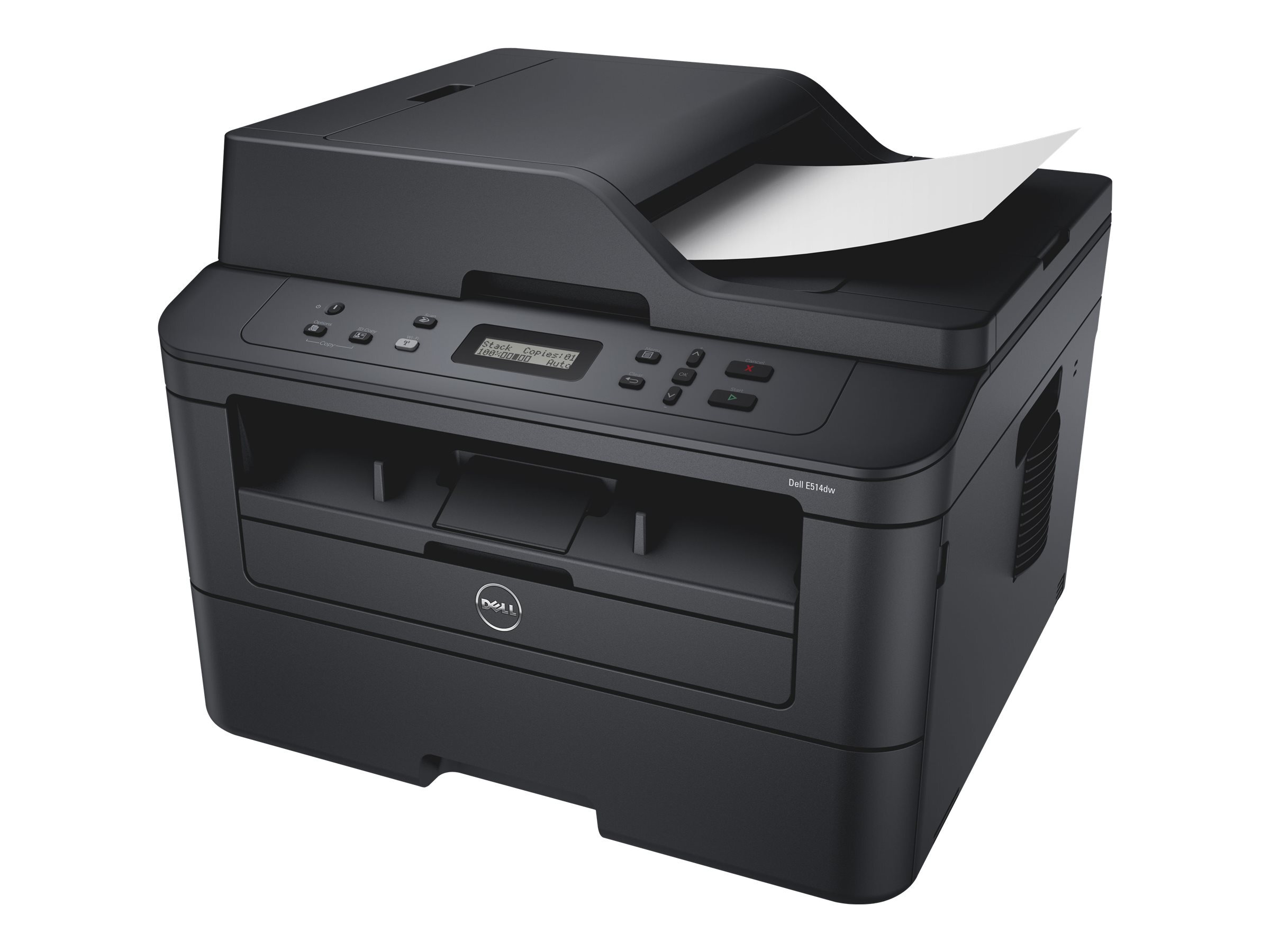
The Dell E514DW folds four jobs into one compact box: it prints, copies, scans and faxes, all in monochrome, and every one of those jobs runs through a single black cartridge — the 593-BBKD. That cartridge is shared across Dell's compact E-series mono platform and is stocked here as a single unit and in packs of two, three, five and ten. Because a printed report, a copied form and an outgoing fax all draw on the same supply, keeping the right code on the shelf is basically the whole maintenance story for this machine.
That simplicity is exactly what a home office or a remote worker needs. The E514DW connects over Wi-Fi and accepts jobs from phones and laptops, so it can sit on a desk corner or a side table with no cable runs and no shared family computer acting as a print server. It is the machine for a spare-room office that still has to send a signed form now and then, scan a contract before lunch and print boarding passes without a trip to a print shop.
Toner Cartridges for E514DW
| Cartridge | Color | Page Yield |
|---|---|---|
| 593-BBKD Black Toner Cartridge | Black | See product page |
| 593-BBKD Black Toner Cartridges, 2 Pack | Black | See product page |
| 593-BBKD Black Toner Cartridges, 3 Pack | Black | See product page |
| 593-BBKD Black Toner Cartridges, 5 Pack | Black | See product page |
| 593-BBKD Black Toner Cartridges, 10 Pack | Black | See product page |
Which cartridge should you buy?
There is only one cartridge decision on this printer — how many to keep, not which type. A single 593-BBKD suits a light home user who prints a few pages a week and would rather not tie up cash in spares. If the E514DW supports a full-time remote job, step up to the two or three pack: the per-cartridge cost drops, and a spare is already in the drawer the morning a long document drains the installed unit. The five and ten packs make sense where several home workers share one machine or where reordering is a chore you would rather do twice a year. Check the product page for the current rated yield before ordering if page count drives your choice.
Chip, toner and everyday use
Each cartridge carries a chip the printer reads on installation, so seat it firmly until it clicks and let the machine finish its recognition cycle before sending a job. When pages start to fade near the end of a cartridge, slide it out and rock it gently from side to side a few times — redistributing the remaining toner often restores even print for a while longer. Keep unopened spares sealed, flat and away from heat and direct sun. And because one cartridge covers printing, copying and faxing alike, an empty supply stops every function at once; a spare on hand is cheap insurance.
Frequently Asked Questions
Which toner does the Dell E514DW take?
One black cartridge does everything: the 593-BBKD. It is sold here as a single cartridge and in two, three, five and ten packs, and every listing on this page is built for the E-series platform this printer belongs to.
Does scanning or faxing use up toner?
Scanning a document to a file uses no toner at all. Printing, copying and receiving a fax on paper do — all three draw from the same installed 593-BBKD cartridge, which is why its level matters even on days you mostly scan.
Can I print to the E514DW from my phone?
Yes. The printer connects wirelessly and supports mobile printing, so once it has joined your Wi-Fi network, phones and tablets on the same network can send jobs to it directly, with no computer in between.
What happens if the cartridge runs low in the middle of a job?
The printer warns you as the level drops. If output turns faint mid-job, remove the cartridge, rock it gently to redistribute the toner, and reinstall it — that usually carries you to the end of the job while a replacement ships.
More printers that use the same cartridges
The same black cartridge also serves these Dell models, so a spare bought for one machine covers the others: Color Laser Laser E310DW, Laser E310dw, Laser E514dw, Multifunction E515DN, Multifunction E515DW.