




Laser 1130
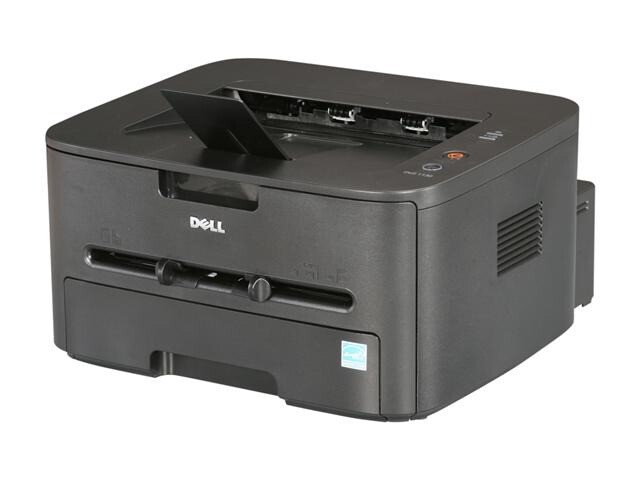
The Dell 1130 is a compact monochrome laser for personal desks and small offices — up to 19 pages per minute in a 7.3 kg chassis with a 250-sheet tray and USB connectivity. It's the no-frills black-and-white printer: fast enough for everyday documents, small enough to live on a desk.
The 1130 uses a single toner cartridge from the 330-9523/9524 family, available in 1,500 and 2,500-page versions. Compatible cartridges below make this affordable printer even cheaper to run.
Toner Cartridges for Dell 1130
This printer works with the following toner cartridges:
- Dell 330-9523
- Dell 330-9524
- Dell 2MMJP
- Dell 3J11D
- Dell 7H53W
- Dell 593-10962
Frequently Asked Questions
Which cartridges does the Dell 1130 take?
The 1130 uses the 330-9523 standard and 330-9524 high-yield black toner cartridges; 2MMJP, 3J11D and 7H53W are alternate Dell numbers for the same supplies, with 593-10962 as the kit number. Match your current cartridge's number to order the right capacity.
Standard or high-yield for the 1130?
If you print more than about 400 pages a month, the high-yield 330-9524 costs noticeably less per page and means fewer cartridge swaps. Lighter users should take the standard 330-9523: a big cartridge that takes 18 months to empty risks stale toner and uneven prints near the end.
Why does the 1130 leave the edges of pages faded?
Faded edges with a dark center often mean the cartridge is nearly empty and toner is feeding unevenly, so rock the cartridge gently to redistribute toner as a stopgap. If the problem persists with a fresh 330-9523 or 330-9524 cartridge, check that you are using standard-size paper and the guides are snug against the stack.