




Color Laser Laser 1130
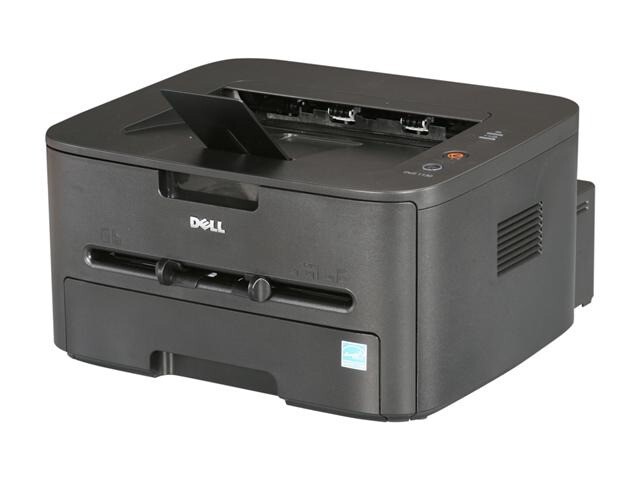
The Dell 1130 earned its reputation as the straightforward desktop mono laser: crisp 1200 x 1200 dpi text, a proper 250-sheet paper tray, and a compact body that fits a crowded desk. It runs on a single cartridge, the 330-9523, rated at 1,500 pages in standard form — one consumable to track, order and store, and nothing else.
Printers like this end up everywhere a desk meets paperwork: the reception counter, the home-office corner, the back office of a small shop. The work is unglamorous — invoices, statements, shipping documents, forms — and it arrives every single day. That steady diet, not raw speed, is what the 1130 was built for, and a cartridge that swaps in seconds keeps the routine invisible.
Toner Cartridges for 1130
| Cartridge | Color | Page Yield |
|---|---|---|
| 330-9523 | Black | 1,500 pages |
| 330-9523 — 2 Pack | Black | 1,500 pages |
| 330-9523 — 3 Pack | Black | 1,500 pages |
| 330-9523 — 5 Pack | Black | 1,500 pages |
| 330-9523 — 10 Pack | Black | 1,500 pages |
Which cartridge should you buy?
This cartridge family comes in two ratings: a standard yield of 1,500 pages and a high-yield version at 2,500 pages. The listings on this page are the standard cartridge in pack sizes from a single up to a 10 pack, and the honest way to choose is by volume. If the printer turns out less than a ream a month, a single cartridge or a 2 pack covers you without money sitting on a shelf. Past a ream a month, the math flips — the bigger packs cut the cost per cartridge, and a 5 or 10 pack also ends the cycle of reordering every few weeks. Anyone printing heavily every day should ask about the high-yield rating before settling on standard cartridges by habit. All compatible cartridges here carry a 1-year warranty and 1-year returns.
Chip, toner and everyday use
The chipped cartridge is recognized by the printer as soon as it seats, and toner status shows in the driver like it should. That 1,500-page rating is an estimate at 5% coverage — a page of light text — so dense documents with logos, tables and shaded forms will finish a cartridge sooner, which is expected. Near the end of a cartridge, print fades unevenly before it fails outright; pull it out, rock it gently side to side to level the remaining toner, and you will typically get a useful number of extra pages while the replacement ships. Keep the spare sealed and upright, away from heat and sunlight.
Frequently Asked Questions
Which cartridge fits the Dell 1130?
The 330-9523 black cartridge, listed above as a single and in 2, 3, 5 and 10 packs. It is the only consumable this printer uses — there is no separate drum or color cartridge to order alongside it.
Is there a high-yield option for the 1130?
Yes, the family includes a high-yield version rated at 2,500 pages against the standard 1,500. It suits desks printing more than a ream a month; lighter users save nothing by paying for capacity that sits unused.
Does the 1130N take this same cartridge?
It does — the networked 1130N shares the 330-9523 cartridge with the 1130, as do the 1133 and 1135N multifunction models in the family list below.
What does the 1,500-page rating actually mean?
It is the estimated page count at 5% toner coverage, the industry yardstick for a typical text page. Your real count moves with what you print: sparse letters run past it, heavy pages with big graphics land short of it.
More printers that use the same cartridges
The same cartridge serves the rest of the 1130 family:
Color Laser Laser 1130N, Color Laser Laser 1133, Color Laser Laser 1135N, Laser 1130, Multifunction 1135N