




Color Laser Laser 5210
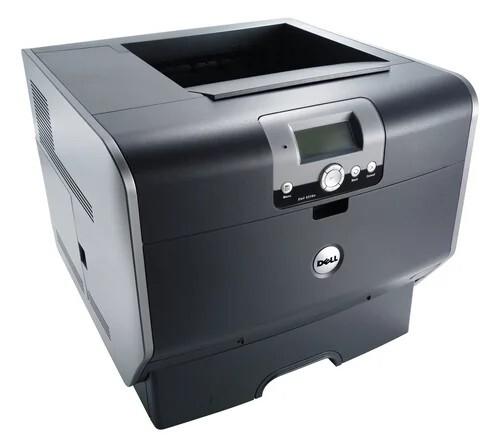
Paper handling is the Dell 5210's quiet strength: a 500-sheet drawer standard, up to four optional 500-sheet drawers for a 2,600-sheet maximum, and optional output expanders that sort large jobs. A workgroup printer that rarely needs refilling rarely interrupts anyone's day.
Toner should match that set-and-forget philosophy. The high-capacity black cartridge keeps pace with the paper capacity — thousands of pages between changes — and compatible versions keep the workgroup's printing budget as uninterrupted as its paper supply.
Toner Cartridges for Dell 5210
This printer works with the following toner cartridges:
- Dell 310-7236
- Dell 341-2915
- Dell 341-2918
- Dell 341-2919
- Dell 341-2937
- Dell 593-10130
- Dell 595-10008
- Dell 595-10010
- Dell 595-10011
- Dell GD531
- Dell HD767
- Dell PD974
- Dell UG215
- Dell UG218
- Dell UG219
Frequently Asked Questions
Which replacement toner is compatible with the Dell 5210?
The Dell 5210 uses the Dell cartridge family that includes 310-7236, 341-2915, 341-2918, 341-2919, 341-2937, 593-10130, and more. Match the part number on your old cartridge to be sure you get the right color.
How do I check toner levels on the Dell 5210?
To read 5210 supply status, open the printer's web interface or driver utility if it's networked, or use the control panel's supplies screen. It lists each cartridge in the set (310-7236, 341-2915, 341-2918, 341-2919, 341-2937, 593-10130, and more) so you can see exactly which color needs attention.
My 5210 doesn't recognize the new cartridge. What do I do?
If the 5210 reports an unsupported cartridge, confirm the part number matches the verified list (310-7236, 341-2915, 341-2918, 341-2919, 341-2937, 593-10130, and more) — a wrong-number cartridge is the most common cause. Reseating and a power cycle clear the rest.