




Color Laser C1660W
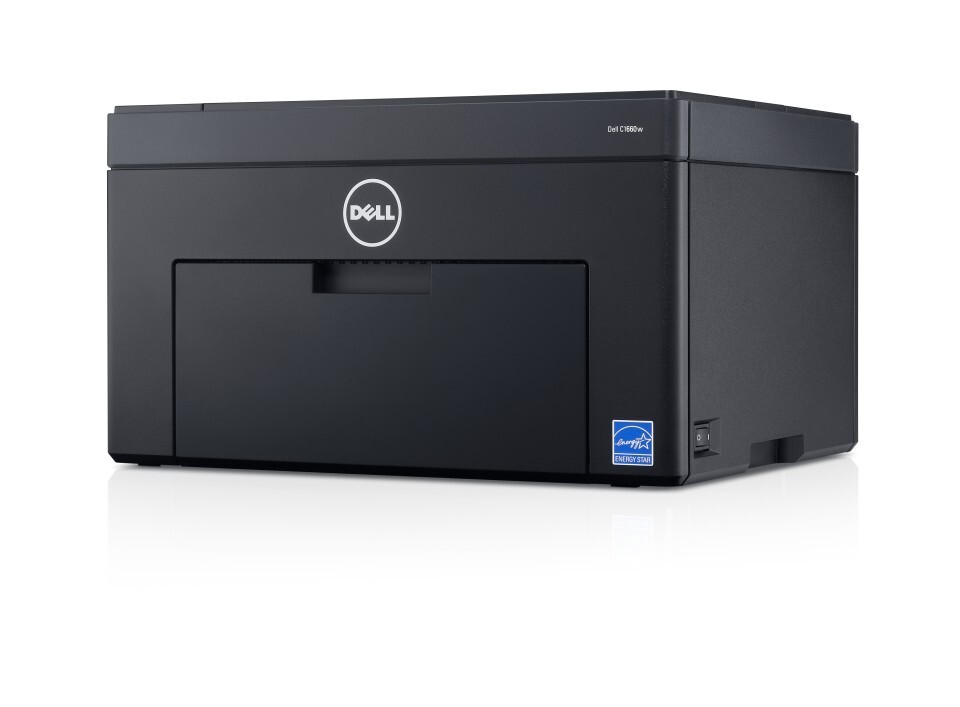
The Dell C1660W takes Dell's compact color laser and cuts the cord: wireless printing from laptops, tablets and phones, with no cable dictating where the printer has to live. That freedom is why it turns up in home offices, dorm rooms and small shared spaces where every shelf is contested. Its toner stays deliberately simple — four separate cartridges, black 332-0399, cyan 332-0400, magenta 332-0401 and yellow 332-0402, each replaced on its own when the printer says it is empty.
Wireless printing changes who prints, not how much toner a page uses. A C1660W shared by a household or a few students sees bursts from many devices — an essay here, boarding passes there, a color assignment at midnight — and the black cartridge absorbs most of it. The colors serve the occasional project, which is why they can sit nearly full for months while black cycles repeatedly.
Toner Cartridges for Dell C1660W
| Cartridge | Color | Page Yield |
|---|---|---|
| 332-0399 / 332-0400 / 332-0401 / 332-0402 — 4 Color Set | Black / Cyan / Magenta / Yellow | See product page |
| C1660w 4 Color Set | Black / Cyan / Magenta / Yellow | See product page |
| C1660w Premium Quality 4 Color Set | Black / Cyan / Magenta / Yellow | See product page |
| 332-0399 / 332-0400 / 332-0401 / 332-0402 — 4 Color Set | Black / Cyan / Magenta / Yellow | See product page |
| 332-0399 / 332-0400 / 332-0401 / 332-0402 — 5 Color Set | Black / Cyan / Magenta / Yellow | See product page |
| 332-0399 / 332-0400 / 332-0401 / 332-0402 — 8 Color Set | Black / Cyan / Magenta / Yellow | See product page |
| 332-0400 / 332-0401 / 332-0402 — 6 Color Set | Cyan / Magenta / Yellow | See product page |
| 332-0400 / 332-0401 / 332-0402 — 3 Color Set | Cyan / Magenta / Yellow | See product page |
| 332-0399 — Black 3 Pack | Black | See product page |
| 332-0399 — Black 5 Pack | Black | See product page |
| 332-0399 — Black 2 Pack | Black | See product page |
| 332-0399 — Black 3 Pack | Black | See product page |
| 332-0399 — Black 5 Pack | Black | See product page |
| 332-0399 | Black | See product page |
| 332-0400 | Cyan | See product page |
| 332-0401 | Magenta | See product page |
| 332-0402 | Yellow | See product page |
| 332-0401 | Magenta | See product page |
| 332-0402 | Yellow | See product page |
| 332-0400 | Cyan | See product page |
| 332-0399 | Black | See product page |
| 332-0402 | Yellow | See product page |
Which cartridge should you buy?
Buy for the pattern this printer actually sees. For most C1660W owners that means black, bought singly or in a multi-pack if coursework or home-office documents run heavy, and colors bought one at a time in the rare event one runs dry. A complete four-color set is the tidy choice when the machine is new to you and all four starter cartridges are winding down together, and the larger set formats trade a bigger box today for a long stretch without thinking about toner at all. There is no wrong cartridge on this page — every listing fits this printer — so let the printer's own level screen arbitrate: order what it flags, in the smallest quantity that matches how fast you use it. Compatible cartridges carry a 1-year warranty and 1-year returns.
Chip, toner and everyday use
Like its wired twin, the C1660W identifies each cartridge by chip and tracks levels per color; a replacement that is pushed fully home is recognized as soon as the printer settles. If prints develop a gray background haze, the usual story is a cartridge sitting slightly off its contacts or toner dust where it should not be — reseat the four cartridges and run the cleaning cycle before suspecting a failure. One habit helps any lightly used machine: if the printer has sat idle for weeks, rock a faint-printing cartridge gently from side to side to redistribute settled toner before deciding it is empty. Spares keep best sealed, flat and out of direct sunlight.
Frequently Asked Questions
How can I tell I am buying the right toner for my C1660W?
Match the part number on the cartridge you remove: 332-0399 is black, 332-0400 cyan, 332-0401 magenta and 332-0402 yellow. Ordering by that number is the reliable method, because the four cartridges look alike but are keyed and chipped for their own slots.
Does shaking a low C1660W cartridge actually help?
Gently, yes. Rocking a cartridge side to side — not shaking it hard — spreads the remaining toner evenly across the drum area and can buy dozens of extra pages. Treat it as a bridge to the replacement arriving, not a refill.
Is C1660W toner the same as C1660 toner?
Yes, the wireless and wired versions share the identical four-cartridge family, so a spare bought for one machine fits the other. Households or offices running both can keep a single shared stock.
Why do my color prints look faded even with toner left?
Faded color after a long idle spell usually means settled toner rather than an empty cartridge. Remove the affected color, rock it gently to level the contents, refit it, and print a test page before ordering — the difference is often immediate.
More printers that use the same cartridges
This toner family is shared with the wired version of the same compact color laser, together with the family’s cartridge page: Color Laser C1660, Dell (332-0399, 332-0400, 332-0401, 332-0402).