






 See Compatible Printers
 Read more about our ink!
Dell
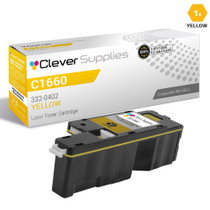
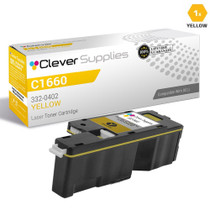
Compatible Dell C1660 (332-0402) Toner Cartridge Yellow
- Page Yield:
- Color: 1000
- Availability:
- In Stock
- Shipping:
- Calculated at Checkout

Amazon Price:

- Page Yield:
- Color: 1000
- Availability:
- In Stock
- Shipping:
- Calculated at Checkout
- Compatible Printers
- Specifications
- SKU:
- CS-Dell_C1660_Y
- Printer Brand:
- Dell
- OEM Number:
- 332-0402.
- Ink Color:
- Yellow
- Page Yield:
- Color: 1000
- Printer Type:
- Laser Cartridge
- Condition:
- New Compatible
- Description
- Reviews



Commence your printing journey with Dell's efficient lineup including the C1600, C1660, and C1660w printers, designed to meet the needs of both home and office environments. These printers deliver exceptional print quality and reliability, ensuring crisp documents and vibrant graphics with every print. Explore the range of printing supplies compatible with these printers, including the 332-0399 black, 332-0400 cyan, 332-0401 magenta, and 332-0402 yellow cartridges. Compatible Dell cartridges guarantee seamless compatibility and consistent output, ensuring your prints always meet the highest standards. Experience enhanced printing performance with the Dell C1600 toner cartridge and Dell C1600 toner cartridge. Engineered for optimal results, these cartridges provide reliable and long-lasting printing solutions. Bid farewell to smudges and streaks, and welcome professional-quality prints with these trusted cartridges. In summary, the Dell printers and cartridges, including the Dell C1600, C1660, and C1660w models, offer the perfect combination of performance and reliability. Whether for everyday printing tasks or important projects, Dell provides the printing solutions you can rely on.
Frequently Asked Questions
Why do my greens look blue and my prints feel cold when yellow runs low?
On the Dell C1660 and C1660w, green is mixed from cyan and yellow, and warm tones lean on yellow as well. As the 332-0402 fades, greens shift toward blue, yellows pale toward white and photographs lose their warmth — a slow drift that is easy to miss until you compare against an older print. A fresh 332-0402 restores the balance immediately because nothing else in the color mix has changed.
What will I actually get from the 332-0402's 1,000-page rating?
The 332-0402 is rated at up to 1,000 color pages at 5% coverage. Light office color — documents with charts, logos and the occasional photo — typically lands near that figure; heavy graphics work will not. Priced at $24.85, the cartridge runs about 2.48 cents per page. That is the real cost profile of a compact desktop color laser, stated plainly so you can budget the C1660's running costs with open eyes.
Is the 332-0402 the correct yellow for the C1660w?
Yes. The 332-0402 is the yellow cartridge for both the Dell Color Laser C1660 and the wireless C1660w — the two models share the same cartridge set. Confirm by the code on the cartridge you remove from the yellow slot; if it reads 332-0402, this is the same cartridge. The other colors in the set carry their own 332-series codes.
What if the new yellow does not fix my color problem?
Then the cause is likely another color or the printer itself, and our 1-year warranty and 1-year free returns mean you are not stuck with the experiment — see our shipping and returns page for how returns work. You can also call us before ordering, Monday to Friday, 9 AM to 5 PM CST, and describe the symptom; we would rather point you at the right cartridge than sell you the wrong one.
Can the 332-0402 be replaced on its own?
Absolutely. The C1660 family uses four separate cartridges, and the yellow swaps independently in moments. After installing the 332-0402, print a page with grass, sky and a face: green, blue and skin tone together are the quickest all-round check that the color mix is healthy again.
How fast can I get a replacement 332-0402?
Orders leave from the closest of our Illinois, Pennsylvania, Georgia and California warehouses. The rest of the C1660 cartridge set and the wider range live on our Dell toner page. Given the 1,000-page yield, home offices that print color weekly often keep one spare yellow alongside the other colors.
Our yellow is fading but a color job has to go out today — can the cartridge be coaxed a little further?
Usually, yes. Remove the 332-0402 and rock it gently from side to side a few times, then reseat it. That levels out the toner remaining inside and often restores even color for the rest of the job. Treat it as borrowed pages rather than a revival: coverage will fade again, and the honest fix is the replacement cartridge. Ordering the same day means the borrowed time never has to stretch into a second job.
How should a spare 332-0402 be stored so it is ready months from now?
Sealed in its bag, upright, in a cool dry place away from sunlight and heating vents. Toner does not dry out in storage, so a spare yellow waits patiently until its slot calls for it. Write the arrival date on the box and open the seal only at the moment of fitting — an opened cartridge stored loose invites dust and spills, while a sealed one asks nothing of you at all.
We just fitted a new yellow — how soon can we judge whether the color is right?
Give it several pages before deciding. A fresh 332-0402 needs a few prints to distribute its toner evenly, and the very first sheet can look lighter than the cartridge's real output. Print a handful of ordinary pages, then the page with grass, sky and a face — if greens are green again and the warmth is back, the swap has done its work. Persistent paleness after a dozen pages is worth a reseat and a second look.
Is there a way to know whether the yellow will survive a long color run before we start it?
Check the yellow gauge on the printer before you queue the job, and compare it with the other three bars. If the 332-0402 is clearly the lowest and the run ahead is photo-heavy, swap in the spare first and start the job on a full cartridge. Running dry halfway through a long run costs more — in wasted pages and reprints — than changing the cartridge a little earlier than strictly necessary.
About This 332-0402 Yellow Cartridge
The compatible Dell 332-0402 is the yellow toner cartridge for the Color Laser C1660 and C1660w, rated at up to 1,000 color pages and priced at $24.85 (about 2.48 cents per page). It replaces the yellow slot only, comes with a 1-year warranty and 1-year free returns, and ships from our warehouses in IL, PA, GA and CA, with support available Monday to Friday, 9 AM to 5 PM CST.
Related Items
Dell
Compatible Dell C1660 Toner Cartridge Yellow (332-0402)
/>

Dell
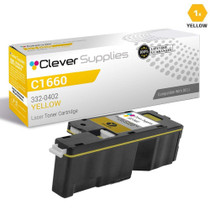
Compatible Dell 332-0402 Toner Cartridge Yellow
/>

Dell
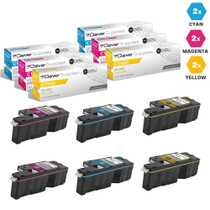
Compatible Dell C1660 Toner Cartridges 6 Color Set (332-0400, 332-0401, 332-0402)
/>


Dell
Compatible Dell C1660 Toner Cartridges 3 Color Set (332-0400, 332-0401, 332-0402)
/>