






 See Compatible Printers
 Read more about our ink!
Dell
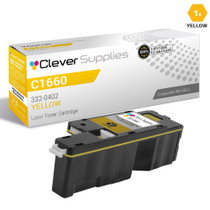
Compatible Dell 332-0402 Toner Cartridge Yellow
- Page Yield:
- 1,000 Pages
- Availability:
- In Stock
- Shipping:
- Calculated at Checkout

Amazon Price:

- Page Yield:
- 1,000 Pages
- Availability:
- In Stock
- Shipping:
- Calculated at Checkout
- Compatible Printers
- Color Laser C1660wi>
- Color Laser C1660
- Color Laser C1660W
- Dell (332-0399, 332-0400, 332-0401, 332-0402)
- Specifications
- SKU:
- Dell-332-0402
- Printer Brand:
- Dell
- OEM Number:
- 332-0402
- Ink Color:
- Yellow
- Page Yield:
- 1,000 Pages
- Printer Type:
- Laser Cartridge
- Condition:
- New Compatible
- Description
- Yields up to 1000 pages
- Compatible Dell 332-0402 Toner Cartridge Yellow produces high-resolution printouts for enhanced graphics and sharp text
- Unlike bargain brand inks Compatible Dell 332-0402 Toner Cartridge Yellow is designed to work exclusively with Dell printers to deliver the highest quality and performance
- Compatible with: Dell C1660 C1660w laser printer
- Replaces the Following Manufacturer Numbers: 332-0402 V53F6 XY7N4
- Reviews

/> 

Compatible Dell 332-0402 Toner Cartridge Yellow delivers consistent quality with high-resolution printouts sharper images and text.
Dell Toner cartridge in yellow color provides excellent high-resolution print quality for your important documents projects and presentations. Toner cartridge offers rich dark text and image with high productivity.
Features:
Frequently Asked Questions
Why is this cartridge sold under the number 332-0402 instead of a printer name?
Because Dell organizes its toner by part number, and 332-0402 is the exact yellow cartridge for the Color Laser C1660w and C1760nw family. The number is the reliable way to order: names get shortened, listings get copied, but the printer's supply list asks for 332-0402 in the yellow slot. Its shelf-mates in the same series are 332-0399 black, 332-0400 cyan and 332-0401 magenta — if the code on your old cartridge does not read 332-0402, this is not the yellow your machine takes.
What does one printed page actually cost with the 332-0402?
Honest arithmetic, on this listing's own numbers: $24.85 divided by the rated 1,000 pages is about 2.48 cents per page. That is not cheap toner, and we will not dress it up as such. Compact desktop color lasers like the C1660w carry small cartridges, and small cartridges cost more per page than the big workgroup units — the 332-0402 is priced for a machine that sits on one desk, not for a print room. What you are paying for is the exact-fit yellow supply for that specific printer, in a single cartridge, with no bulk commitment.
How far does a 1,000-page rating really go?
About two reams of paper, at the standard 5% coverage the rating assumes. In desk-printer terms: an office printing 100 color pages a month sees roughly ten months from a 332-0402; at 250 color pages a month, plan on about four months. Full-page color — flyers, photos, dense charts — covers far more than 5% of the sheet and drains yellow noticeably faster, so heavy color users should treat 1,000 pages as the ceiling, not a promise.
How do I know the yellow is the cartridge that has run out?
Prints turn cold. Without yellow, blues go deep and dull, greens lose their warmth and shift toward cyan, skin tones look gray-blue, and anything that should be yellow or gold comes out pale or missing entirely. If black text still prints crisply while the color balance has gone cold, the 332-0402 in the yellow slot is the first suspect — the other three colors cannot compensate for a missing primary.
Should I keep a spare 332-0402 on the shelf?
For a single-desk C1660w or C1760nw, one spare is a reasonable insurance policy: the cartridge is small, stores flat in its sealed bag, and a color slot running dry mid-document is more annoying than the modest shelf cost. Keep the spare away from sunlight and heat. If your color printing is occasional — a few pages a week — skip the spare and simply order when the low-toner warning appears; stocking deep for a 1,000-page cartridge ties up money for very little benefit.
Is this a genuine Dell cartridge, and what cover comes with it?
No — this is a compatible 332-0402 cartridge, built to the same specification as the Dell original, and it is covered by our 1-year warranty and 1-year free returns. If a cartridge arrives faulty or fails early, the process is set out on our shipping and returns page, and support is available Monday to Friday, 9 AM to 5 PM CST. Orders ship from the nearest of our Illinois, Pennsylvania, Georgia or California warehouses, and the rest of the C1660 family supplies are listed on our Dell toner page.
Which pages drain the yellow cartridge fastest?
Anything warm or green. Yellow is a working ingredient in highlighted text, green charts and bars, gold and warm branding tones, and sunlit photographs, so pages built from those elements pull on the 332-0402 far harder than plain correspondence does. A desk that prints mostly letters may barely touch yellow for months, while one producing highlighted reports and green-heavy spreadsheets can work through the 1,000-page rating briskly. Knowing your mix tells you whether yellow or another color will call first.
The supply list shows four near-identical numbers — how do I make certain I order yellow?
By checking the color word alongside the digits. In this family the numbers run together — black 332-0399, cyan 332-0400, magenta 332-0401 — and yellow is 332-0402. A digit remembered wrongly orders a different color that your yellow slot cannot take. The safe source is the cartridge itself or the printer's supply screen, where the word yellow and the number 332-0402 appear together. Order the pair you read there, and the cartridge that arrives is the one the slot wants.
What does the actual swap involve?
Very little. There are no tools and no settings to change: the spent 332-0402 lifts out of the yellow slot and the fresh cartridge seats in its place, after which the printer is ready to work again. The one habit worth keeping is to confirm the new unit's number before it goes in — once a cartridge is fitted, the moment for catching a wrong order has passed. Done in that order, the whole change is a pause between documents rather than a maintenance event.
Prints have gone cold but the gauge still shows some yellow left — can yellow still be the cause?
Yes. A nearly spent 332-0402 skews color balance before its bar reaches empty: blues deepen and dull, greens lose their warmth, and skin tones turn gray-blue, all while the gauge insists a little remains. The gauge reports an estimate, not a measurement of what is landing on the page. If black text is still crisp while the color has gone cold, yellow is the first suspect — fitting the fresh cartridge and reprinting one page settles the question immediately.
About This 332-0402 Yellow Cartridge
The yellow supply for Dell's Color Laser C1660w and C1760nw: a single compatible 332-0402 cartridge rated at 1,000 pages, at $24.85 — about 2.48 cents per rated page, the honest economics of a compact desktop color laser. It ships from our Illinois, Pennsylvania, Georgia or California warehouse and carries a 1-year warranty with 1-year free returns.
Related Items
Dell
Compatible Dell C1660 Toner Cartridge Yellow (332-0402)
/>



Dell
Compatible Dell C1660 (332-0402) Toner Cartridge Yellow


Dell
Compatible Dell C1660 Toner Cartridges 3 Color Set (332-0400, 332-0401, 332-0402)
/>

Dell
Compatible Dell 332-0399/ 332-0400/ 332-0401/ 332-0402 Toner Cartridge 4 Color Set
/>