




Color Laser 7130CDN
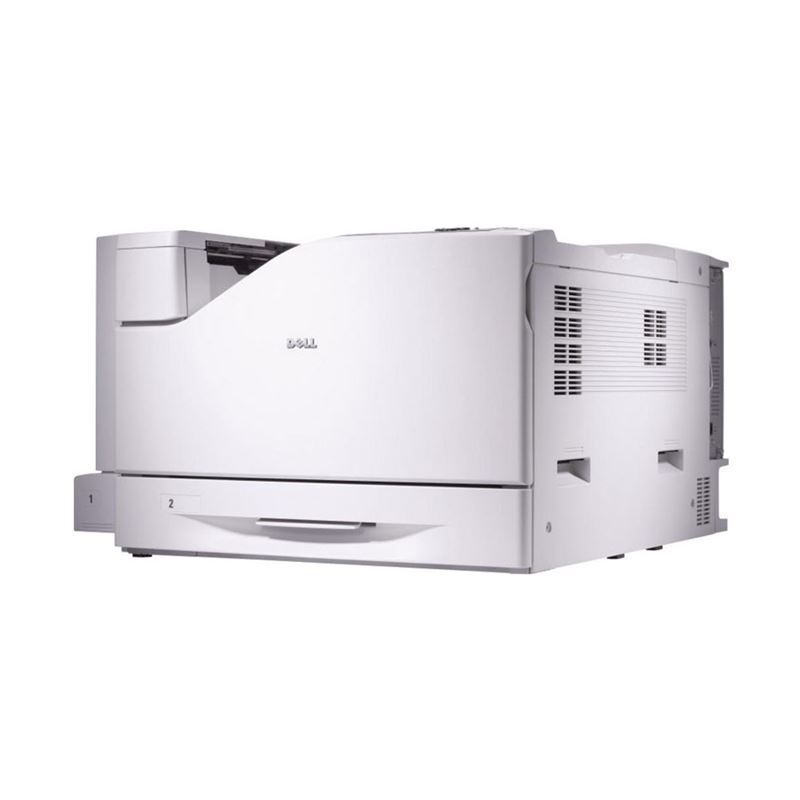
The Dell 7130CDN is a departmental color workhorse, rated around 35 pages per minute in both color and black, with duplex printing and networking fitted as standard for shared-floor duty. Machines at this level live or die on supply economics, and the 7130CDN keeps its side of the bargain simple: four high-capacity cartridges, one per color. Black is the 330-6135, cyan the 330-6138, magenta the 330-6141 and yellow the 330-6139. Each channel is stocked as a single cartridge, so a department replaces only the color that has genuinely run dry.
Everything from contracts to full-color board reports passes through a printer like this, and the monthly volume of a busy floor turns small per-page differences into real money. That is why yield, not the sticker on the box, is the number that matters here: the high-capacity members of this cartridge family stretch the interval between swaps and pull the cost per page down with it. Compatible cartridges built to match the OEM yields make that arithmetic friendlier still.
Toner Cartridges for Dell 7130CDN
Which cartridge should you buy?
For a shared departmental machine, plan supplies like a rota, not an emergency. Keep one complete spare set on the shelf beside the printer so a swap never waits on a delivery, and reorder the moment a spare goes in. Black will turn over fastest in most offices — the black 3-pack covers that rhythm and trims the per-cartridge cost. Colors should be bought as singles, because color consumption is uneven: a marketing-heavy month can drain magenta while yellow barely moves. The 4 Color Set earns its place when several channels report low together, typically after a big report run. All of these compatible cartridges carry a 1-year warranty and 1-year returns, which makes holding shelf stock a low-risk decision for whoever manages the office budget.
Chip, toner and everyday use
The 7130CDN tracks each cartridge through its chip and reports levels per color, so assign supply checks to the same routine as paper refills rather than waiting for a failed print run. Swap cartridges between jobs where you can; opening the machine mid-run for a toner change invites dust into the paper path. Seat each new unit fully and let the printer finish its initialization before sending the queue through. Spares keep best sealed, upright and out of direct sunlight, with nothing heavy stacked on the boxes — a cracked housing on a cartridge this size is an expensive accident. As always, published yields assume about 5% coverage, and dense full-color reports will use toner noticeably faster.
Frequently Asked Questions
Which toner cartridges does the Dell 7130CDN take?
The family is 330-6135 in black, 330-6138 in cyan, 330-6141 in magenta and 330-6139 in yellow. Match the part number printed on the cartridge coming out against the one you are ordering and the color channels cannot get crossed.
Where is the best place to keep backup toner for the 7130CDN?
A cool closet shelf near the printer is ideal: boxes sealed, standing upright, out of sunlight. Avoid stacking anything heavy on top of the cartons, since the pressure can crack a cartridge housing before it is ever installed.
Does the 7130CDN print on both sides automatically?
Yes. Duplex printing is standard on this model, along with the network connection, so two-sided color documents come out finished without anyone standing by the tray flipping pages by hand.
One color ran out in the middle of a big job. Do I have to change all four?
No. Each color is an independent cartridge, so you replace the single channel that is empty and the other three stay exactly where they are. The job can resume as soon as the new cartridge is seated.
More printers that use the same cartridges
This cartridge family is shared with the closely related models and the family cartridge page here: Color Laser 7130, Dell (330-6135, 330-6138,330-6141, 330-6139).