






 See Compatible Printers
 Read more about our ink!
Xerox
Compatible Xerox 7800 Toner Cartridges 4 Color Set (106R01569, 106R01566, 106R01567, 106R01568)
- Page Yield:
- Black: 24000, Color: 17200
- Availability:
- In Stock
- Shipping:
- Free Shipping

Amazon Price:

- Page Yield:
- Black: 24000, Color: 17200
- Availability:
- In Stock
- Shipping:
- Free Shipping
- Compatible Printers
- Phaser 7800
- Phaser 7800 DG
- Phaser 7800 DN
- Phaser 7800 DX
- Phaser 7800 GX
- Phaser 7800/GX
- Phaser 7800/YDN
- Phaser 7800/YDX
- Phaser 7800/YGXi>
- Specifications
- SKU:
- CS-Xerox-7800-4Set
- Printer Brand:
- Xerox
- OEM Number:
- 106R01569, 106R01566, 106R01567, 106R01568
- Ink Color:
- Black, Cyan, Magenta, Yellow
- Page Yield:
- Black: 24000, Color: 17200
- Printer Type:
- Laser Cartridge
- Condition:
- New Compatible
- Description
- Reviews

/> 

Clever Supplies brand products are made in the USA! Why pay more for cheaper product with a high defective rate? You will end up having to send it back to the manufacturer. Your time is valuable. Get a quality product that you KNOW will work. Purchase the Clever Supplies Compatible for Xerox 7800 (106R01569, 106R01566, 106R01567, 106R01568) 4 Color Toner Cartridge Set and experience the difference! All Clever Supplies brand products are backed by '100% Quality Satisfaction' 1 year warranty against defects in materials and workmanship for all toner products. Free tech support for any problems for all Clever Supplies brand products. The use of Clever Supplies brand replacement laser toner cartridges and supplies does not void printer warranty. Premium Quality Replacement Toner Cartridge is made by ISO9001 Certified Factory to Meet or Exceed OEM Standards. These units are manufactured 100% brand new with all new parts including OPC drums, wiper blades, a smart chip and other internal parts, they are an economical alternative to expensive OEM 106R01569, 106R01566, 106R01567, 106R01568 Compatible Toner Cartridges. The Compatible Toner Cartridges will produce the same amount of page yield as an OEM cartridge would. This is a Compatible for Xerox 7800 4 Color Toner Cartridge Set Black, Cyan, Magenta, Yellow guaranteed to perform with Xerox Laser Printers. It replaces the original Xerox 7800 4 Color Toner Cartridge Set Black, Cyan, Magenta, Yellow. The compatible replacement for 106R01569, 106R01566, 106R01567, 106R01568. The use of compatible replacement Cartridges and supplies does not void Printer Warranty. Our Xerox Compatible Cartridge is a replacement for OEM Xerox. We offer a 100% Quality Satisfaction Guarantee on our Compatible for 106R01569, 106R01566, 106R01567, 106R01568 Laser Toner Cartridges and supplies. For use in the following printers: Phaser 7800, Phaser 7800DG, Phaser 7800DN, Phaser 7800DX, Phaser 7800GX
Frequently Asked Questions
Why would a 7800 owner replace all four cartridges on the same day?
On a Phaser 7800 that has been working through a heavy season, the four gauges tend to sag together. Swapping the complete set in one visit puts every position back to full at once, so the next warning is months away instead of next week. It also means one delivery, one invoice and one short maintenance session rather than four separate interruptions.
What exactly arrives in this 4 color set?
Four high-yield cartridges, one per slot: black 106R01569, cyan 106R01566, magenta 106R01567 and yellow 106R01568. Open the carton and every position in the machine can be filled — nothing further has to be bought to complete the change.
How far does each cartridge go?
Black 106R01569 is rated up to 24,000 pages; cyan 106R01566, magenta 106R01567 and yellow 106R01568 are rated up to 17,000 pages each, all on the standard 5% coverage basis. Dense color work consumes toner faster than that test page suggests, so a graphics-heavy 7800 will cycle its colors sooner than the headline figures imply.
Can I fit two cartridges today and hold the other two back?
Certainly. The colors and the black live independent lives inside the machine. Plenty of owners fit whichever pair the panel is flagging and keep the remaining cartridges sealed as shelf stock; an unopened cartridge loses nothing by waiting.
Does fitting a full set change anything at the control panel?
Each new cartridge registers its own fill level as it is seated, so the gauges simply climb back to full one position at a time. There is no set-level pairing step — the printer reads cartridges individually, and a half-finished change leaves the machine perfectly usable.
What protection and delivery terms apply?
A 1-year warranty with 1-year free returns backs the set, with details on our shipping and returns page. We ship from warehouses in IL, PA, GA and CA, picking the closest to your address, and support is staffed Monday to Friday, 9 AM to 5 PM CST.
When is the best moment in the work week to fit a full set?
Pick a quiet window between jobs rather than the middle of one. A four-cartridge change on a Phaser 7800 is short work, but doing it while no deadline run is queued means each position can be seated and registered calmly, and the first jobs afterward double as the proof that all four colors are laying down properly. Shops that refresh the whole machine at once usually tie it to a natural pause — end of a production run, or the start of a new one.
Is it worth printing a reference page before and after the change?
Yes — it is the cheapest quality record you can keep. Print one familiar page carrying all four colors before the swap, then the same page again with the new set fitted: black 106R01569, cyan 106R01566, magenta 106R01567 and yellow 106R01568. Side by side, the pair shows exactly what the change restored and gives you a dated baseline. Months later, if output starts to drift, that after-page is the standard the machine is compared against.
After a full set goes in, which cartridge is likely to run low first?
Whichever your work feeds hardest — the set starts level, but your pages decide the race. Color-rich graphics draw the three 17,000-page colors down far faster than the 5% test page behind their ratings, while text-heavy work leans on the 24,000-page black. There is no fixed order to memorize; the gauges after the first heavy month will show you this machine's pattern, and that pattern is what the next reorder — set or single — should be built on.
Should the four old cartridges be kept for a while after the swap?
Briefly, yes. Box each empty in its replacement's packaging and hold the set of four until the new cartridges have printed several days of real work without complaint. That short retention costs nothing and leaves the old units identifiable if a question arises about the changeover. Once the new set is proven, send the four boxed empties out together for recycling — one collection clears the whole change.
About This 7800 4 Color Set
This $322.35 set refreshes a Phaser 7800 end to end: black 106R01569 at up to 24,000 pages alongside cyan 106R01566, magenta 106R01567 and yellow 106R01568 at up to 17,000 pages each. It is the order to place when the whole machine is due rather than a single color. Individual cartridges for the same platform are listed on our Xerox toner page.
Related Items
Xerox
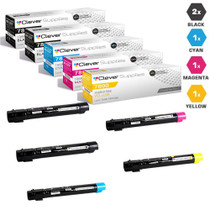
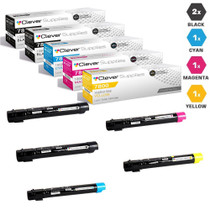
Compatible Xerox 7800 Toner Cartridges 5 Color Set (106R01569, 106R01566, 106R01567, 106R01568)
/>


Xerox
Compatible Xerox 7800 Toner Cartridges 8 Color set (106R01569, 106R01566, 106R01567, 106R01568)
/>

Xerox
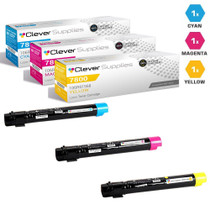
Compatible Xerox 7800 Toner Cartridges 3 Color Set (106R01566, 106R01567, 106R01568)
/>


Xerox
Compatible Xerox Phaser 7800DX Toner Cartridges 4 Color Set (106R01569, 106R01566, 106R01567, 106R01568)
/>