





 See Compatible Printers
 Read more about our ink!
Hewlett Packard
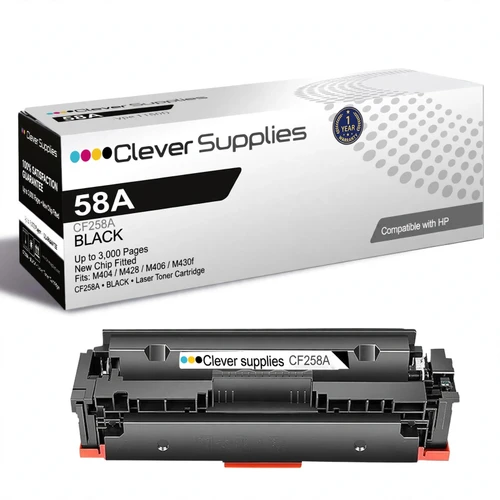
Compatible HP 58A (CF258A) Toner Cartridge Black
- Page Yield:
- Black: 3000
- Shipping:
- Free Shipping

Amazon Price:

- Page Yield:
- Black: 3000
- Shipping:
- Free Shipping
- Compatible Printers
- Specifications
- SKU:
- CS-HP-58A-Black
- Printer Brand:
- Hewlett Packard
- OEM Number:
- CF258A
- Ink Color:
- Black
- Page Yield:
- Black: 3000
- Printer Type:
- Laser Cartridge
- Condition:
- New Compatible
- Description
- Reviews
HP LaserJet Pro M404dn Printer, HP LaserJet Pro M404dw Printer, HP LaserJet Pro M404n Printer, HP LaserJet Pro MFP M428dw Printer, HP LaserJet Pro MFP M428fdn Printer, HP LaserJet Pro MFP M428fdw Printer, HP LaserJet Enterprise M406dn Printer, HP LaserJet Enterprise MFP M430f Printer
If the cartridge you just pulled out is labeled CF258A, this is its direct replacement: a compatible HP 58A black toner cartridge rated by HP at about 3,000 pages under ISO/IEC 19752. It fits every printer in the 58 generation — the LaserJet Pro M404dn, M404dw and M404n, the LaserJet Pro MFP M428dw, M428fdn and M428fdw, the LaserJet Enterprise M406dn and the LaserJet Enterprise MFP M430f. The single cartridge is the no-surplus choice: one box, one change, nothing stored and nothing bought ahead of need — the right shape for a printer whose cartridge lasts months at a time.
Price: $67.02 for the single cartridge — about 2.23¢ per rated page at HP's ~3,000-page figure. There is no pack discount to chase here and no bundle to decode; the number on this page is the whole purchase.
The chip, stated plainly: this cartridge arrives with a new chip already fitted. Open the box, install the cartridge and print — there is no chip to pry off your old cartridge and nothing to move over. That matters on this printer generation, because HP builds these machines with dynamic security and describes them as intended to work only with cartridges that carry a new or reused HP chip. One honest limit: no seller can promise that a future HP firmware update will never change how a printer treats any cartridge. What we state is the chip form of the cartridge in this box, as supplied, today.
What arrives: one sealed compatible CF258A cartridge. Before installing, rock it gently from side to side to loosen the toner, remove the protective materials, and pull the sealing strip if the unit carries one. Keep the box until the first pages have printed cleanly.
Standard or high yield? The 58A and the 58X are two capacities for the same slot. If your printer goes through a cartridge every few weeks rather than every few months, the compatible HP 58X single holds about 10,000 rated pages and brings the per-page cost down to roughly 0.84¢. Read that page before ordering if your change rhythm is closer to monthly than quarterly.
Cover on every Clever Supplies compatible cartridge: a 1-year warranty and 1-year returns. Support is staffed Monday to Friday, 9 AM to 5 PM CST, and orders ship from the nearest of our Illinois, Pennsylvania, Georgia and California warehouses.
Frequently Asked Questions
My printer just says "58A" — how do I know this is the right cartridge?
The code on the cartridge is the real check. If the label on the unit you removed reads CF258A, this listing matches it exactly. The printer model only confirms the family: every model in the 58 generation takes this cartridge, so a CF258A label settles the question on its own.
How long will 3,000 pages actually last us?
Work backward from your rhythm. A desk that prints a few hundred pages a month will measure this cartridge's life in seasons, not weeks. A shared machine turning out daily packets burns through the same rating quickly — and that burn rate, not the calendar, is the signal to look at the high-yield class instead.
What exactly arrives in the box?
One sealed cartridge, ready to install, with its new chip already in place. There is no second box to open and no component to salvage from the cartridge you are replacing before this one will work.
Do I need to move a chip from my old cartridge?
No. The chip is fitted to this cartridge before it ships, so the change is a straight swap: old cartridge out, this one in. Your empty cartridge can go straight to recycling without donating any parts.
The printer says toner is low but pages still look fine — swap now?
Low is a warning state, not a stop order. Keep printing while output stays even, and time the swap for when pages begin to fade. Ordering at the warning, rather than at the fade, is what keeps the change calm.
What if the cartridge prints badly out of the box?
Reseat the cartridge and run the printer's cleaning page first — that clears most first-day faults. If the problem stays, the cartridge is covered by our 1-year warranty and 1-year returns; contact support Monday to Friday, 9 AM to 5 PM CST.
Related Items
Hewlett Packard
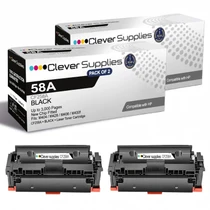
Compatible HP 58A (CF258A) Toner Cartridge 2 Black
Two compatible HP 58A cartridges in one order: the first goes into the printer today, the second waits sealed on the shelf as the standing spare. Each CF258A is rated by HP at about 3,000 pages...

Hewlett Packard
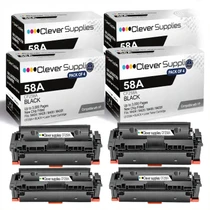
Compatible HP 58A (CF258A) Toner Cartridge 4 Black
Four compatible HP 58A cartridges bought as one stocking decision. Each CF258A carries HP's rating of about 3,000 pages (ISO/IEC 19752), putting roughly 12,000 rated pages on the shelf in a single...


Hewlett Packard
Compatible HP 5500n (C9730A) Toner Cartridge Black


Hewlett Packard
Compatible HP M177FW (CF350A) Toner Cartridge Black