






 See Compatible Printers
 Read more about our ink!
Epson
Compatible Epson 79 T079120 Black Ink Cartridge
- Page Yield:
- Up to 470 pages (Epson published rating)
- Shipping:
- Calculated at Checkout

Amazon Price:

- Page Yield:
- Up to 470 pages (Epson published rating)
- Shipping:
- Calculated at Checkout
- Compatible Printers
- Specifications
- SKU:
- CS-EP-079-BK
- Condition:
- New Compatible
- OEM Part #:
- T079120-S
- Color:
- Black
- Ink Type:
- Dye
- Page Yield:
- Up to 470 pages (Epson published rating)
- Chip:
- New compatible chip (Intellidge-type ink-level chip)
- Warranty:
- Lifetime Warranty
- Returns:
- 1-Year Free Returns
- Description
- Reviews
In a six-ink photo printer, black does the anchoring work: it gives photographs their shadow depth and contrast, and it prints the text when the same machine doubles as a document printer. This compatible T079120-S cartridge is filled with Claria Hi-Definition dye ink and rated up to 470 pages on Epson's published rating — and note that the 79 family exists in one tier only: every 79 cartridge, this black included, is the high-capacity version. There is no standard-capacity 79 to confuse it with.


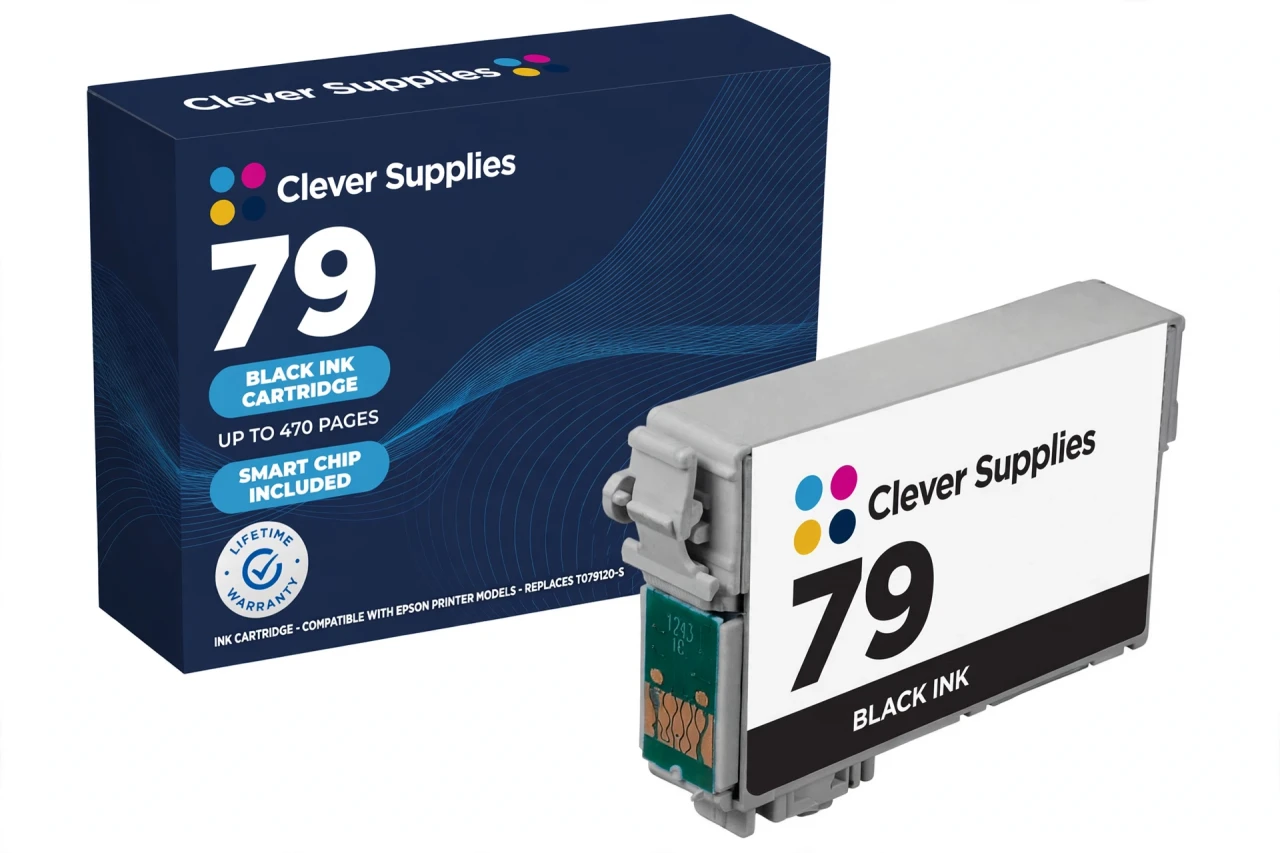
The cartridge carries a new compatible chip for ink-level reporting. The honest note for this generation: recognition errors are a known possibility with compatible chips, so seat the cartridge firmly until it clicks; if the printer questions it, reseat it and restart before assuming a fault. The five sibling colours are T079220-S cyan, T079320-S magenta, T079420-S yellow, T079520-S light cyan and T079620-S light magenta, each rated up to 810 pages.
It fits exactly two printers — the Stylus Photo 1400 and the Artisan 1430 — and no others; the six-colour Claria shelf looks similar across Epson generations, but other families' cartridges do not fit these machines. Covered by our lifetime warranty, with free returns for the first year.
Shop the Epson 79 family: T079220 Cyan Ink Cartridge · T079320 Magenta Ink Cartridge · T079420 Yellow Ink Cartridge · T079520 Light Cyan Ink Cartridge · T079620 Light Magenta Ink Cartridge · Set of 6 All Colors Ink Cartridge · Set of 14 4 Black 2 Each Color Ink Cartridge
Browse by series: Artisan · Stylus Photo
Frequently Asked Questions
How many pages does the T079120 print?
Up to 470 pages on Epson's published rating for the genuine cartridge. Photo-heavy printing uses ink faster than the rating pattern assumes, so treat 470 as the benchmark for mixed use rather than a promise for full-page photographs.
Is there a standard-capacity version of the 79 black?
No. The 79 family is a single tier and every cartridge in it is high capacity — Epson's own support listings describe all six T079 codes as High Capacity. If a listing offers a standard 79, it is mislabelled.
Which printers take this cartridge?
Exactly two: the Epson Stylus Photo 1400 and the Epson Artisan 1430. Both are six-ink Claria machines verified against Epson's own support documentation for the T079120–T079620 code set.
What ink is inside?
Claria Hi-Definition dye ink — Epson's photographic dye system for this generation. Dye ink is what gives these printers their smooth colour gradations; it is a photo ink, not a pigment document ink.
Does it have a chip, and will my printer recognise it?
Yes, it carries a new compatible chip that reports ink levels. This cartridge carries a new compatible chip. If your printer's firmware has been updated, recognition issues can occasionally occur — and on printers of this age a "cannot recognize" message is a known failure mode for the cartridge class generally. Seat it until it clicks and restart the printer first; a cartridge that still will not recognise is covered by the lifetime warranty. Recognition is not something we claim is guaranteed in every case.
Why does a photo printer need a separate black at all?
Because photographs need true shadow density. Cyan, magenta and yellow — even refined by the two light inks — cannot reach the deep tones the black position lays down, and documents print their text from this cartridge rather than from a colour mix.
Can the printer keep printing if one colour runs out?
No. Printers of this generation stop when any one cartridge is expended or removed, which is why the six colours are sold as singles as well as in sets.
How do I install it?
Have the new cartridge ready before removing the old one so no slot sits empty. Remove only the yellow tape, do not touch the chip contacts, press the cartridge into the black holder until it clicks, close the cover and let the printer charge the ink.
How much ink is in it, in millilitres?
We do not publish a figure: no verified millilitre value for this family is available from Epson's documentation, so the Volume field is left blank rather than filled with a reseller's claim. The verifiable figure is the 470-page published yield.
Is this a genuine Epson cartridge?
No — it is a Clever Supplies compatible cartridge built to the T079120-S specification, labelled compatible on the box and on this page. It is not manufactured by Epson.
What does the lifetime warranty cover?
A cartridge that fails to perform — not recognised after troubleshooting, leaking, or printing poorly from new — is replaced under the lifetime warranty. Free returns apply within the first year.
Single, set of 6, or the 14-pack — which should I buy?
This single if only black is low. The Set of 6 replaces all six positions at once; the Set of 14 (four blacks plus two of each colour) suits a 1400 or 1430 that prints photographs in volume.
Related Items

Epson
Compatible Epson 79 T079220 Cyan Ink Cartridge
Cyan is the cartridge that carries skies, water and half the green in every landscape photograph — in a six-ink Claria printer it does the heavy gradient work that the light cyan then refines. This...

Epson
Compatible Epson 79 T079420 Yellow Ink Cartridge
Yellow is the cartridge owners forget until greens go blue and warm scenes turn cold — it underpins every warm tone the printer makes, and it often runs out ahead of its neighbours on landscape work...

Epson
Compatible Epson 79 T079320 Magenta Ink Cartridge
Magenta decides how reds, sunsets and skin tones land on the page — when portraits look sunburned or roses look flat, this is the position doing the work. Our compatible T079320-S cartridge carries...

Epson
Compatible Epson 79 T079520 Light Cyan Ink Cartridge
Light cyan exists for one reason: highlights. In pale skies, water and skin tones, a full-strength cyan lays down dots too coarse to blend invisibly, so this paler tint takes over the lightest part...