






 See Compatible Printers
 Read more about our ink!
Epson
Compatible Epson 702XL T702XL420 Yellow Ink Cartridge
- Page Yield:
- Up to 950 pages (ISO/IEC 24711)
- Shipping:
- Calculated at Checkout

Amazon Price:

- Page Yield:
- Up to 950 pages (ISO/IEC 24711)
- Shipping:
- Calculated at Checkout
- Compatible Printers
- Specifications
- SKU:
- CS-EP-702-YXL
- Condition:
- New Compatible
- OEM Part #:
- T702XL420-S
- Color:
- Yellow
- Ink Type:
- Pigment
- Page Yield:
- Up to 950 pages (ISO/IEC 24711)
- Chip:
- Yes — chip included, new compatible chip; printer firmware updates can affect recognition
- Warranty:
- Lifetime Warranty
- Returns:
- 1-Year Free Returns
- Description
- Reviews
Yellow is the colour nobody notices until a print comes out wrong — greens go blue, skin tones go cold, and the culprit is an empty yellow slot. Our compatible T702XL420-S carries DURABrite Ultra pigment yellow rated up to 950 pages (ISO/IEC 24711), the same colour figure as its cyan and magenta siblings; only the black on this shelf rates higher, at 1,100 pages.



The cartridge carries a chip, stated with this family's necessary honesty: printer firmware updates can affect recognition of compatible cartridges on the WF-3720 platform. The T702XL420-S is a new-chip cartridge; install it, see the printer accept it, and treat firmware updates as something you schedule afterwards, not something that runs the night before a print run. Its siblings are T702XL120-S black, T702XL220-S cyan and T702XL320-S magenta.
It fits the WorkForce Pro WF-3720, WF-3730 and WF-3733 — and, despite the near-identical badge numbers, not the WF-4720, WF-4730 or WF-4740, which are 802 printers. Covered by our lifetime warranty, with free returns for the first year.
Shop the Epson 702 family: T702XL120 Black Ink Cartridge · T702XL220 Cyan Ink Cartridge · T702XL320 Magenta Ink Cartridge · Set of 4 BCMY Ink Cartridge · Set of 9 3 Black 2 Cyan 2 Magenta 2 Yellow Ink Cartridge
Browse by series: WorkForce
Frequently Asked Questions
My prints look wrong but no colour shows empty. Could it be yellow?
Yes, and it is the classic yellow symptom: as yellow fades, greens shift blue and warm tones wash out before the printer declares the slot spent. The T702XL420-S is the fix for the 702 family — up to 950 pages of pigment yellow per cartridge.
How many pages does it print?
Up to 950 pages on the ISO/IEC 24711 pattern, Epson's published rating for this code — the same as the cyan and magenta XL cartridges. The black's 1,100-page figure does not apply to any colour in this family.
Which printers take it?
The three verified models only: WorkForce Pro WF-3720, WF-3730 and WF-3733. Epson's own cartridge FAQ covers these three with the 702 / 702XL code set; no other WorkForce Pro model shares it.
What should I know about the chip before I order?
That it is included, and that this family is firmware-sensitive. This cartridge carries a new compatible chip. If your printer's firmware has been updated, recognition issues can occasionally occur — the precaution is to pause automatic updates until a new cartridge is recognised, and the fallback is the lifetime warranty if a warning will not clear.
What ink is inside?
DURABrite Ultra pigment ink. Yellow pigment is a large part of why this family's colour output survives office life — highlighted, handled and occasionally splashed — without smearing the way dye-based colour would.
Can I change just the yellow cartridge?
Yes. The four slots are independent; the printer asks only for spent colours. Changing the T702XL420-S alone is the normal, cheapest correct move when yellow is the only low slot.
Why does the printer refuse to print when one colour is out?
Because colour ink is part of how this platform protects its permanent printhead: the machine draws small amounts from every cartridge in printing and cleaning, and it will hold a job rather than run a slot dry. That design is Epson's, and it is why a spent yellow stops even black text work.
Does it mix with standard-capacity cartridges?
Freely. Epson lists standard 702 (300 pages per colour) and 702XL (950 per colour) for the same three printers, and slots can hold a mix. This product is the XL yellow; the standard yellow is named for reference and is not stocked on this shelf.
How should I store a spare?
Sealed, upright, at room temperature, away from direct sunlight — and opened only on the day you install it. A specific shelf-life figure is not published for this product, so the Specifications table leaves that field blank.
Is it a genuine Epson cartridge?
No. It is a Clever Supplies compatible built to the genuine cartridge's specification and code, T702XL420-S, labelled compatible on the box and on this page. It is not manufactured by Epson.
What if it will not print properly from new?
Run the reseat-and-restart steps first, then a nozzle check from the printer's maintenance menu. If the cartridge is the problem — poor output, leaking, or a recognition warning that will not clear — it is replaced under the lifetime warranty, with free returns in the first year.
Should I stock yellow, or order it when it runs out?
For a single home WF-3720, ordering on demand is fine. For a shared office WF-3730 or WF-3733, the Bulk Set of 9 keeps two yellows on the shelf alongside three blacks and two each of cyan and magenta — yellow is the colour whose absence is noticed latest and needed soonest.
Related Items

Epson
Compatible Epson 702XL T702XL120 Black Ink Cartridge
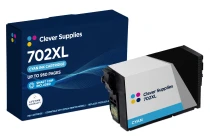
This is the cartridge this family is bought for — and the one where we put the honest warning first, not last. Our compatible T702XL120-S holds DURABrite Ultra pigment black ink rated up to 1,100...

Epson
Compatible Epson 702XL T702XL220 Cyan Ink Cartridge
Start with the number people get wrong about this cartridge: 950 pages, not 1,100. Our compatible T702XL220-S cyan carries DURABrite Ultra pigment ink rated up to 950 pages (ISO/IEC 24711). The...

Epson
Compatible Epson 702XL T702XL320 Magenta Ink Cartridge
Most magenta cartridges are bought in a hurry, mid-job, with a chart or a photo waiting — so this page is built around the install moment. Our compatible T702XL320-S carries DURABrite Ultra pigment...

Epson
Compatible Epson 702XL Set of 4 BCMY Ink Cartridge
A full reset in one box — and, on this shelf, a genuinely all-XL one. This set holds one each of T702XL120-S black, T702XL220-S cyan, T702XL320-S magenta and T702XL420-S yellow, all DURABrite Ultra...