





 See Compatible Printers
 Read more about our ink!
Epson
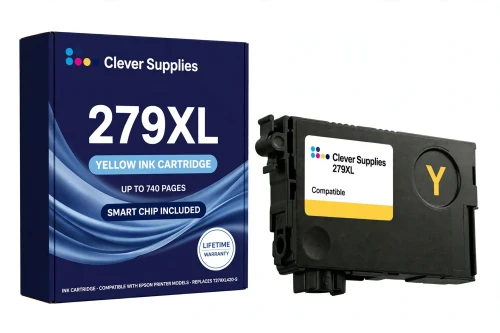
Compatible Epson 279XL T279XL420 Yellow Ink Cartridge
- Page Yield:
- Up to 740 pages (ISO/IEC 24711)
- Shipping:
- Calculated at Checkout

Amazon Price:

- Page Yield:
- Up to 740 pages (ISO/IEC 24711)
- Shipping:
- Calculated at Checkout
- Compatible Printers
- Specifications
- SKU:
- CS-EP-279-YXL
- Condition:
- New Compatible
- OEM Part #:
- T279XL420-S
- Color:
- Yellow
- Ink Type:
- Dye
- Page Yield:
- Up to 740 pages (ISO/IEC 24711)
- Chip:
- New compatible chip (ink-level monitoring)
- Warranty:
- Lifetime Warranty
- Returns:
- 1-Year Free Returns
- Description
- Reviews
Yellow rarely gets the credit, but it underlies almost every warm tone the XP-980 prints — sunlight, wood, and most of what makes skin look alive. Our compatible T279XL420-S holds Claria Photo HD dye ink rated up to 740 pages (ISO/IEC 24711), more than double the standard T279420's 360 pages, so the color you notice least runs out least often relative to its standard self.


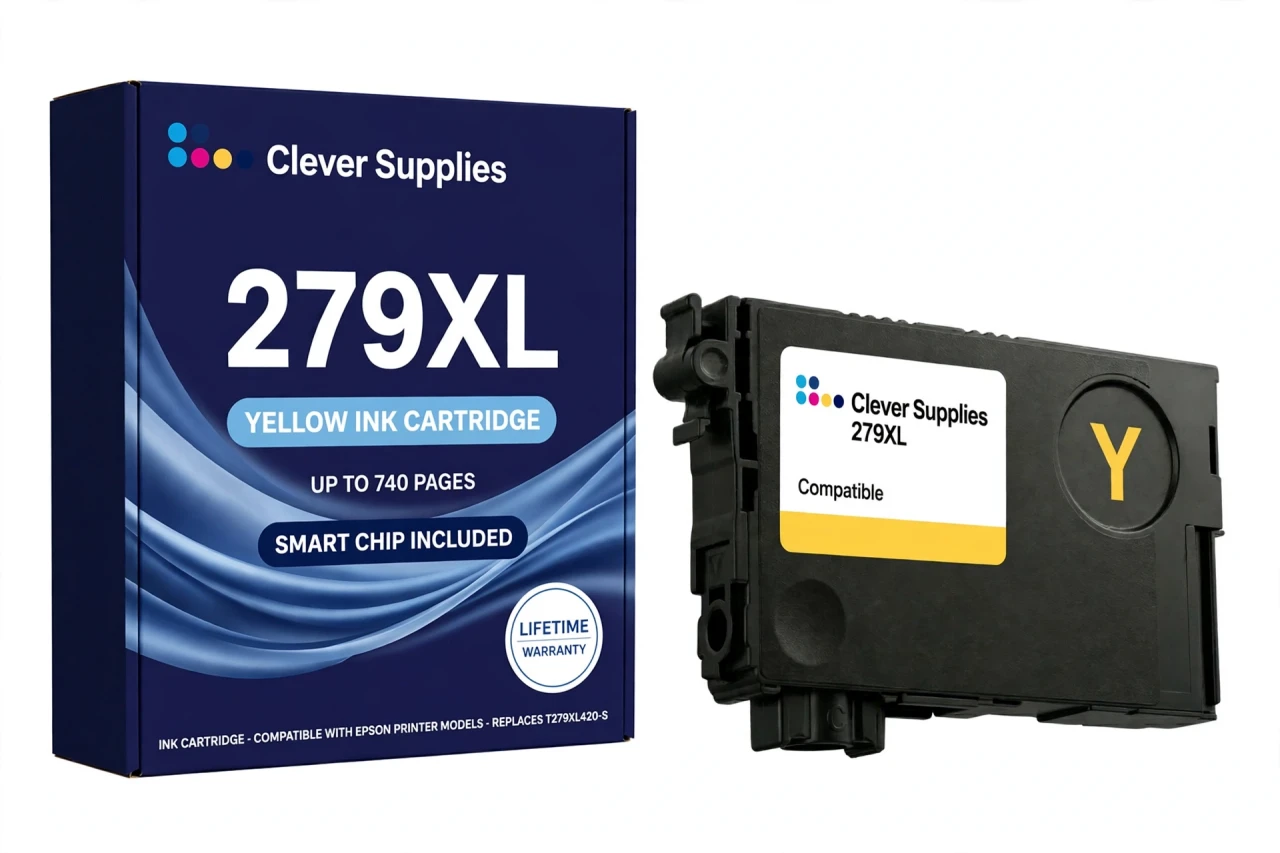
The cartridge carries a new compatible chip that reports ink levels to the printer. The honest note: this cartridge carries a new compatible chip. If your printer's firmware has been updated, recognition issues can occasionally occur — reseat it firmly and restart the printer before assuming the cartridge is at fault. The rest of the family: T279XL120-S black (up to 500 pages), T279XL220-S cyan, T279XL320-S magenta, T279XL520-S light cyan and T279XL620-S light magenta, each color rated up to 740 pages.
It fits one printer only — the Expression Photo XP-980. The XP-960 and the other 277-family models take different cartridges and are not served by this page. Covered by our lifetime warranty, with free returns for the first year.
Shop the Epson 279 family: T279XL120 Black Ink Cartridge · T279XL220 Cyan Ink Cartridge · T279XL320 Magenta Ink Cartridge · T279XL520 Light Cyan Ink Cartridge · T279XL620 Light Magenta Ink Cartridge · Set of 6 Black Cyan Magenta Yellow Light Cyan Light Magenta Ink Cartridge · Set of 13 3 Black 2 Cyan 2 Magenta 2 Yellow 2 Light Cyan 2 Light Magenta Ink Cartridge
Browse by series: Expression
Frequently Asked Questions
How many pages does the T279XL420 print?
Up to 740 pages, Epson's published rating for the genuine cartridge on the ISO/IEC 24711 pattern. Warm-toned photo work leans on yellow heavily, so photo printers may see less; mixed use tracks the rating.
Which printer does it fit?
Only the Expression Photo XP-980 — the sole 279 printer. The XP-960 belongs to the 277 family and takes none of these cartridges.
Does it have a chip?
Yes — a new compatible chip that reports ink levels. This cartridge carries a new compatible chip. If your printer's firmware has been updated, recognition issues can occasionally occur; reseating the cartridge and restarting usually clears a false warning.
What ink is inside?
Claria Photo HD dye ink. The whole 279 family is dye-based — that is what gives the XP-980 its photo color range and gloss.
Is this standard or high capacity?
High capacity — the XL, rated 740 pages against the standard T279420's 360. The compatible ladder for the 279 family is XL-only, and we say so on the box.
My printer says the cartridge is not recognized. What now?
Power the printer off, remove the cartridge, check the chip contacts are clean and dry, reseat it until it clicks, and power back on. If a recent firmware update preceded the message, that is the likely trigger — contact us and we will work through it under the lifetime warranty.
Can I replace just the yellow?
Yes. Each of the six slots is independent; replace colors one at a time as they empty, mixing XL and standard tiers freely.
How much ink is in it, in millilitres?
We don't publish a figure: Epson's US documentation does not state a millilitre volume for this family, so the Volume field is left blank rather than filled with a reseller's claim. The comparable, verifiable figure is the 740-page ISO yield.
Is it a genuine Epson cartridge?
No — it is a Clever Supplies compatible built to the T279XL420-S specification and labeled compatible on the box and this page. It is not manufactured by Epson.
Why do all five colors share the same 740 rating?
That is Epson's own summary for the XL tier: black 500, color 740 — one color figure for all five. Real consumption still differs by what you print; the rating is a common measuring stick, not a per-color promise.
What does the lifetime warranty cover?
A cartridge that fails to perform — not recognized after troubleshooting, leaking, or printing poorly from new — is replaced under the lifetime warranty. Free returns apply within the first year.
Should I buy the single or a set?
The single if only yellow is low. If colors are close behind, the Set of 6 (all XL) or the Set of 13 bulk pack works out cheaper per cartridge — both are linked from this page.
Related Items

Epson
Compatible Epson 279XL T279XL320 Magenta Ink Cartridge
Magenta is where reds and pinks come from, and in photo work it is usually the color that empties second. Our compatible T279XL320-S holds Claria Photo HD dye ink rated up to 740 pages (ISO/IEC...


Epson
Compatible Epson 279XL T279XL120 Black Ink Cartridge
One black does both jobs in this printer. Our compatible T279XL120-S is the only black the XP-980 takes — there is no separate photo black in the 279 family — and it carries Claria Photo HD dye black...

Epson
Compatible Epson 279XL T279XL220 Cyan Ink Cartridge
Cyan is half the sky in every landscape you print. Our compatible T279XL220-S holds Claria Photo HD dye ink rated up to 740 pages (ISO/IEC 24711) — more than double the standard T279220's 360 — and...

Epson
Compatible Epson 279XL T279XL520 Light Cyan Ink Cartridge
Light cyan is the cartridge four-color printers don't have — and the reason six-color photo prints look continuous instead of dotted in pale skies and water. Our compatible T279XL520-S holds Claria...