






 See Compatible Printers
 Read more about our ink!
Epson
Compatible Epson 279XL T279XL220 Cyan Ink Cartridge
- Page Yield:
- Up to 740 pages (ISO/IEC 24711)
- Shipping:
- Calculated at Checkout

Amazon Price:

- Page Yield:
- Up to 740 pages (ISO/IEC 24711)
- Shipping:
- Calculated at Checkout
- Compatible Printers
- Specifications
- SKU:
- CS-EP-279-CXL
- Condition:
- New Compatible
- OEM Part #:
- T279XL220-S
- Color:
- Cyan
- Ink Type:
- Dye
- Page Yield:
- Up to 740 pages (ISO/IEC 24711)
- Chip:
- New compatible chip (ink-level monitoring)
- Warranty:
- Lifetime Warranty
- Returns:
- 1-Year Free Returns
- Description
- Reviews
Cyan is half the sky in every landscape you print. Our compatible T279XL220-S holds Claria Photo HD dye ink rated up to 740 pages (ISO/IEC 24711) — more than double the standard T279220's 360 — and in the XP-980's six-color system it works alongside its lighter partner, light cyan, to keep skies, water and skin-tone shadows smooth rather than grainy.


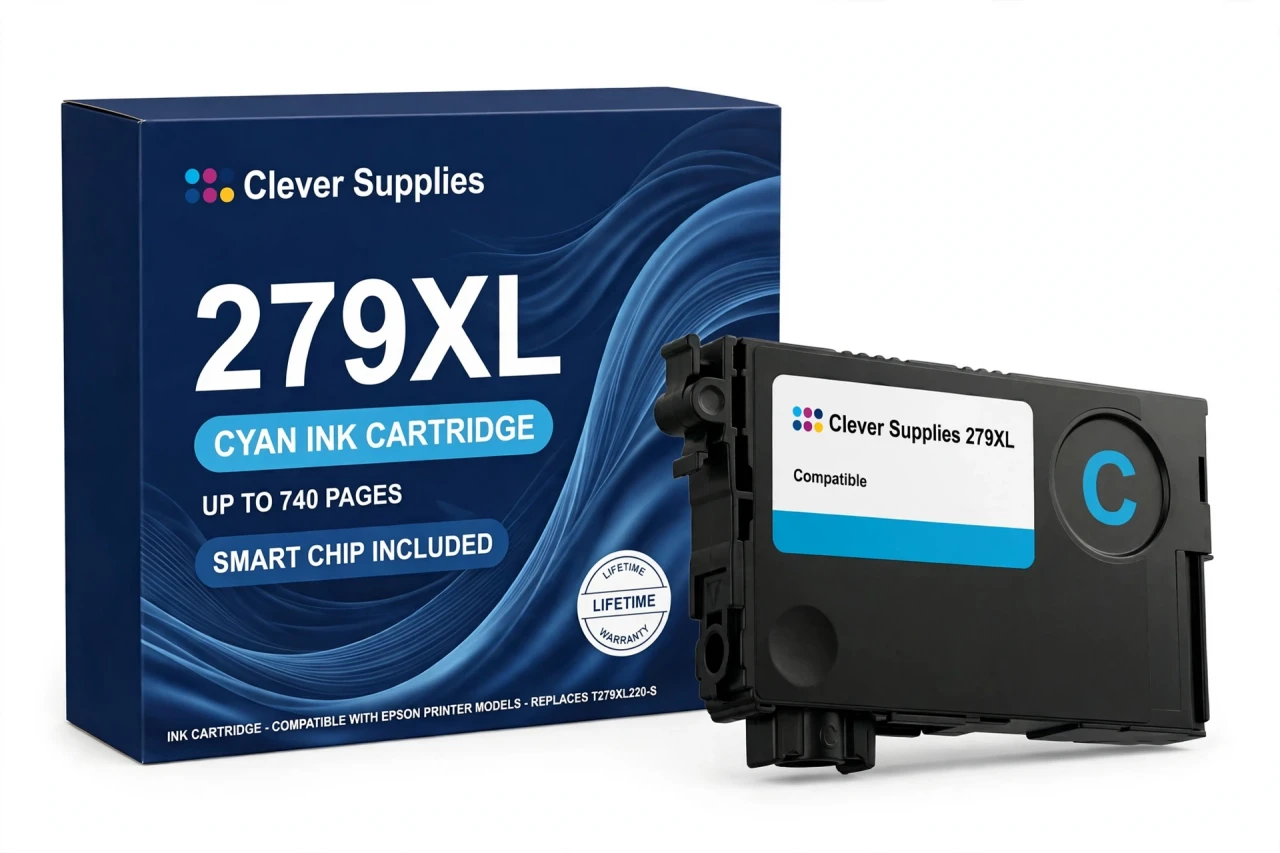
The cartridge carries a new compatible chip that reports ink levels to the printer. Honest note: this cartridge carries a new compatible chip. If your printer's firmware has been updated, recognition issues can occasionally occur — reseat it firmly and restart the printer before assuming the cartridge is at fault, and remember this printer's firmware is written strictly for Epson cartridges. The rest of the family: T279XL120-S black (up to 500 pages), T279XL320-S magenta, T279XL420-S yellow, T279XL520-S light cyan and T279XL620-S light magenta, each color rated up to 740 pages.
It fits one printer only — the Expression Photo XP-980. The look-alike XP-960 takes 277 cartridges, not these. Covered by our lifetime warranty, with free returns for the first year.
Shop the Epson 279 family: T279XL120 Black Ink Cartridge · T279XL320 Magenta Ink Cartridge · T279XL420 Yellow Ink Cartridge · T279XL520 Light Cyan Ink Cartridge · T279XL620 Light Magenta Ink Cartridge · Set of 6 Black Cyan Magenta Yellow Light Cyan Light Magenta Ink Cartridge · Set of 13 3 Black 2 Cyan 2 Magenta 2 Yellow 2 Light Cyan 2 Light Magenta Ink Cartridge
Browse by series: Expression
Frequently Asked Questions
What job does cyan do in a six-color photo printer?
Cyan, code T279XL220, carries the saturated end of the blue and green range. Its partner T279XL520 light cyan covers the pale end of that same range, laying the hue down gently so skies and water grade smoothly instead of jumping. The XP-980 expects both positions filled; neither cartridge substitutes for the other.
How far does the 740-page rating go on real photo work?
The 740 figure is Epson's published ISO/IEC 24711 rating for the genuine cartridge, earned on a standardized mixed test pattern. Photo-heavy output leans on cyan harder than that pattern does, so read the rating as an upper bound your own mileage approaches or falls short of — not a guaranteed count.
Will the T279XL220 fit my XP-960?
No. The XP-960 belongs to the 277 series and takes an entirely different cartridge set. This cyan fits the Expression Photo XP-980 only; the XP-970, XP-950, XP-860 and XP-850 are not 279 printers either.
Why is this a dye ink rather than a pigment ink?
Claria Photo HD is Epson's dye-based photo ink system, picked for the breadth of color and the gloss it gives on photo paper. Document water resistance is the trade-off pigment would offer, and it is not what this ink line is built for.
Will the printer still warn me before the cyan runs dry?
Yes. A fresh compatible chip sits on this cartridge and reports the remaining cyan to the XP-980 the way a standard cartridge would, so the low-ink warning keeps working and you are not left guessing from faded prints.
The printer started flagging this cartridge right after an update. What do I do?
Updated firmware can occasionally trip recognition on a compatible chip. Power the machine down, take the cartridge out, seat it again until you hear the click, and restart. If the flag refuses to clear, contact us — coverage under the lifetime warranty applies.
Cyan emptied mid-project. Must the whole set come out?
Not at all. Swap the cyan on its own and carry on; colors in this printer are replaced individually as each one empties, and there is never a requirement to change six cartridges because one ran dry.
Am I buying the standard cyan or the XL?
The XL. Standard T279220 cyan is rated at 360 pages, while this T279XL220-S carries a 740-page rating. For the 279 family our compatible range is XL across the board, and the tier is stated plainly on the box so there is no ambiguity at order time.
Why is there no millilitre figure for this cartridge?
Because Epson publishes none for the 279 family in its US documentation. Rather than borrow a number from a reseller's listing, we leave the Volume field blank. The 740-page ISO yield is the figure that can be verified.
Is the T279XL220 an Epson cartridge?
It is not. This is a Clever Supplies compatible built to the T279XL220-S specification, labeled compatible on the packaging and here on the page; Epson did not manufacture it.
What if the cartridge leaks or prints poorly from new?
Replacements under the lifetime warranty cover a cartridge that leaks, prints poorly from new, or stays unrecognized after you have worked through the troubleshooting steps. Returns within the first year are free.
Cyan is the only low color. Which purchase makes sense?
The single cartridge. If several colors are fading together, the Set of 6 refreshes all six positions for less than six singles cost, and the Set of 13 suits a printer that burns through photo ink — both linked from this page.
Related Items

Epson
Compatible Epson 279XL T279XL520 Light Cyan Ink Cartridge
Light cyan is the cartridge four-color printers don't have — and the reason six-color photo prints look continuous instead of dotted in pale skies and water. Our compatible T279XL520-S holds Claria...


Epson
Compatible Epson 279XL T279XL320 Magenta Ink Cartridge
Magenta is where reds and pinks come from, and in photo work it is usually the color that empties second. Our compatible T279XL320-S holds Claria Photo HD dye ink rated up to 740 pages (ISO/IEC...

Epson
Compatible Epson 279XL T279XL120 Black Ink Cartridge
One black does both jobs in this printer. Our compatible T279XL120-S is the only black the XP-980 takes — there is no separate photo black in the 279 family — and it carries Claria Photo HD dye black...

Epson
Compatible Epson 279XL T279XL420 Yellow Ink Cartridge
Yellow rarely gets the credit, but it underlies almost every warm tone the XP-980 prints — sunlight, wood, and most of what makes skin look alive. Our compatible T279XL420-S holds Claria Photo HD dye...