






 See Compatible Printers
 Read more about our ink!
Brother
Compatible Brother TN880 Toner Cartridge Black 2 Pack
- Page Yield:
- Black:12000
- Availability:
- In Stock
- Shipping:
- Calculated at Checkout

Amazon Price:

- Page Yield:
- Black:12000
- Availability:
- In Stock
- Shipping:
- Calculated at Checkout
- Compatible Printers
- HL-L6200
- HL-L6250
- HL-L6300
- HL-L6400
- HL-L6200DW
- HL-L6200DWT
- HL-L6250DW
- HL-L6300DW
- HL-L6400DW
- HL-L6400DWT
- MFC-L6700
- MFC-L6750
- MFC-L6800
- MFC-L6900
- MFC-L6700DW
- MFC-L6750DW
- MFC-L6800DW
- MFC-L6900DW
- Brother-TN570
- Brother-TN820
- Brother-TN850
- Brother-TN880
- DCP-8040
- DCP-8040D
- DCP-8045
- DCP-8045D
- DCP-8045DN
- DCP-L5500
- DCP-L5500DN
- DCP-L5600
- DCP-L5600DN
- DCP-L5650
- DCP-L5650DN
- DCP-L6600
- HL-5100
- HL-5130
- HL-5140
- HL-5140LT
- HL-5150
- HL-5150D
- HL-5150DLT
- HL-5170
- HL-5170D
- HL-5170DLT
- HL-5170DN
- HL-5170DNLT
- HL-5170N
- HL-L5000
- HL-L5000D
- HL-L5100
- HL-L5100DN
- HL-L5200
- HL-L5200DW
- HL-L5200DWT
- HL-L6250 DN
- HL-L6300 T
- HL-L6400DWG
- HL-L6400DWX
- MFC-8120
- MFC-8120NCH
- MFC-8220
- MFC-8220N
- MFC-8440
- MFC-8440D
- MFC-8440DN
- MFC-8640
- MFC-8640D
- MFC-8840
- MFC-8840D
- MFC-8840DN
- MFC-8840DTN
- MFC-L5700
- MFC-L5700DN
- MFC-L5700DW
- MFC-L5750DW
- MFC-L5800
- MFC-L5800DW
- MFC-L5850
- MFC-L5850DW
- MFC-L5900
- MFC-L5900DW
- MFC-L6900DWG
- MFC-L6900DWX
- Specifications
- SKU:
- CS-Brother_New-tn880-tn850-2Pack
- Printer Brand:
- Brother
- OEM Number:
- TN880
- Ink Color:
- Black
- Page Yield:
- Black:12000
- Printer Type:
- Laser Cartridge
- Condition:
- New Compatible
- Description
- Reviews

/> 

Experience superior print quality with the TN880 toner cartridges, meticulously crafted for seamless integration with your MFC-L6700DW, MFC-L6800DW, HL-L6200DW, HL-L6200DWT, HL-L6250DW, HL-L6300DW, HL-L6400DW, HL-L6400DWT, MFC-L6750DW, and MFC-L6900DW printers. Elevate your printing capabilities with the TN880 cartridges, ensuring optimal performance and exceptional results. Immerse yourself in the advanced technology of the TN880 toner cartridge, precisely engineered to meet the rigorous standards of your Brother printers. Achieve sharp and clear prints, enhancing the quality of your documents and images with the TN880 toner cartridge. Effortlessly manage extensive printing tasks with the TN880 toner cartridge, designed for reliability and consistency. The TN880 toner cartridge series is your reliable printing companion, delivering sharp, clear, and consistent prints that meet the demanding requirements of your Brother printers. Simplify your printing workflow with the user-friendly installation and low-maintenance design of TN880 cartridges. Redefine your printing standards as these cartridges ensure optimal performance and endurance for your MFC-L6700DW, MFC-L6800DW, HL-L6200DW, HL-L6200DWT, HL-L6250DW, HL-L6300DW, HL-L6400DW, HL-L6400DWT, MFC-L6750DW, and MFC-L6900DW printers. Opt for compatible TN880 cartridges to embark on a printing experience that exceeds expectations. Immerse yourself in the perfect blend of cutting-edge technology and precision engineering, guaranteeing consistently outstanding prints that captivate and impress. Propel your professional and personal printing endeavors to new heights with the TN880 toner cartridges, setting a new benchmark for excellence in the realm of printing.
Frequently Asked Questions
How does the one-in, one-on-the-shelf strategy work with this pack?
Install the first TN880, and keep the second sealed on the shelf. When the printer finally reports low toner after 12,000 pages, the replacement is already in the building — no rush order, no gap in printing. Between the two cartridges you hold 24,000 pages of cover.
What does that backup strategy cost me per cartridge?
Less than buying as you go. This 2-pack is $48.38, or $24.19 per cartridge at about 0.20¢ per page. Two singles at $33.43 would be $66.86, so keeping a spare this way saves you $18.48. For the full platform compared — all four toner steps (TN820, TN850, TN880 and TN890) with their pack prices and cost per page, plus which machines take the DR820 drum and which five need the DR890 instead — see our Best Brother TN850 Toner Cartridges guide.
If the first cartridge lasts months, will the spare still be fine?
Yes, provided it stays sealed and stored flat in a cool, dry spot out of direct light. The spare simply waits; when its turn comes it drops into the same DR820 drum unit — the drum is a separate imaging part, good for about 30,000 pages, and it holds no toner itself.
Where can I confirm my printer model?
Your model should appear in this list of printers for this pack: HL-L6200, HL-L6250, HL-L6300, HL-L6400, HL-L6200DW, HL-L6200DWT, HL-L6250DW, HL-L6300DW, HL-L6400DW, HL-L6400DWT, MFC-L6700, MFC-L6750, MFC-L6800, MFC-L6900, MFC-L6700DW, MFC-L6750DW, MFC-L6800DW and MFC-L6900DW
What cover do I have if the shelf spare turns out faulty when I open it?
These compatible cartridges come with a 1-year warranty, and returns are free within 1 year. Keep the packaging until the spare is installed if you can, and follow the process on our Shipping & Returns page.
Who do I contact about an order, and from where is it sent?
Our support desk works 9 AM–5 PM CST. Orders are dispatched from warehouses in IL, PA, GA, and CA, matched to your delivery address.
We print double-sided almost everything — what does 24,000 pages mean in sheets?
About 12,000 sheets. The TN880's 12,000-page rating counts printed sides, so a duplex job spends two pages of rating on every sheet it produces. Across this 2-pack that is 24,000 rated pages, or roughly 12,000 sheets of paper front and back. Anyone reconciling paper usage against toner life should compare sheets doubled, not sheets straight, before concluding a cartridge underperformed.
Our machine is an MFC model — do copies draw on the same page count?
They do. Every page an MFC-L6700DW or one of its siblings puts on paper — printed, copied, or received as a fax — is imaged by the same TN880 cartridge, so a busy copy function spends the 12,000 pages just as printing does. Offices that mostly think of the machine as a printer are often surprised how much of a cartridge's life went out through the copier glass.
When the shelf spare finally goes in, is that the moment to reorder?
It is the cleanest trigger you have. The day the second TN880 leaves the shelf, your reserve is zero, and a fresh 2-pack ordered then arrives long before 12,000 pages run down. Waiting for the low-toner warning on the second cartridge instead compresses the whole reorder into the warning window — exactly the rush this pack was bought to avoid.
What should we do with the first empty once the spare is working?
Keep it briefly, then let it go. Holding the empty TN880 until the spare has printed a few days of normal work gives you a comparison unit if output questions come up; after that it has no job left and can leave through your usual route for spent cartridges. One cartridge in the printer and none in the cupboard is also your visual reminder that the reorder trigger has fired.
About This TN880 Toner Cartridge — 2-Pack
This TN880 2-pack, $48.38 for 24,000 pages, is really a continuity plan: one cartridge working, one waiting. At $24.19 per cartridge it also beats single pricing, and each unit carries the full 12,000-page yield that puts the TN880 ahead of the platform's TN820 (3,000 pages) and TN850 (8,000 pages). Browse the rest of the platform in our Brother category.
Printer showing "Replace Toner" or "No Toner" after a cartridge change? Our TN820, TN850 and TN880 troubleshooting guide walks through the reset-gear check, the counter reset and the three-size rule for this family.
Related Items

Brother
Compatible Brother TN880 Toner Cartridge Black
/>

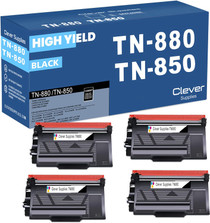

Brother
Compatible Brother TN880 Toner Cartridge Black 4 Pack
/>

Brother
Compatible Brother TN880 Laser Toner Cartridge Extra High Yield Black 2 Pack
/>


Brother
Compatible Brother TN880 Toner Cartridge 4 Black (TN-880)
/>