Frequently Asked Questions
Why does magenta matter so much in corporate documents?
Magenta carries the reds, purples and skin tones in everything from branded templates to presentation decks. When it fades, logos wash out and charts lose contrast long before the cartridge is fully empty. Keeping magenta fresh is what keeps company documents looking like company documents.
How many pages is the TN815M rated for?
It is rated at 12,000 pages, in line with the other TN815 colors. Magenta consumption swings with your work: red-heavy branding and marketing pieces use far more than text documents with a small logo. Either way, the rating gives you a predictable planning number.
Will this fit my printer?
The TN815M works in HL-L9430CDN, HL-L9470CDN, MFC-L9630CDN and MFC-L9670CDN. Those enterprise Brother models are the only home for this cartridge family. Check your model against the list — TN815 cartridges are not interchangeable with Brother's small-office lines.
Can magenta be changed on a different schedule from the other colors?
Yes, and on this platform it usually is. Each color depletes at its own rate, and magenta often runs ahead of or behind cyan and yellow depending on what you print. Swap it when the machine calls for it; the rest keep printing.
What are the early signs that magenta is nearly done?
Reds turn orange-brown, purples go dull, and photographs take on a greenish cast. The machine also reports low toner ahead of time, so you can plan the swap before output quality dips.
How am I covered if there is a problem with it?
The cartridge carries a one-year warranty, with free returns available during that same year. The process is explained on the shipping and returns page. If you need a person, support answers Monday to Friday, 9 AM to 5 PM CST.
Why does magenta run shorter on our branded work than its 12,000 pages promise?
The rating assumes a standard test page, and branded work is anything but standard: red logos, warm charts and full-color covers spend magenta on nearly every sheet. A TN815M in a marketing-heavy office will land below 12,000 pages, while one feeding mostly text documents with a small logo tracks the rating well. Judge your interval by your page mix, not by the box number alone.
How can we prove a color problem is the cartridge and not our file?
Keep one known document — a red-heavy page that has printed correctly before — and reprint that exact file when colors look wrong. The artwork has not changed, the paper has not changed, so if the reds come out orange-brown this time, the change is in the machine, and magenta is the first suspect. It turns a vague complaint into a test with a clear answer.
We have one heavy season a year — how should we stock magenta for it?
Put one sealed TN815M on the shelf before the season starts, not during it. Magenta is the color campaign work burns first, and a spare turns a mid-season warning into a two-minute swap. The day that spare goes into the machine is your reorder day for the next one — the installed cartridge's remaining life is your delivery window, so the shelf is never bare when it matters.
How do we learn our real magenta interval?
Write the install date on the box end and keep the box until the cartridge comes out. When the low warning arrives, that box tells you the true interval in weeks for your workload — not the rating's assumption. Two cycles of that simple record and you can forecast magenta to the month, which is when reordering stops being an emergency altogether.
About This TN815M Magenta Cartridge
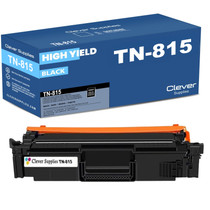
This is the single magenta cartridge for the TN815 enterprise platform, rated at 12,000 pages and replaced independently of the other colors. Pair it with the TN815BK black for the text side of the same machines, and see the full range on our Brother page.
Printer showing "Replace Toner" or "No Toner" after a cartridge change? Our TN810 and TN815 troubleshooting guide walks through the reseat, contact-cleaning and counter-reset steps for this family.







 See Compatible Printers
 Read more about our ink!