Frequently Asked Questions
Can I replace just the cyan cartridge and leave the others alone?
Yes. Every TN815 color is its own sealed unit, so cyan can be swapped the moment it runs out while black, magenta and yellow keep working. There is no need to change colors in a group or wait for a second color to fade.
How long does a cyan cartridge last in this machine class?
The TN815C is rated at 12,000 pages. In offices where color is mostly charts, headers and highlighted sections, cyan tends to be consumed steadily rather than in bursts. Actual life depends on how much of each page is covered in blue tones.
Which machines does the TN815C fit?
It is made for HL-L9430CDN, HL-L9470CDN, MFC-L9630CDN and MFC-L9670CDN. That is the full TN815 family — a compact group of enterprise Brother color lasers. If your model is not on that list, this cartridge will not seat in your machine.
What does running out of cyan actually look like on paper?
Blues shift first: skies go flat, corporate blue logos drift toward purple or gray, and charts lose the distinction between blue and green series. The printer keeps running on the remaining colors, so the warning signs are in the output, not a stopped machine.
Should I keep a spare cyan on the shelf?
For a shared enterprise machine, yes — one spare of each color is the usual pattern. Color work rarely announces itself in advance, and a spare turns a cartridge change into a two-minute task instead of a paused job.
What if the cartridge arrives damaged or faulty?
You have a one-year warranty on the cartridge and a one-year window for free returns. Start from the shipping and returns page and we will sort out a replacement or refund. Weekday support runs 9 AM to 5 PM CST.
How can we spot cyan drift before a client job exposes it?
When a fresh TN815C goes in, print one page carrying your company blue — a chart or letterhead — date it, and keep it in the machine's folder. Months later, print the same file and hold the two side by side. Because the file never changes, any difference is the cartridge aging, and you will see the drift on a quiet Tuesday instead of in a client's deck.
Cyan is banding right after a change — cartridge or machine?
Reseat before you conclude anything. Pull the TN815C, confirm it is seated squarely with clean contacts, refit it, and print a test page with a solid blue block. Banding that vanishes was a seating issue; banding that stays in the same place with a known-good page points deeper into the machine. That one test separates a two-minute fix from a service conversation.
Nobody sends big color jobs, yet cyan still drains — why?
Check the copier. On the MFC-L9630CDN and MFC-L9670CDN, walk-up color copies draw cyan from the same TN815C as printed work, and copying rarely shows up in anyone's print reports. Offices often find their color consumption is half copier, half printer. When you judge how long a cyan cartridge should last, count the copies your team makes at the glass.
What is the safest way to reorder this exact cartridge?
Read the code off the empty you just removed: TN815C, ending in C for cyan. This family's codes sit one letter apart, and a hurried order can land on magenta or yellow just as easily. The empty's label is the one reference that cannot be a guess — match the full code from it and the replacement that arrives is the color you actually ran out of.
About This TN815C Cyan Cartridge
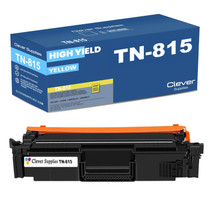
A single cyan TN815 cartridge rated at 12,000 pages, made to be replaced on its own as your machine uses it up. It is one of four independent colors on this platform, alongside the TN815BK black cartridge, and ships from IL, PA, GA or CA.
Printer showing "Replace Toner" or "No Toner" after a cartridge change? Our TN810 and TN815 troubleshooting guide walks through the reseat, contact-cleaning and counter-reset steps for this family.







 See Compatible Printers
 Read more about our ink!